


- Following Python best practices is important for improving code readability, maintainability, collaboration, and overall application reliability across development teams.
- The significant Python code performance optimization techniques include using memory-efficient slots, list comprehensions, string concatenation with join(), multiprocessing, and using the itertools module.
- Code profilers, debuggers, clear test cases, code coverage tools, and well-structured fixtures improve testing and debugging efficiency.
- Virtual environments, proper error handling, safe HTTP request management, and sanitized user inputs ensure safe and secure Python code.
- Follow PEP 8 guidelines, use descriptive names, write modular code, and add proper comments to write clean and maintainable codebases.
Python has become one of the most widely used programming languages in the world, owing to its simplicity, flexibility, and readability. No matter whether you’re just starting to code or are in the middle of the development process, writing clean and maintainable code is essential for long-term success. While Python allows multiple ways to solve a problem, following established best practices ensures your code remains consistent, efficient, and easy to debug.
Many businesses today rely on experienced Python development companies to build scalable solutions for web development, data analysis, and artificial intelligence. These companies prioritise clean coding standards to deliver high-quality software that is easy to maintain and expand.
In this blog, we will explore practical Python best practices that can help you write better Python code, avoid common mistakes, and improve your overall development workflow.
1. Why Are Python Best Practices Important?
Let’s understand why there is so much importance given to following the best practices while writing code:
- Code Readability: Adhering to good coding practices makes your Python code clearer and easier to maintain over time. It helps you and other developers quickly understand the logic. Using standard guidelines like PEP 8 keeps your code neat and consistent.
- Maintainability: It’s easier to fix issues and add new features when your code is well-organized. Writing clear, modular, and well-explained code saves time in the future and makes updates smoother, without unnecessary confusion or effort.
- Collaboration: When you’re working in a team, adopting the same coding style helps everyone understand each other’s work quickly. It reduces confusion, keeps the codebase uniform, and makes reviewing changes faster for all team members involved.
- Error Reduction: It becomes easy to handle errors and test code when the code adheres to the standard principles. The chances of unexpected issues reduces increasing the robustness and reliability of programs.
- Performance: Adhering to standard coding approaches helps in the effective utilization of memory and processing power. This increases the performance of Python programs without wasting system resources.
- Professionalism: Maintaining proper coding standards depicts a responsible development approach. It builds confidence and helps other trust your work in collaborative environments.
- Learning and Growth: Following good practices from the beginning helps new programmers build strong habits. This makes the learning process smooth and improves their coding skills as they continue to grow and gain experience.
2. Python Best Practices for Performance Optimization
The code you write must execute fast while using the resources efficiently. This helps increase the program’s performance and avoid over- and under-utilisation of system resources.
Implement these seven performance-related best practices to achieve the expected results:
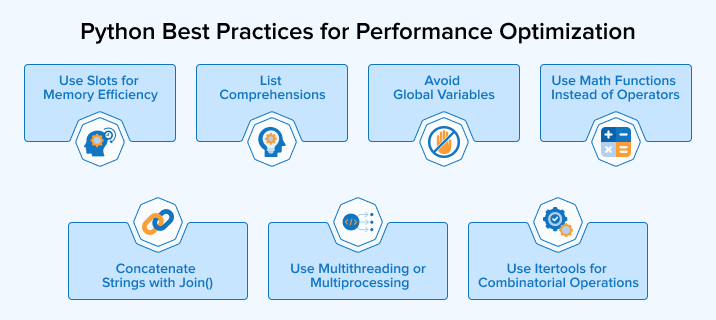
2.1 Use Slots for Memory Efficiency
Python uses the default dynamic dictionary (__dict__) to store the instances, which results in huge memory overhead per object and quite slow attribute access due to hash table lookups. To avoid this, use slots to declare a fixed number of attributes for a class, especially in cases where you need to declare multiple instances of a particular class.
Use slots for attribute declarations using the best practices given below:
- Define slots as a class-level variable containing a tuple of attribute names as strings. As a result, Python will allocate memory for these attributes only.
- You can use any kind of iterable, but it’s preferred to use a tuple as it’s immutable and more memory-efficient compared to lists.
- slots do not allow dynamic attribute assignment, so don’t go for it if there’s a need to declare attributes at runtime.
- For using weakref attribute, include ‘__weakref__’ in the slots tuple explicitly to prevent it from disabling by slots.
Let’s understand with some examples:
Bad Example
import time class PointNormal: def init(self, x, y): self.x = x self.y = y start = time.time() points = [PointNormal(i, i + 1) for i in range(1_000_000)] print(f"Without slots: {time.time() - start:.4f}s") |
Output:
Without slots: 2.3044s |
Code Explanation: The above code defines a standard class called PointNormal and uses a loop to create one million separate “point” objects in a list. It records the time before and after the loop to measure how long the computer takes to allocate memory and store these objects. Since Python creates a separate dictionary for each point object, the process is slower and uses a lot of memory.
Good Example
Description: By using slots, you tell Python exactly which attributes the class will have, allowing the objects to be stored in a small, fixed-size array in memory rather than a heavy dictionary. This optimization drastically reduces the amount of RAM used when handling large datasets.
import time class PointSlots: slots = ("x", "y") def init(self, x, y): self.x = x self.y = y start = time.time() points = [PointSlots(i, i + 1) for i in range(1_000_000)] print(f"With slots: {time.time() - start:.4f}s") |
Output:
Without slots: 2.0615s |
Code Explanation: The code uses a special command called slots to predefine the variables x and y, which prevents Python from creating a dictionary for every object. When it creates one million points, the computer stores the data more efficiently in an organized manner and not randomly. As a result, the output shows a faster execution time, and the program uses significantly less background memory to store the same amount of information.
2.2 List Comprehensions
Loops are a common programming paradigm in every programming language. Python’s list data structure is dynamic and allows smooth iteration for processing data. List comprehensions facilitate an easier way to create lists in Python codebases and loop through them.
Some of the best practices of using list comprehensions are as follows:
- List comprehensions are great for simple tasks like filtering or changing data quickly. If the code requires multiple lines, using a regular loop makes the code easier to read.
- Do not go for deeply nested list comprehensions, as they’ll become very difficult to comprehend and maintain.
- Use descriptive variable names to define lists to ensure clarity.
- Use a list comprehension only when you want to build a new list. If you’re just calling a python function like print() for each item, use a regular loop instead.
The following example explains how and when list comprehension should be used:
Input Data users = [ {"name": "alice", "active": True, "salary": 60000, "email": "alice@gmail.com"}, {"name": "bob", "active": False, "salary": 40000, "email": "bob@gmail.com"}, {"name": "charlie", "active": True, "salary": 70000, "email": "charlie@gmail.com"}, ] |
1. Filter Active Users
active_users = [user for user in users if user["active"]] |
2. Convert Names to Uppercase
uppercase_names = [user["name"].upper() for user in active_users] |
3. Find High Salary Users
high_salary_users = [user for user in users if user["salary"] > 50000] |
4. Extract Emails
emails = [user["email"] for user in users] Final Output print(uppercase_names) print(high_salary_users) print(emails) |
Output:
['ALICE', 'CHARLIE'] [ {'name': 'alice', 'active': True, 'salary': 60000, 'email': 'alice@gmail.com'}, {'name': 'charlie', 'active': True, 'salary': 70000, 'email': 'charlie@gmail.com'} ] ['alice@gmail.com', 'bob@gmail.com', 'charlie@gmail.com'] |
Code Explanation: The code starts with a list of users and uses four different one-line “shortcuts” to process their information.
- Filtering: active_users and high_salary_users narrow down the list based on specific criteria.
- Transformation: uppercase_names modifies the existing data (changing lowercase to uppercase).
- Finding: high_salary_users stores the user with a salary of more than 50000
- Extraction: emails pull out one specific piece of information from a complex dictionary to create a simple list.
2.3 Avoid Global Variables
Global variables are accessible from any part of the program by referencing their name. They are beneficial in case of constant variables, store configuration settings for the entire program, shared data, etc. However, in large-scale applications, the use of global variables adds debugging and maintenance overhead. Therefore, it’s recommended to avoid their use.
Consider the following best practices to reduce the use of global variables in Python programs:
- Pass the data directly as arguments to the functions instead of using global variables. This keeps things clear and makes testing much easier.
- Define constants in UPPER_CASE at the module level to indicate that they must not be modified
- Use the return statement to send data back to the calling function instead of modifying a global variable.
Let’s understand the usage of global and local variables and determine which is best from the examples below
1. Global Variables
Description: In Python, accessing a global variable is slower than using a local one because each loop iteration requires searching the global scope to find it. Python looks for variables in order: Local → Enclosing → Global → Built-in (LEGB rule). While the time difference is measured in fractions of a second, it causes significant delays in high-performance loops or large-scale applications.
import timeit # Global variable message = "HelloWorld " def use_global_variable(): result = [] for _ in range(50): result.append(message) return result if name == "__main__": time_taken = timeit.timeit( "use_global_variable()", globals=globals(), number=100000 ) print("Using Global Variable:", time_taken) |
Output:
Using Global Variable: 0.22602493299928028 |
Code Explanation: The code defines a global variable, message, at the top of the code. The function, use_global_variable, loops 50 times and keeps checking the global value each time, which slows it down. The timeit tool repeats this 100,000 times to show how these repeated lookups reduce performance.
2. Local Variable
Description: Local variables are stored in a fixed-size array within the function’s stack. Python accesses them using a specialized LOAD_FAST operation.
import timit def use_local_variable(): message = "Hello World!" result = [] for _ in range(50): result.append(message) return result if name == "__main__": time_taken = timeit.timeit( "use_local_variable()", globals=globals(), number=100000 ) print("Using Local Variable:", time_taken) |
Output:
Using Local Variable: 0.1540987389998918 |
Code Explanation: In this version, the message variable is defined inside the function, i.e., a local variable. In the loop, Python quickly accesses the message using a local reference instead of searching elsewhere. This simple change improves performance noticeably compared to using a global variable.
2.4 Use Math Functions Instead of Operators
Python’s math module uses optimised C code, so it can handle calculations more efficiently and accurately than basic Python operations. This difference is more visible in heavy loops or large tasks. Depending on the situation, you may prefer simple operators for speed or math functions for better precision and clarity.
Consider the following situations for using math functions:
- Use ** for powers because it runs faster and keeps integers unchanged. For remainders, use % since it is simple, standard, and fits Python’s normal arithmetic style.
- For floating-point numbers, use math.fmod() for better accuracy, math.sqrt() for faster square roots, and math.fsum() to add values more precisely without small rounding errors.
- The math module offers built-in rounding functions: math.ceil(), math.floor(), and math.trunc(). These give more precise control than round().
2.5 Concatenate Strings with join()
Joining strings using the “+” operator may seem easy, but each operation creates a new string and copies data. This repeated process can waste memory and slow things down, especially in programs that handle large amounts of text. This can be avoided using the join() function.
Let’s see some of the best ways to use str.join():
- Use an empty string “ “ with join “”.join()when combining text without spaces, as it merges items efficiently into one continuous string.
- Make use of desired and clear separators in the join() method to make the combined text easier to read.
- Make sure all objects are strings before using join, because it fails with other types and raises TypeError. Convert values first using list comprehension or the map() function for smooth execution.
- When joining just a few strings, simple methods like f-strings or the + operator are better than join() for good readability and fast performance.
The following examples explain different ways to combine strings:
1. Combining Names
Bad Approach: Using + in a Loop
Description: Strings in Python are immutable. When you use result += name, Python doesn’t just add to the existing string. Instead, it allocates a new space in memory, copies the old string, adds the new name, and then deletes the old version. As the list grows longer, the amount of copying increases exponentially (O(n^2)).
names = ["Alice", "Bob", "Charlie"] result = "" for name in names: result += name + "," print(result) |
Output: Alice, Bob, Charlie,
Code Explanation: The code begins with an empty string, result, and keeps adding names with commas to the end of result as it loops through the names list. Although it looks simple, Python keeps creating a new string each time, which makes the process inefficient.
Better Approach: Using join()
Description: Unlike a loop that creates multiple intermediate strings, join() calculates the total required memory once and builds the final string in a single pass (O(n) complexity). This approach is not only much faster for large datasets but also results in cleaner, more readable code that avoids the “extra comma” logic at the end of the string.
names = ["Alice", "Bob", "Charlie"] result = ", ".join(names) print(result) |
Output: Alice, Bob, Charlie
Code Explanation: The above code uses the string as a separator and combines the entire list of names together using join(). The computer first examines the entire list, determines how much space the final result will require, and then builds the sentence in one step. Since it only places commas between items, you never end up with an extra comma at the end.
Real-World Example: Email List for Notifications
emails = ["alice@gmail.com", "bob@gmail.com", "charlie@gmail.com"] email_string = "; ".join(emails) print("Sending to:", email_string) |
2.6 Use Multithreading or Multiprocessing
Multithreading and multiprocessing are ways to execute multiple tasks simultaneously. In multithreading, multiple threads of the same process share the same memory and execute simultaneously. In the case of multiprocessing, multiple processes are executed on different CPU cores at the same time. This increases the effective utilization of resources.
Some of the recommended ways to apply multithreading and multiprocessing are:
- Rather than working directly with threads or processes, you can use the concurrent. futures module. It offers an Executor pattern that makes submitting tasks easier and handles exceptions more cleanly.
- Don’t create and destroy a thread or process for every small task. Instead, use a ThreadPoolExecutor or ProcessPoolExecutor to maintain a pool of reusable workers.
- Prevent race conditions using threading. Lock in case multiple threads are attempting to update the same variable.
- Always use a context manager (the with statement) when working with executors so resources are properly cleaned up.
The following examples illustrate both multithreading and multiprocessing:
1. Multithreading (For I/O Tasks like API Calls, Downloads)
Bad Example (Sequential Execution — Slow)
Description: This code runs sequentially, meaning the program executes one task at a time in a strict line. This is highly inefficient for I/O-bound tasks (tasks that involve waiting), such as downloading files, fetching API data, or reading from a database, because the CPU sits idle while waiting for the network or disk to respond.
import time def download(file): print(f"Downloading {file}...") time.sleep(2) print(f"{file} downloaded") files = ["file1", "file2", "file3"] start = time.time() for file in files: download(file) print("Time taken:", round(time.time() -start, 2), "seconds" |
Output:
Downloading file1... file1 downloaded Downloading file2... file2 downloaded Downloading file3... file3 downloaded Time taken: 6.0 seconds |
Code Explanation: The code defines a download function that simulates a delay using time. sleep(2). It then uses a standard for loop to process a list of three files. It waits for file1 to finish before it even starts thinking about file2. Because it is sequential, the total time is the sum of every individual download (‘2 + 2 + 2’). As shown in the output, it takes 6 seconds because the computer refuses to start the next download until the current one is 100% finished.
Good Example (Using Multithreading – Faster)
Description: Instead of waiting for one download to finish before starting the next, the program kicks off all tasks at nearly the same time. While one thread is “sleeping” (waiting for the simulated network), the CPU can switch to another thread to start its work. This allows multiple I/O-bound operations to overlap.
import time import threading def download(file): print(f"Downloading {file}...") time.sleep(2) print(f"{file} downloaded") files = ["file1", "file2", "file3"] threads = [] start = time.time() for file in files: t=threading.Thread(target=download, args=(file,)) threads.append(t) t.start() for t in threads: t.join() print("Time taken:", round(time.time() - start, 2), "seconds") |
Output:
Downloading file1... Downloading file2... Downloading file3... file1 downloaded file2 downloaded file3 downloaded Time taken: 2.0 seconds |
Code Explanation: The code uses the threading library to create a separate “worker” for each file. Instead of calling the download function directly, it creates a Thread object for each file and tells all of them to start(). Finally, it uses .join() to make sure the main program waits for all workers to finish before printing the total time. Because they all “slept” at the same time, the total wait was only 2 seconds instead of 6.
2. Multiprocessing (For CPU-Heavy Tasks)
Description: This is an example of synchronous execution. Even though modern computers have multiple CPU cores, this script uses only a single core of a processor. Because tasks are executed sequentially, the total time is just the sum of each task’s duration. This becomes a major bottleneck for CPU-bound workloads, where performance depends on computational power rather than waiting on external operations.
import time def compute(task): print(f"Processing {task}...") time.sleep(2) print(f"{task} done") tasks = ["task1", "task2", "task3"] start = time.time() for task in tasks: compute(task) print("Time taken:", round(time.time() start,2), "seconds") |
Output:
Processing task1... task1 done Processing task2... task2 done Processing task3... task3 done Time taken: 6.0 seconds |
Code Explanation: The code defines a compute function and uses a standard for loop to process three tasks. Just like the previous sequential example, the program finishes task1 before it even looks at task2. In a real-world scenario, if these tasks involved heavy data processing or complex math, other CPU cores would remain completely idle while one core handles all the work.
Good Example (Using Multiprocessing – Faster)
Description: Multiprocessing creates entirely new instances of the Python interpreter. This allows the OS to run each process on a different physical CPU core simultaneously. This is the primary way to bypass Python’s Global Interpreter Lock (GIL). Since each process has its own GIL, they don’t have to wait for each other to execute code. The total time matches the duration of the single longest task (2.0 seconds) rather than the sum of all tasks.
import time from multiprocessing import Process defcompute(task): print(f"Processing {task}...") time.sleep(2) print(f"{task} done") tasks = ["task1", "task2", "task3"] processes = [] start = time.time() for task in tasks: p= Process(target=compute, args=(task,)) processes.append(p) p.start() for p in processes: p.join() print("Time taken:", round(time.time() - start, 2), "seconds") |
Output:
Processing task1... Processing task2... Processing task3... task1 done task2 done task3 done Time taken: 2.0 seconds |
Code Explanation: The above code utilizes the multiprocessing library to create a unique Process for each task. Unlike threads, which share the same memory space, each process runs in its own isolated environment with its own CPU resources. By calling p.start(), the script triggers all three tasks concurrently. The final p.join() ensures the main program waits for all the worker processes to finish before measuring the total time. Because the workload was spread across multiple cores, tasks that would have taken 6 seconds were completed in just 2 seconds.
2.7 Use Itertools for Combinatorial Operations
Python has a standard module named itertools that includes a collection of C-optimized iterator functions for iterator-based operations like permutations, combinations, Cartesian products, etc. itertools helps Python handle data efficiently by creating fast, memory-saving iterators. It lets you combine operations easily, making programs cleaner and better for large or complex tasks.
Go through the following best practices of leveraging itertools:
- Avoid converting itertools results into lists unless you truly need all values at once, as large inputs can consume a lot of memory. It’s better to loop through them directly in a for loop for efficiency.
- When handling very large combinations, it is better to use a generator function to process results and store them in a file or database, instead of keeping everything in memory.
- Import specific itertools functions like combinations, permutations, and product to keep code simple, clear, and easier to read.
We’ll see below the ways to use itertools for combinatorial operations
Example: Creating Product Bundles
Bad Example
Description: This approach uses two nested for loops to find every possible pair of items. When the number of items increases or selections involve multiple items, deeply nested loops quickly become complex and difficult to manage. They also tend to run more slowly than optimized built-in library functions designed for such mathematical operations.
products = ["Laptop", "Mouse", "Keyboard"] pairs = [] for i in range(len(products)): for j in range(i + 1, len(products)): pairs.append((products[i], products[j])) print(pairs) |
Output:
[('Laptop', 'Mouse'), ('Laptop', 'Keyboard'), ('Mouse', 'Keyboard')] |
Code Explanation: The code aims to create unique product pairs, e.g., “Laptop” and “Mouse”, without repeating the same item or including the same pair twice (like “Mouse” and “Laptop”). To do this manually, it uses an outer loop to select the first item and an inner loop that starts at the next position (i + 1). This approach works for generating pairs, but it is inefficient since Python must manually handle loop counters and repeatedly append items during each iteration. While this works for pairs, it is inefficient because the Python interpreter has to manage the counters and list appending manually for every single iteration.
Good Example
Description: The combinations function is specifically built to handle the iterator logic mathematically. Instead of managing complex indices and nested loops, you simply state what you want: a list of combinations of a specific length (in this case, 2). If you suddenly need to find groups of 3 or 4, you don’t need to add more loops, but just change the second argument.
from itertools import combinations products = ["Laptop", "Mouse", "Keyboard"] pairs = list(combinations(products, 2)) print(pairs) |
Output:
[('Laptop', 'Mouse'), ('Laptop', 'Keyboard'), ('Mouse', 'Keyboard')] |
Code Explanation: The code imports the combinations function and applies it to the products list. By passing 2 as the second argument, Python internally handles all the logic of picking items without repetition. Because itertools functions are written in highly optimized C code, they generate these pairs much faster than a standard Python for loop would. The result is a clean, one-line solution that is easy for other developers to understand.
3. Python Best Practices for Testing and Debugging
Thorough testing and debugging of the written Python code ensure its long-term accuracy, reliability, and performance by helping find and resolve errors. Python offers many helpful tools and libraries, but using them properly ensures better code quality and results.
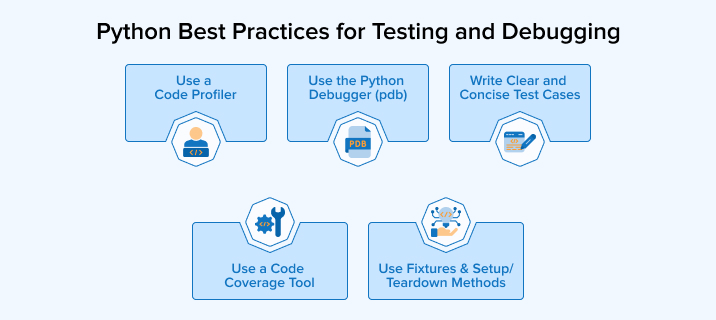
Implement the following top five Python best practices for testing and debugging:
3.1 Use a Code Profiler
A code profiler analyzes the time taken by different parts of the program to execute. Thus, you can determine which parts are lagging behind and thus optimize them accordingly. c-profiler is a built-in profiler in Python written in the C language that helps in this and minimizes performance overhead.
Optimize your code with the following profiling best practices:
- Import the cProfile module and pass your code as an argument to its run function to get a detailed analysis of your code’s performance.
- Always test using real-world data instead of simple, fake, and misleading samples. Realistic workloads reveal actual performance issues and help identify true system bottlenecks more accurately.
- Always measure performance before and after making changes to confirm improvements and make sure no new issues or slowdowns have been introduced.
3.2 Use the Python Debugger (pdb)
Python has a built-in debugger, pdb, that lets you pause program execution and move through the code step by step. You can check the values of the defined variables at each stage, which helps identify mistakes or understand program flow. It is especially useful for complex issues where normal debugging is not enough.
Take note of the following best practices while using the pdb:
- There’s no need to use the old way to first import the pdb module and then call set.trace() to debug the code. Use the built-in breakpoint() function introduced in Python 3.7+ for clean and efficient debugging, as it allows you to swap debuggers using the PYTHONBREAKPOINT environment variable.
- Make use of conditional breakpoints so that all the loop iterations need not be stopped.
- You can start debugging a script from the very beginning of the code by running python -m pdb myscript.py, which starts the debugger without any modification in the code.
3.3 Write Clear and Concise Test Cases
Writing clear and concise test cases helps developers find the exact part where the test cases fail. It thus helps in easy refactoring and updation without affecting the existing functionalities. Such test cases become an updated documentation that helps new developers and team members understand the functioning of the code.
Remember the following points while creating test cases for your application code:
- Write a single test case for testing a single functionality or feature so that you can easily identify the reason if the test fails.
- Give meaningful and descriptive names to the test cases that clearly communicates its purpose and expected results.
- Do not create too long and complex test cases that become difficult to maintain and understand over a period.
- Add brief comments at the required places to improve the understandability of the test case.
The example below explains how to write an effective test case:
Description: High-quality code requires high-quality tests.
def test_convert_name_to_uppercase(): # Check if name is converted to uppercase result = to_uppercase("alice") assert result == "ALICE" def test_check_empty_string(): # Check if empty string returns empty result = to_uppercase("") assert result == "" def test_string_with_numbers(): # Check if string with numbers is handled correctly result = to_uppercase("user123") assert result == "USER123" |
Code Explanation: The above example demonstrates how to test a hypothetical to_uppercase() function using three distinct scenarios:
- Standard Case (test_convert_name_to_uppercase): Verifies that a normal string is successfully transformed.
- Edge Case (test_check_empty_string): Ensures the program doesn’t crash or behave strangely when it receives nothing.
- Mixed Case (test_string_with_numbers): Confirms that non-alphabetical characters are preserved correctly.
3.4 Use a Code Coverage Tool
Many times, test cases do not cover the complete program. Some of its parts may remain untouched or untested. A code coverage tool helps measure the amount of code executed when tests are run to help detect the areas not covered by the test cases. You can use Python’s code coverage tools like “coverage.py” and “pytest-cov” to figure out the additional testing components of your code.
Check the code coverage using the best practices given below:
- Don’t rely only on line coverage. Turn on branch coverage as well, so every possible path in conditional logic, like if/else blocks, gets properly tested.
- Target about 80% test coverage as a practical goal. Trying for 100% may lead to executing code without truly checking if it behaves correctly.
- Exclude test files from coverage reports, since including them can show high testing results and make your main application code appear better tested than it actually is.
3.5 Use Fixtures and Setup/Teardown Methods Wisely
Fixtures and setup or teardown methods prepare the proper environment needed before a test runs and clean up afterward. This prevents tests from interfering with each other by sharing state or resources. Using fixtures, especially in pytest, encourages reuse and keeps tests independent, making them more stable and predictable.
Go through the best practices mentioned below to make the best use of fixtures and setup or teardown methods:
- In fixtures, using yield helps clearly divide setup and teardown steps. The code before yield runs before the test, while the code after it executes once the test is completed.
- Keep common fixtures in a conftest.py file at the root of your test folder so they can be used across different test files without needing to import them manually.
- Do not use global variables or setup hooks as arguments of your test functions. Instead, use fixtures as it helps make dependencies clear and simplify maintenance.
Example with pytest fixture:
import pytest @pytest.fixture def sample_list(): # Setup: create a list before the test runs data = [1, 2, 3] yield data # Teardown: clear the list after test completes data.clear() def test_append_to_list(sample_list): sample_list.append(4) assert sample_list == [1, 2, 3, 4] def test_remove_from_list(sample_list): sample_list.remove(2) assert sample_list == [1, 3] |
Here, sample_list is a fixture that sets up a list before each test and cleans it afterward. This isolation prevents tests from affecting each other’s data.
4. Python Best Practices for Security
Secure coding is one of the foundational pillars of effective coding. Buggy code may result in unexpected outcomes that can cost heavily in terms of money, reputation, and trust.
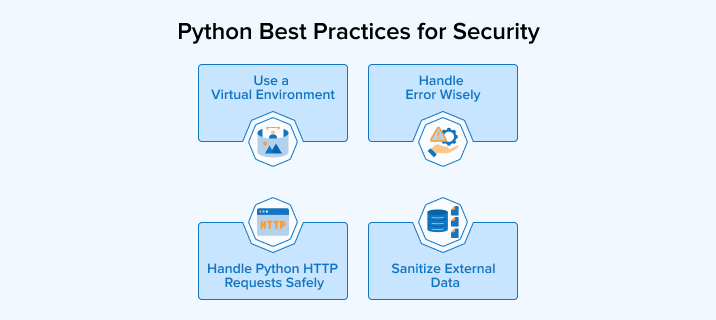
So, now let’s understand the four important best practices to write secure Python code.
4.1 Use a Virtual Environment
Virtual environments make coding easy as well as secure. Different projects may use different versions of a specific library, the same modules, and the same dependencies, often resulting in clashes. A virtual environment allows your project to have its own interpreter, packages, and other project-specific dependencies.
Follow the best practices below to create an effective virtual environment:
- Create isolated virtual environments using Virtualenv or Pipenv for every new project.
- Once you create the virtual environment, upgrade pip to the latest version to avoid installation and security issues.
- The environment directory must be named .venv or venv. The leading dot makes it a hidden folder on Unix-based systems, keeping your root directory clean.
Do not forget to add your virtual environment directory to your .gitignore file.
4.2 Handle Error Wisely
Errors are something that will definitely come either during compilation or at runtime. Hence, it’s important to plan for an error-handling strategy in advance and ensure that errors are caught and resolved as early as possible.
The following error-handling best practices will help develop robust applications:
- Keep error messages general and not specific, as descriptive error messages can reveal any private information to attackers, compromising the system’s security.
- Go for specific exceptions, such as TypeError instead of just Exception. Try not to use bare except clauses.
- Create your own exception classes to ease the error-handling process.
- Implement access control, securely store logs, and record errors to prevent unauthorized access.
4.3 Handle Python HTTP Requests Safely
Request handling plays a very important role in many of the Python projects. Therefore, ensure maximum security throughout the process.
Follow the best practices given below to handle HTTP requests safely:
- Always set a timeout period for receiving a response while making an HTTP request. If the timeout period is not set, the request library will wait indefinitely for a response from the server. This can slow down or hang your entire system.
- Pinning versions in requirements.txt can lock you into outdated versions with known security flaws. To stay safe while maintaining stability, use version ranges instead of exact matches.
- Check the status of your request using the raise_for_status() method to see if it’s succeeded before processing data. If it’s not, the method will output 4xx and 5xx errors.
- Use requests.Session() object if there’s a need to call the same host multiple times. This allows you to reuse the underlying TCP connection through connection pooling.
- Use the latest version of your HTTP requests library and let it handle SSL verification for the request source.
- Follow the best practices of using Python’s standard urllib to prevent HTTP request smuggling.
4.4 Sanitize External Data
Taking user input or external data into your application might increase its vulnerability to SQL injection, cross-site scripting (XSS), or denial of service (DOS) attacks if it’s unvalidated.
Go through the following best practices to validate user input:
- Always validate and sanitize data coming from external sources, be it from a user input form, database request, or from scraping any website. Do not let the data remain unchecked, no matter whether it’s from a registered user or not.
- Data sanitisation should be performed at the point of entry only to reduce the risk of your application handling unsanitized sensitive data.
- The aim of sanitization must be to determine whether the input is as it should be, rather than handling exceptions.
- Use recommended Python sanitization libraries, such as the schema that verifies Python data structures from config files, forms, external services, etc., or an allowed-list-based HTML sanitizing library called bleach that escapes or strips markup and attributes.
The examples below will make your understanding clearer
1. Preventing SQL Injection
Bad Example: Directly using user input (DANGEROUS)
Description: This approach is highly dangerous because it uses “f-strings” to paste user input directly into a database query. Here, there is no input validation done before making the database query, increasing the chances of an SQL Injection attack. A malicious user could type a special command (like ‘ OR ‘1’=’1) into the prompt to bypass your login security and access every account in the database.
username = input ("Enter username: ") query = f"SELECT * FROM users WHERE username = '{username}'" cursor.execute(query) |
Code Explanation: The above code takes the name of the user as input and stores it in a variable called username. Afterwards, it creates a SQL command by inserting that name directly into the middle of the text string. As a result, an ambiguity arises between the actual username and a malicious database command hidden inside that input.
Good Example: Safe way of using parameterized query
Description: This is the professional standard for database security. Here, with the help of a parameterized query, you define a placeholder (%(username)s) and pass the user input as a separate argument. Even if a hacker types a malicious SQL command, the database engine treats it purely as plain text rather than code, so it will search for that literal string instead of executing the command.
username = input ("Enter username: ") query = "SELECT * FROM users WHERE username = %(username)s" cursor.execute(query, {"username": username}) |
Code Explanation: Instead of building the command string manually, the code uses a placeholder in the query to act as a “secure slot.” When the cursor.execute line runs, it sends the query and the user’s input to the database separately. The database then safely plugs the username into the slot, preventing any hidden commands from being triggered.
2. Preventing XSS (Cross-Site Scripting)
Bad Example
Description: This is a Cross-Site Scripting (XSS) vulnerability, where raw, unfiltered user input is sent directly to the browser. The input isn’t just text; it’s a script. This flaw is dangerous because a hacker could use it to steal session cookies, capture passwords, or redirect unsuspecting visitors to malicious websites.
Code Explanation: The above code stores a piece of text called user_comment that actually contains a small “alert” program written in JavaScript. When the code prints or displays this variable directly, the browser doesn’t see it as a comment but a command to run the script. In this simple case, it just pops up a box saying “Hacked,” but it proves the system is unprotected.
# Rendering raw user input in HTML user_comment = "<script>alert('Hacked')</script>" print(user_comment) |
Good Example: Using bleach
Description: To prevent security risks, the bleach.clean() python function acts as a filter that scans strings for “disallowed” HTML tags. By default, it automatically removes or escapes dangerous tags like <script> that could execute malicious code. This ensures the browser simply displays the input as harmless text instead of running it as a hidden program, effectively neutralizing XSS attacks.
import bleach user_comment = "<script>alert('Hacked')</script>" safe_comment = bleach.clean(user_comment) print(safe_comment) |
Code Explanation: The code uses the same “Hacked” script, but passes it through a security library called Bleach before displaying it. Bleach recognizes the script tags as a threat and “cleans” them, turning the dangerous code into a safe string of plain text. When the result is printed, it appears as safe characters on the screen rather than triggering an alert box or a malicious action.
5. Python Best Practices for Coding
Neat and clean code improves code readability, maintainability, and facilitates easier debugging. Keep the following five best practices in mind while coding:
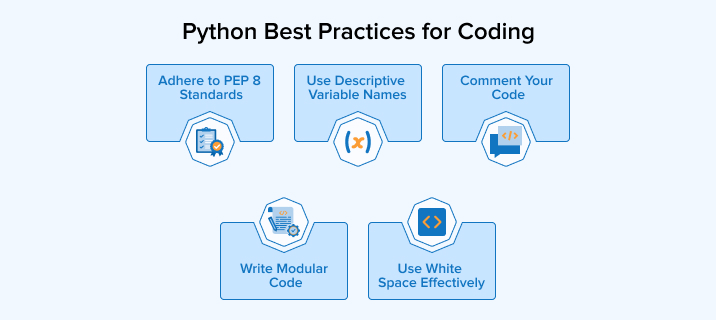
5.1 Adhere to PEP 8 Standards
PEP 8 guidelines are the official style guide of Python, which is developed to help programmers write readable and consistent code, increasing the quality and maintainability of Python code.
The following are some of the important conventions for writing good-quality code:
- Indentation must include only 4 spaces and must not use tabs.
- Each line must contain only up to 79 characters.
- Functions and classes must look separate, which is to be done through blank lines. If any function contains multiple code blocks, it must also be separated by leaving blank lines.
- Imports must follow a specific sequence, i.e., import standard library modules first, followed by third-party modules and application modules. Each import must be on a separate line and at the top of the Python file.
5.2 Use Descriptive Variable Names
Python code uses a mix of different functions, variables, classes, packages, and so on. Therefore, it becomes highly important to select a logical naming convention that not only increases the readability for other developers but also for someone with little to medium technical skills.
A good naming convention facilitates easy collaboration between developers even after a long period of time since the code was written. Thus, it does not take much time for them to understand the code, which allows them to update it accordingly without any misunderstandings.
The following are some best practices to provide meaningful names to the code elements:
- Use lowercase letters and underscores to write modules or function names. It makes them both descriptive and concise. For example, add_numbers(a, b). This convention also applies to the local variables.
- Global variables must be in uppercase, and underscores should use to separate words.
- Use CamelCase to define classes, i.e., capitalise the first letter of each word in the class name. Here, there’s no need to use underscores to separate words. For example, class StudentReport:.
- The first parameter will be self for every method of the class.
- Name the exceptions according to their nature so that it’s easy to understand which type of exception it is. Every exception name must end with the word “Error” and follow the CamelCase convention like classes. Example: class CustomError(Exception):.
5.3 Comment Your Code
Writing good code also means explaining its purpose through proper commenting. It serves as an important aspect of code documentation that helps developers to easily understand the code without going through each line and finding the sections to be updated.
Keep the following things in mind:
- Do not write long comments. It must be simple and concise.
- If you want to explain particular lines of the code, go for inline comments, whereas use block comments if you want to explain sections of code.
- Keep updating the comments with changes in code to make it relevant.
- Do not always use comments. Use it where it seems required. The focus must be on writing readable and understandable code.
5.4 Write Modular Code
Modular programming divides the code into small and independent sections dealing with a particular functionality. The code in a particular module is tightly coupled, whereas there is minimal dependency of one module on the other. Modules can be utilised in any number of programs wherever required. There’s no need to write the same functionality for different programs.
The following are some of the key practices of modular programming in Python
- Take care that each module deals with only a specific functionality. This is known as the Single Responsibility Principle (SRP).
- Carry out unit tests for every module to catch bugs early.
- Group the related functionalities together to ensure better clarity and maintainability.
We’ll understand how to write code into modules through the following examples:
Bad Approach (One Big Function)
Description: It may feel simpler to write everything in one place, but this monolithic approach makes a single block of code handle filtering, sorting, and mathematical calculations together. That makes it hard to debug, difficult to unit test, and prevents the reuse of individual pieces of logic.
def process_orders(orders): valid_orders = [] for order in orders: if order > 0: valid_orders.append(order) valid_orders.sort() total = 0 for order in valid_orders: total += order average = total / len(valid_orders) if valid_orders else 0 return average |
Code Explanation: The code processes a list of orders by first filtering out negative numbers and sorting the remaining ones. It then calculates the total sum through a loop and determines the average score. If the list is empty, it safely returns zero to avoid division by zero errors.
Good Approach (Modular Code)
Description: In this approach, each function acts as a reusable building block that can be tested in isolation to ensure accuracy before being integrated into the main workflow.
Step 1: Filter Valid Order
def filter_valid_orders(orders): return [order for order in orders if order > 0] |
Step 2: Sort Orders
def sort_orders(orders): return sorted(orders) |
Step 3: Calculate Average
def calculate_average(orders): if not orders: return 0 return sum(orders) / len(orders) |
Step 4: Main Processing Function
def process_orders(orders): valid_orders = filter_valid_orders(orders) sorted_orders = sort_orders(valid_orders) average = calculate_average(sorted_orders) return average |
Code Explanation: You can see in the above code that, instead of one giant block, the code is split into four individual functional blocks. The first three functions are for removing negative numbers, sorting the list, and calculating the average, respectively. The main function acts like a manager, calling each function in order and passing the result from one step to the next. This allows modifying a particular section of the code without affecting the other parts of the program.
5.5 Use White Space Effectively
Whitespace makes your code look clean and organized, thus improving readability and understandability. However, it’s important to know how to use the whitespaces in the program code.
- Use whitespaces to separate different parts of the code into blocks.
- See to it that no trailing whitespaces are there at the end of lines, as it may cause unnecessary errors.
- In a class, every method definition must include a single blank line.
- Use single whitespace between operators and operands and after commas.
The following examples illustrate how the correct usage of whitespaces improves readability:
1. User Filtering
Poor Whitespace Usage
Description: Even if you write the code properly for a particular functionality, the lack of spaces around operators (=, >, *) and no vertical breaks make it difficult to quickly identify the business logic in the code.
users=[{"name":"Alice","age":25},{"name":"Bob","age":17}] adults=[user for user in users if user["age"]>=18] print(adults) |
Output:
[{'name': 'Alice', 'age': 25}] |
Code Explanation: The code defines a list called users containing two people, Alice and Bob, with their names and ages. It then uses a single-line “list comprehension” to go through that list and extract the information of only the person whose age is 18 or higher. Finally, it prints the result, which in this case includes only Alice since Bob is under 18.
Proper Whitespace Usage
Description: Adding spaces around operators, using blank lines between the function definitions and the main script makes it clear where the logic ends, and the execution begins
users = [ {"name": "Alice", "age": 25}, {"name": "Bob", "age": 17}, ] adults = [user for user in users if user["age"] >= 18] print(adults) |
Output:
[{'name': 'Alice', 'age': 25}] |
Code Explanation: The code organizes the users’ list by entering the information for each person in a separate line, making the data structure easy to read. It then creates a list named “adults” by checking if a user’s age is 18 or older, using clear spacing around the ” >= ” symbol to make the comparison.
2. Real-World Example: Order Processing
Poor Whitespace Usage
def process_orders(orders): total=0 for order in orders: if(order["price"]>1000): total+=order["price"] else: total+=order["price"]*0.9 print("Total:",total) return total # Sample input data (list of orders) orders = [{"id": 1, "price": 500},{"id": 2, "price": 1500},{"id": 3, "price": 800},{"id": 4, "price": 2000}] # Calling the function result = process_orders(orders) # Printing final result print("Returned Total:", result) |
Output:
Total: 4670.0 Returned Total: 4670.0 |
Proper Whitespace Usage
def process_orders(orders): total = 0 for order in orders: if order["price"] > 1000: total += order["price"] else: total += order["price"] * 0.9 print("Total:", total) return total # Sample input data (list of orders) orders = [ {"id": 1, "price": 500}, {"id": 2, "price": 1500}, {"id": 3, "price": 800}, {"id": 4, "price": 2000} ] # Calling the function result = process_orders(orders) # Printing final result print("Returned Total:", result) |
Output:
Total: 4670.0 Returned Total: 4670.0 |
6. Final Thoughts
With the emergence of modern technologies, integrating them into application development has become a necessity. This can feel less cumbersome if the coding style is as per the recognised standards and best practices. It’s not possible to write perfect code in a single day. It comes only with practising on a regular basis. Try to code according to the above best practices and build a reliable and stable application.
FAQs
Following PEP 8 is important because it keeps code clean and consistent, making it easier to read, understand, and maintain, especially when collaborating with other programmers on shared projects.
Common Python mistakes include using mutable default arguments, writing inefficient loops instead of built-in Python functions, ignoring error handling, overusing global variables, and improper testing. Poor naming and unclear structure can also make programs harder to understand, debug, and maintain over time.
Write efficient Python code by using built-in functions and libraries, using suitable data structures, and avoiding unnecessary loops or repeated work. Profile your code to find slow parts, and keep memory usage low by processing data step by step instead of storing everything at once.

Niket Shah oversees technology projects at TatvaSoft, blending hands-on expertise with a passion for crafting innovative solutions. He thrives on turning complex challenges into impactful results.



Comments
Leave a message...