

- TypeScript is a superset of JavaScript. It is a modern age language and provides better developer experience.
- TypeScript is better than JavaScript in terms of code maintainability, advanced language features, productivity, project scalability, etc.
- JavaScript is easy to learn, and probably the best choice for small scale projects while TypeScript requires basic knowledge of Javascript to learn and more suitable for large and complex projects.
- At the time of compilation, the TypeScript compiler compiles a TypeScript file to a JavaScript file, which the browser understands.
- TypeScript is not the whole replacement of JavaScript. It is only a more feature- rich and technically sound way to write JavaScript.
Choosing the right programming language can have a major impact on how smoothly a web project is built, maintained, and improved over time. JavaScript has been a familiar choice for web development companies for many years because it is flexible, widely supported, and suitable for creating interactive websites and applications.
TypeScript has entered this space in 2012 as a practical extension of JavaScript. It adds features such as static typing, interfaces, and stronger development tools to the core competencies of JavaScript. These additions can make code easier to understand and manage, particularly when an application becomes larger or involves several developers.
For a Software Development Company, deciding between JavaScript and TypeScript is not simply about choosing the newer option. The better choice depends on factors such as project size, development goals, team experience, maintenance requirements, and expected growth.
In this guide, we will compare JavaScript and TypeScript across important areas to help you understand their strengths, limitations, and ideal use cases.
What is JavaScript?
JavaScript is the most popular text-based, high-level, versatile, object-oriented, scripting language used to develop interactive web applications. It was introduced in 1995 and was first mainly used inside web browsers to add actions and dynamic features to HTML pages. JavaScript can manipulate the Document Object Model (DOM) to allow you to control webpage elements through code. Today, JavaScript is not just used for browser-based development, but it’s also used to develop server-side applications with Node.js. Its frameworks and libraries, like Angular and React, help build interactive mobile, desktop, and SPAs.
Advantages of JavaScript
JavaScript is a standard technology for interactive web development owing to some of the following benefits:
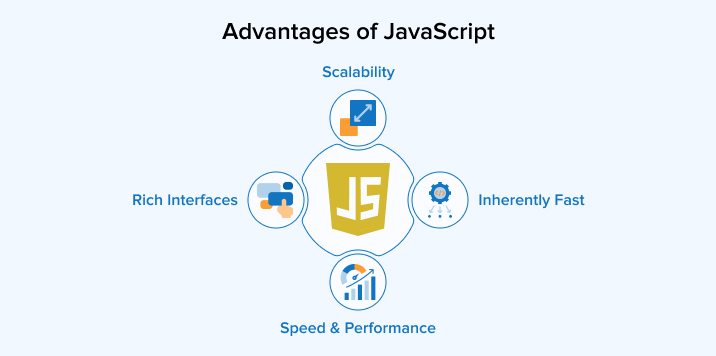
Speed and Performance
JavaScript is a full-stack programming language that makes application development faster, as a single language is used for both client- and server-side development. Some of the JavaScript operations happen directly in the browser, which reduces the need for the application to connect with the server for every small action. This reduces delays and makes the application responsive. With the help of Node.js, you can develop applications that easily scale s with the increase in users, as Node.js can efficiently handle multiple requests simultaneously.
Inherently Fast
When JavaScript runs directly in a web browser, it provides quick and responsive performance. Many tasks can be completed on the user’s device instead of sending every request to a remote server. It does not need a lengthy compilation process to test and run code owing to just-in-time (JIT) compilation, which increases your development efficiency.
Scalability
JavaScript is a suitable language to develop web applications that need to support a growing number of users. As you can use the same language for both front-end and back-end, you can ensure consistent development. You can use JavaScript’s large collection of libraries, modules, and APM (Application Performance Monitoring) tools to monitor performance and resolve scalability issues before it advancres to disrupt operations. With the increasing demand, you can scale its asynchronous infrastructure by adding more server instances with minimal computational overhead.
Rich Interfaces
With the help of JavaScript, you can create user-friendly, responsive websites that provide a natural browsing experience to users. You can use it to build interactive features such as image sliders, dropdown menus, pop-ups, tabs, drag-and-drop controls, and dynamic forms to increase the look and feel of your website.
Disadvantages of JavaScript
You must consider these key JavaScript limitations to tackle the obstacles you come across during development.
Client-side Security Risk
JavaScript can make websites more interactive, but it also requires careful attention to security. The code execution on the client side allows users to access it and alter it maliciously. Therefore, ensure not put sensitive data such as passwords and private keys inside client-side scripts. Differences in browser behavior and outdated software may lead to additional security issues if applications are not properly tested. You must follow secure coding practices, check and validate user inputs, keep libraries updated, and limit access to sensitive resources.
Debugging Challenges
As JavaScript is a dynamically typed language, debugging can sometimes take extra time because errors are discovered only when the code runs. It may happen that the program appears completely correct but produces unexpected outputs during execution. Older browsers and development environments offer fewer tools for tracking errors, which further increases the difficulty of the debugging process. Modern browsers now provide better debugging features, but you need to understand how the code works and test different situations to identify the real cause.
Browser Inconsistencies
JavaScript does not always behave the same way across all web browsers. Differences in browser versions, devices, and support for newer features can cause a website to work properly in one environment but fail in another. This creates extra work for you because you must now check your code on different browsers and devices before releasing it. You may also need alternative solutions when certain features are unavailable in older browsers. With the increasing size and complexity of websites, maintaining the same experience across different browsers starts becoming difficult.
Lacks the Multiple Inheritance Feature
JavaScript does not provide direct support for multiple inheritance. In some object-oriented programs, a class or object may need features from more than one parent, but JavaScript’s inheritance system does not work this way. Therefore, you have to use other methods, such as combining objects, composition, or mixins, to achieve similar results. These approaches can solve the problem, but they may make the program harder to understand and maintain. This becomes a problem, especially when building large applications with complicated relationships between objects.
What is TypeScript?
TypeScript is a Microsoft-developed, object-oriented, open-source, client-side programming language built to address the shortcomings of the JavaScript language. Hence, it’s popularly known as a superset of JavaScript. It keeps the basic features of JavaScript but adds strong static typing to help you catch errors during compile time instead of runtime. It provides you with features like interfaces, generics, classes, and access controls to aid better code organization. It does not replace JavaScript; it transpiles to plain JavaScript before execution.
Advantages of TypeScript
TypeScript is becoming a natural switch from JavaScript because of the advantages below:
Static Typing
Static typing allows you to specify the type of data the variables, function inputs, and return values should contain. On detecting incorrect types, the TypeScript compiler points out type-related errors during development before the program executes. This can reduce unexpected errors and make debugging easier. Types also help explain how different parts of a program are intended to work, which is especially useful when several developers work on the same project. TypeScript provides you with the flexibility to select the level of type strictness and where it must be applied in the program.
Enhanced IDE Support
TypeScript can make code editors and IDEs more useful by giving them detailed information about the code. As the editor understands the types of variables, functions, and objects, it can provide useful suggestions to you during code writing. Features such as autocomplete can save time by suggesting the correct names and options, whereas error highlighting can indicate different errors, including type-related errors, before the code executes. With code navigation facilities, you can quickly move to definitions, find where a particular item is used, or safely rename parts of the code. As a result, TypeScript can improve both developer efficiency and code quality.
Fast Refactoring
Refactoring helps improve the internal structure of a program without changing what the application does. TypeScript makes this task easier by allowing IDEs and code editors to understand how different parts of the code are connected. Features such as finding references and quickly opening a definition help you locate the code you need without searching manually. TypeScript can also identify problems when changes are made, such as using an old function name after it has been renamed. This early feedback reduces the chance of leaving hidden errors behind.
Disadvantages of TypeScript
The following TypeScript limitations may create difficulties in your transition from JavaScript:
Additional Compilation Step
TypeScript code cannot be executed directly in browsers or Node.js environment. Before the program can run, TypeScript must first be transpiled into JavaScript. This creates an extra step that is not normally required when working with plain JavaScript. It can make the development process slightly more complicated and may add some delay during testing or building an application. However, modern development tools like Webpack and Babel can automate most of this work, so you usually do not need to handle the conversion manually.
Steep Learning Curve
For developers with extensive JavaScript experience, switching to TypeScript can initially be challenging. They must understand how TypeScript works alongside JavaScript. A beginner may feel unfamiliar with interfaces, generics, enums, and type definitions. For teams used to JavaScript, training existing members or onboarding new members to learn the language may require extra time and resources.
Increased Boilerplate Code
TypeScript can make a project more detailed than plain JavaScript. You often need to add type information and maintain additional definitions, which can increase the amount of code you have to manage. When an application changes, its types may also need to be updated so that they continue to match the latest APIs and data structures. In large applications, these additional files and details may increase the maintenance overhead.
JavaScript vs TypeScript: Head-to-Head Comparison
Take a glimpse of how JavaScript differs from TypeScript in some of the crucial aspects of modern programming before delving deep into the differences.
| Parameters | JavaScript | TypeScript |
|---|---|---|
| Definition | JavaScript is a scripting language used to develop interactive web applications | TypeScript is a superset of JavaScript developed to overcome the shortcomings of JavaScript |
| Developed By | Brendan Eich at Netscape Communications Corporation, Mozilla Foundation, and ECMA International in 1995 | Anders Hejlsberg at Microsoft in 2012 |
| Typing System | It’s a loosely typed language that supports only dynamic typing | It’s a strongly typed language that supports both static and dynamic typing |
| Compilation | JavaScript does not need compilation | TypeScript code needs to be compiled and converted into plain JavaScript |
| Client-Side or Server-Side | JavaScript is both a client-side and server-side programming language | TypeScript is specifically a client-side programming language |
| File extensions | It uses the .js extension | It uses the .ts and .tsx extensions |
| Compatability | JavaScript code directly executes in the browser | TypeScript code needs transpilation to JavaScript before execution |
| Community Support | It has a huge community of software developers | It has a smaller community as it’s quite new |
| Data Binding | There is no such concept in JavaScript | It uses concepts like interfaces, abstract classes, types, etc. to define the data being used |
| Annotations and Typing | JavaScript requires no annotations | TypeScript code requires constant annotation to ensure type safety |
| Prototyping | It does not provide prototyping support | It supports prototyping |
| Learning Curve | It’s quite easy to learn JavaScript and provides flexibility in writing code | It has a steep learning curve, and prior knowledge of JavaScript is required |
JavaScript vs TypeScript: Key Comparison
Let’s now understand the major differentiating factors between JavaScript and TypeScript to help you clearly distinguish them on various aspects and select the most suitable fit for your project.
1. Typing
- JavaScript: JavaScript adopts a dynamic typing approach, i.e., you do not need to specify the type of a variable when writing the code. The type is determined during program execution, and the same variable can hold different kinds of values at different points. This makes JavaScript convenient for quick development, testing ideas, and developing small applications. However, this flexibility can also cause problems when incorrect data is passed to a function or used in an operation. In larger applications, these runtime issues can make debugging and maintenance more difficult.
- TypeScript: TypeScript uses static typing to provide more control over the data used within a program. You can specify the expected types of variables, function parameters, return values, and other elements. TypeScript also provides optional static typing, which means it can determine many types automatically through type inference. When code contains an incompatible value or operation, the compiler can warn you before the program is executed. This helps prevent many type-related problems from reaching users. Static typing also makes the purpose of different parts of the code easier to understand.
2. Compile Time vs. Runtime
- JavaScript: JavaScript generally checks and handles much of its behavior during program execution. There is no compilation performed on JavaScript code. It is interpreted or just-in-time compiled at runtime. Therefore, errors are discovered only when a particular part of the code runs. For example, an invalid value might cause an error only when a specific function is called. This approach makes JavaScript convenient for developing prototypes to test any feature. However, in larger programs, this can make testing, debugging, and maintenance more challenging.
- TypeScript: TypeScript adds a compilation stage before the program is executed. You write TypeScript code, and the compiler examines it for various issues before converting it into plain JavaScript. Problems such as incompatible types can therefore be identified during the application development process itself rather than waiting for that section of code to run. After the conversion is complete, the resulting JavaScript can be executed in browsers or environments such as Node.js. This extra stage can prevent many avoidable mistakes from reaching runtime.
3. Community & Ecosystem
- JavaScript: JavaScript has existed for decades and is the most popular programming language for web development. Hence, it has built one of the biggest communities in software development that contributes a huge number of resources. As a result, there is a massive collection of libraries, tools, frameworks, tutorials, and documentation. You can easily find open-source projects, learning materials, and community discussions when needed. The increasing adoption of JavaScript and its popular frameworks and libraries like Angular and React ensures the continuous supply of modern tools and solutions.
- TypeScript: TypeScript is relatively new, but its community and ecosystem are rapidly expanding. TypeScript is a superset of JavaScript, which lets you use existing JavaScript libraries and packages along with TypeScript. Many frameworks and libraries provide strong TypeScript support, which facilitates easier integration. You can also find a growing number of tutorials, documentation, community projects, and type definitions. TypeScript is particularly common in larger development teams that need organized and maintainable code.
4. Error Checking
- JavaScript: JavaScript, being a dynamically typed language, detects errors at runtime. This can increase debugging difficulties, as you can correct the errors only after the code executes. If the program is too long and complex, it may become difficult to trace the source of errors and rectify them. Thorough testing can help uncover these issues, but some errors may still remain unnoticed until users encounter them. JavaScript does provide error-handling mechanisms such as try-catch blocks for handling certain runtime exceptions, but these do not automatically identify every type-related or programming mistake before execution.
- TypeScript: The compilation stage in TypeScript provides an additional layer of security. The compiler identifies errors related to incorrect data types and missing properties during development. This gives you time to correct the code before program execution. This can reduce the number of common mistakes that would otherwise appear at runtime and make debugging more manageable. TypeScript also includes features such as strict null checking that can help detect possible problems involving missing or undefined values.
5. Maintainability & Scalability
- JavaScript: JavaScript can be a convenient choice when building small applications, prototypes, or projects that need to be developed quickly. Its simple setup allows you to start coding without any type management overhead. However, maintaining a large JavaScript application can become more difficult as new features, developers, and dependencies are added. Without built-in static types, understanding how data moves through different parts of the application may require more documentation and testing.
- TypeScript: It provides stronger support for maintaining and scaling applications over time. Its static type system gives you a clearer idea of how variables, functions, and different components are expected to work. You can make changes and modify existing code confidently because many potential problems are identified during development. Although TypeScript requires some additional setup and code, its organization can reduce maintenance difficulties and provide a stronger foundation for applications that need to scale over time.
6. Development Speed
- JavaScript: Development in JavaScript takes less time, as you can write code and run it immediately, since there is no compilation stage in between. Its flexible syntax allows quick testing of ideas through small scripts, rapid iterations, and prototyping. You can modify the code easily and see the results in a browser or Node.js environment without any delay. However, as a project becomes larger, flexible code can be harder to understand and maintain. Finding mistakes may take longer because many problems appear only when the code runs.
- TypeScript: In the beginning, TypeScript may slow development because you must think about types, interfaces, and expected values. But in the long run, this may save you time during refactoring and debugging. The compiler shows errors before the program executes, so you spend less time tracking down unexpected issues. The static typing also makes functions and components easier to understand, especially when several people work on the same project. Modern code editors can use TypeScript information to provide better suggestions, navigation, and safe refactoring. This becomes especially valuable as the codebase grows.
7. Support for OOP (Object-Oriented Programming)
- JavaScript: JavaScript can be used for object-oriented programming, but it gives you more freedom in how you organize your code. Objects and functions are used to represent data and behavior, whereas prototypes allow objects to share features. However, JavaScript does not follow the rigid OOP class system like Java or C#. Therefore, if you’re familiar with strongly structured OOP languages, you may need some time to understand JavaScript’s approach to programming.
- TypeScript: TypeScript provides full support for class-based OOP, which allows you to create classes and leverage major OOP principles like inheritance and abstraction. This helps you define how different parts of a program should work together and makes relationships between objects easier to understand. This structured approach is helpful when applications contain many classes, features, or contributors.
When Should You Choose JavaScript?
The following scenarios are most suitable for choosing the JavaScript language:
- If you’re new to programming, start learning JavaScript. It has an easy learning curve and will provide you with enough flexibility to write the code logic instead of worrying about managing types. You can immediately check your code logic, test your knowledge, and improve further.
- JavaScript would be best for building small to medium-sized projects that require quick development and rapid prototyping to test new ideas.
- If your team is working on legacy systems that are written in JavaScript, continue with JavaScript itself, as switching to a new language may require significant rewrites that could hamper the existing functionalities.
When Should You Choose TypeScript?
The following scenarios are most suitable for choosing the TypeScript language:
- If you’re developing large-scale complex applications such as enterprise apps that need to scale with the growing demand and remain secure and reliable, TypeScript’s strict typing, modular design, and object-oriented features will prove highly beneficial.
- If the project requires long-term maintenance, early error detection, IDE support, and other features will help with that.
- When starting a React project, TypeScript can make unfamiliar APIs easier to understand. Its type information works with editor features to discover available properties, methods, and interfaces while writing code.
Final Thoughts
JavaScript and TypeScript can both be strong choices, but the right option depends on what your project needs. JavaScript is simple, flexible, and a practical choice for smaller applications, quick experiments, and developers who want to get started easily. TypeScript adds a layer of structure that becomes especially useful when applications grow and more developers work on the same codebase. Do not see TypeScript as a replacement for JavaScript. It is better to see it as an extension that adds useful features while still working with the JavaScript ecosystem.
FAQs
Yes, TypeScript can be used for both front-end and back-end development. TypeScript code, along with front-end technologies like Angular and React, can run in browsers, whereas with Node.js it can run on servers.
No, typeScript cannot completel;y re[lace JavaScript because it still depends on JavaScript to run. Web browsers and Node.js only execute JavaScript code natively; hence, the TypeScript compiler must first transpile the TypeScript code into JavaScript.
No, TypeScript is not faster than JavaScript at runtime. TypeScript code first gets transpiled into plain JavaScript and then executed.
TypeScript is preferred for large projects because its static typing catches errors early, improves code maintainability, and enables powerful IDE auto-completion. This ensures safer refactoring and seamless collaboration across large development teams as applications scale over time.
Yes, you can use TypeScript with React/Vue/Node.js, as all thye three ecosystems provide excellent support for TypeScript.

Vishal Shah has an extensive understanding of multiple application development frameworks and holds an upper hand with newer trends in order to strive and thrive in the dynamic market. He has nurtured his managerial growth in both technical and business aspects and gives his expertise through his blog posts.



Comments
Leave a message...