

Java has remained one of the world’s most trusted programming languages for many years because of its stability, flexibility, and ability to support applications of all sizes. It is widely used by Java Development Companies to build enterprise software, web applications, cloud services, and mobile apps for different industries, be it finance, healthcare, retail, etc.
It’s true that Java provides a strong foundation for software development, but frameworks make the development process much faster and more efficient. They offer ready-to-use solutions that reduce repetitive coding, simplify application structure, and help developers create scalable and maintainable solutions. Today, developers can choose from a wide range of Java frameworks, each designed to meet different project requirements, be it microservices or large enterprise applications.
Selecting the right framework can improve development speed, application performance, and long-term maintenance. Understanding the strengths of different frameworks is essential for choosing the best technology stack for delivering reliable and future-ready applications.
In this blog, we will explore some of the most popular Java frameworks with their key features to help you make a well-informed decision for your new development project.
What are Java Frameworks?
A Java framework is like a ready-made platform that helps you build applications more efficiently by providing built-in tools, libraries, reusable code, and a standard structure. There’s no need to code every feature from the beginning, as you can use the framework to manage common tasks such as handling user requests, connecting to databases, configuring applications, and improving security. This saves your development time, reduces coding effort, and helps you maintain consistency throughout the project.
Java frameworks include a well-defined architectural flow and follow proven development practices to help you focus on building the main features of the application and make applications easier to test, update, and expand.
Why Use Java Frameworks?
It’s time-consuming to build large Java applications from the ground up, but integrating a framework into your stack can speed up the process. Features such as data retrieval, security, and privacy are essential across the entire application. To avoid constantly starting from scratch with new projects, the finest Java frameworks already have many of these functionalities built in.
They also provide a software architecture to support the development of an organized program. Due to the dynamic nature of these frameworks, you can be confident that your Java code will always be up-to-date and thoroughly tested.
In addition, growing your team is less challenging because you can find engineers with expertise in both Java and your chosen framework. Most Java frameworks also provide their own environments, which often include Java libraries, instructional materials, assistance forums, and social media networks that may be quite useful during the development process.
Best Java Frameworks
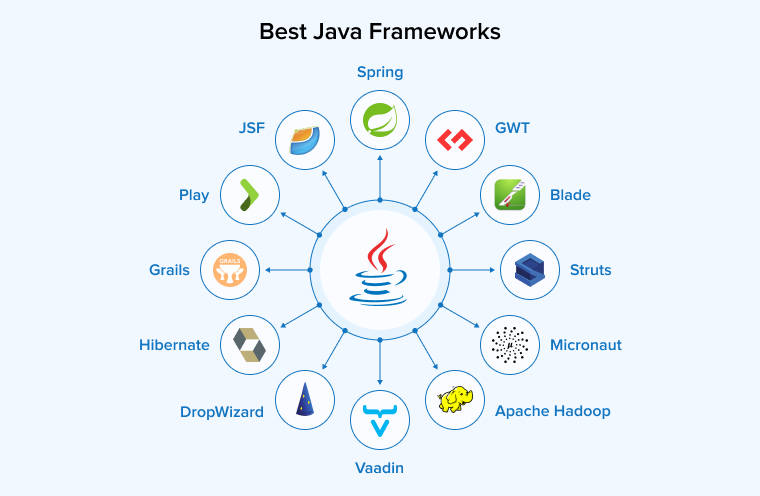
Let us now discuss the twelve most widely used Java frameworks catering to different requirements in software development:
Spring
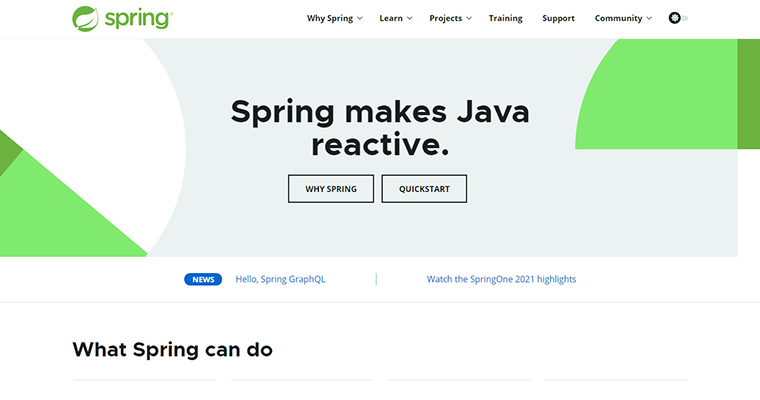
One of the leading names in Java frameworks is Spring. Spring Framework is a renowned and popular Java framework that meets common requirements, fulfilling the necessities of app development. It is an open-source framework used for Enterprise applications. There are numerous reasons for businesses to make “Spring” their ideal choice for app development.
Spring is a popular Java EE framework that is both powerful and lightweight, and can be used without relying on an application or web server. Spring Framework makes Java easy, contemporary, productive, reactive, and cloud-ready, according to the developers. Moreover, it ensures backward compatibility and testability of the code. Its dependency injection and aspect-oriented programming capabilities are well-known. In truth, it is a collection of frameworks that enable you to do jobs of any complexity, from database work to testing.
The active community of Java developers has two primary options within the Spring framework: they can choose either Spring MVC or Spring Boot as their preferred Java framework. One of the greatest advantages of using the Spring framework is that you never lose control over your application, a feature of this Java framework.
Key Features of the Spring Framework
- IoC Container: The IoC container manages how objects are created, configured, and managed instead of the programmer doing it manually. This makes the application more flexible and easier to maintain. It allows developers to focus on business logic while Spring handles dependencies, improving testing, reuse, and structure.
- Dependency injection: DI means objects receive the resources they need from the container instead of creating them on their own. The container builds and links these objects automatically using constructors, setters, or fields.
- Aspect-oriented programming: AOP helps manage common tasks such as logging, security, and transactions separately from the main business logic. These tasks are applied across different parts of the application using aspects.
- Transaction management: Spring provides a flexible way to manage database transactions without much complexity. It allows developers to control transactions either through code or simple annotations. Spring supports different types of transactions, including local and nested ones, and works smoothly with data access features.
- Community support: Spring is supported by a strong and diverse community that helps developers grow at every stage. Developers from around the world contribute in the form of tools, plugins, ideas, and learning resources.
Hibernate
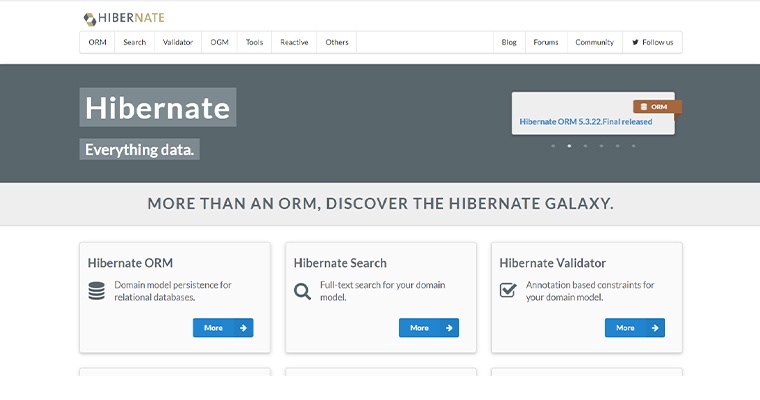
Another important name in the list of Java application frameworks is Hibernate. Most developers are specifically inclined towards choosing Hibernate because of its stability and communication. It is a free and open-source framework.
Hibernate’s main configuration file is hibernate.cfg.xml. It includes information about mapping Java classes and database configuration. The Hibernate framework is a reliable object-relational mapping framework that allows the Java programming language to communicate more effectively with relational database management systems. Although you can’t consider Hibernate as a full-stack framework, it is not similar to a regular database. It is an Object-Relational Mapping (ORM) database for Java applications; it is the implementation of the Java Persistence API (JPA). It is similar to SQL; queries in Hibernate are known as HQL (Hibernate Query Language). Hibernate is a framework that helps you overcome Java’s mismatch difficulties. It aims for persistence, which means that the data created/used by the application should outlast the process that produced it.
Generally, when you use object-oriented languages, it happens that the relational model is non-matching. Say, for instance, one is object-oriented, and another one is relational database-related, so the functional procedure for both of them is different. This can often lead to problems. The developed platform needs to be subtle and in line with other OO languages, and Hibernate offers your business the ability to manage multiple mismatch problems in one go.
Going back to the initialization, Hibernate was originally designed to work with relational databases and map Java objects to database tables. But it has evolved with time, and its recent versions can now handle NoSQL datastores as well. They also encompass powerful development tools such as a mapping editor, a Hibernate console, and a database reverse engineering tool.
Key Features of the Hibernate Framework
- Object-Relational Mapping: Hibernate simplifies working with databases by allowing developers to use Java objects instead of writing SQL queries. It removes the mismatch between object-based code and table-based data. It also links classes to tables and can build database structures automatically, saving time and reducing repeated coding work.
- Query language: Hibernate offers flexible ways to query data without depending on a specific database. Hibernate Query Language (HQL) is designed to work with objects and their attributes, making it easier for Java developers to write queries. It also provides the Criteria API, which helps build queries step by step in code, enabling safer, more dynamic data retrieval.
- Object-oriented approach: Hibernate allows developers to use core object-oriented concepts such as classes and methods while working with databases. It also simplifies managing complex relationships between data, such as one-to-many or many-to-many, making the code cleaner, easier to understand, and simpler to maintain over time.
- Caching: Hibernate uses a caching mechanism to store frequently used data in memory. It includes a first-level cache that works within a session automatically and a second-level cache that can be configured to share data across sessions, helping lower database load and speed up data access.
- Lazy loading: Hibernate uses lazy loading to fetch data only when it is actually needed. Instead of loading everything at once, it delays accessing related data, which helps save memory, reduce unnecessary work, and improve overall application performance.
Blade
The third one in the list of popular Java frameworks is Blade, which is lightweight and blazing fast for creating unique user interfaces and developing Java-based web applications. Web developers will find all their tasks during the creation of the Maven project sections. Without adding multiple dependencies or an external server, you can easily start your project, which makes the web API cleaner. Once you initialize the project, you are good to go. The function of the Blade Java Framework is similar to that of the React Native framework, which is, in fact, simpler and more resilient.
When you use the Blade framework, you can work faster without getting dependent on existing backend Java code. Its web application server is quite handy, keeping the web development interface engaging and the environment light. The most dominant aspect of this framework is MVC.
Key Features of the Blade Framework
- Lightweight: Blade is a very lightweight framework with a very small size and few dependencies. It starts quickly and uses minimal memory, making it suitable for smaller applications, microservices, and cloud-based systems where speed and efficiency are important.
- Flexible: Blade gives developers the freedom to use different templating options based on their needs. It also supports modern features like REST services, WebSockets, and handling static files. This makes it easier to create different types of web applications using a simple and flexible approach.
- Modular and Extensible: Blade follows a modular structure, allowing developers to build applications using only the required parts. Its lightweight core avoids unnecessary complexity, while plugins and interceptors help add features easily. It also supports flexible configuration and extension, making it simple to customize and maintain applications efficiently.
- Built-in security features: Blade provides simple yet effective security through its built-in middleware. It protects applications from XSS and CSRF attacks, supports basic authentication, and manages cross-origin requests with CORS(Cross-Origin Resource Sharing).
- Multiple configuration options: Blade lets developers configure applications in multiple ways, including programmatic configuration, property files, or command-line arguments.
Struts
Another solid open-source Java application framework is Apache Struts, a Java framework for web applications. It is supported by the Apache Software Foundation (ASF). This framework uses the JSP API extension and follows the component-based Model-View-Controller (MVC) architecture. It was designed to extend the features of the Java Servlet API, simplifying development for programmers. In a standard servlet-JSP strategy, after form submission, the information is sent to a servlet for processing. Alternatively, the processing can occur in the controller, which then forwards the request to the next JSP (JavaServer Pages — where Java code can be embedded in HTML).
Struts separates the View, Controller, and Model (data) components. This provides the connection between them via the struts-config.xml configuration file. It has a lot of features and is available in two versions: Struts 1 and Struts 2. Struts 2 effectively expands the original version with OpenSymphony web framework tools. That implies you may use new technologies to increase the functionality of your Java applications, such as new JavaScript frameworks or Java web frameworks.
Key Features of the Struts Framework
- MVC Architecture: Struts follows the MVC pattern, separating an application into Model, View, and Controller. The Model manages data and business logic, the View handles the user interface, and the Controller processes user input, coordinating between Model and View.
- POJO-Based Actions: Struts uses Action classes built as Plain Old Java Objects (POJOs), allowing business logic to be written in a simple, reusable way. This approach makes the code easier to test, maintain, and manage without strict framework constraints.
- Tag libraries: Struts offers custom JSP (JavaServer Pages) tag libraries that make building dynamic web pages faster and easier. These tags reduce the need for Java code in JSPs and help connect the user interface with business logic efficiently.
- Interceptors: Struts uses interceptors to handle tasks before or after an action executes, such as logging, authentication, and validation. They help manage requests in order, improve code reuse, and simplify debugging and monitoring.
- Ajax Support: Struts 2 includes AJAX support to create interactive web applications efficiently. It allows parts of a page to update without a full reload using tools such as the Dojo Toolkit and specialized tags for responsive and dynamic interfaces.
Google Web Toolkit [GWT]
![Google Web toolkit [GWT]](https://www.tatvasoft.com/outsourcing/wp-content/uploads/2021/10/gwt-1.jpg "Google Web toolkit [GWT]")
As per the name of this fifth high-performance Java framework, Google developed the Google Web Toolkit (GWT). Google also had its hands on a web development framework for Java. GWT, Google Web Toolkit, is fully featured and rich for all types of internet applications using Google APIs. What makes the GWT framework stand apart from others in the list is its ability to convert Java code into JavaScript code as well as enable customization options. This feature of Google Web Toolkit saves a lot of time, and you can easily get to the final results without investing much time in testing apps.
We can create highly-performing web applications in less time using this open-source collection of technologies. Because Google’s Web Toolkit is compatible with various web development frameworks, you may simply merge your existing codebase with it. The Eclipse IDE, Maven, and JUnit are all compatible with it.
In this lightweight framework, there are three primary components, namely the JS compiler that translates Java code into scripts. The last component manages all the UI components, history management, and many more features.
Key Features of the Google Web Toolkit [GWT] Framework
- Java to JavaScript Compiler: GWT enables developers to create web applications in Java, which it converts into efficient JavaScript. Its compiler optimizes performance, removes unused code, and handles browser differences automatically, allowing developers to focus on building features rather than compatibility issues.
- Rich Widget library: GWT offers a wide range of ready-made UI components, such as buttons, tables, and menus, making it easier for developers to quickly build interactive and complex web interfaces without creating elements from scratch.
- Powerful Development Tools: GWT allows developers to debug Java code directly in their IDEs using development mode. It even supports code splitting, which loads parts of the application on demand, improving startup speed and making development faster and more efficient.
- Internationalization Support: GWT supports the development of multilingual applications, facilitating developers to easily adapt apps for different languages and regions. Using built-in tools like property files and locale classes, applications can be translated and customized for global users.
- Integration with Java Ecosystem: GWT works smoothly with Java backend services and frameworks, allowing developers to build full-stack applications. It also supports integration with testing tools and third-party libraries through JavaScript interfaces.
JSF (JavaServer Faces)
Often, with Java applications, developers face changes with backend developers to get the frontend web app development right. But this Oracle-built, robust framework is responsible for developing stunning “frontends” for Java applications. Java Server Faces is a Java framework for designing online applications with component-based user interfaces. It’s an official standard of the Java Community Process (JCP) initiative.
JSF is based on the MVC software design pattern and includes reusable components. It works on a component-based MVC approach to develop server-side applications. The fundamental goal is to encapsulate several client-side technologies, such as CSS, JavaScript, and HTML, allowing developers to design user interfaces without requiring a thorough understanding of these technologies. JSF is quite similar to Struts. Developer can simply drag and drop reusable UI components and concentrate on the details of their presentation layer.
You can also integrate JSF with AJAX-enabled components; this will enhance the customer experience and enable AJAX events for validations. A larger portion of JSF contributes to J2EE and helps you create unique and cutting-edge web applications.
Key Features of the JSF (JavaServer Faces) Framework
- Component-based architecture: JSF provides reusable, server-side UI components that can be composed and customised to create complex web interfaces. These components simplify development, render as HTML elements on the client side, and support rapid application development and easy maintenance.
- Navigation Handling: JSF includes a flexible navigation system that helps manage how users move between pages. Developers can define rules using configuration files or annotations, making it easier to control page flow while keeping navigation logic separate from the user interface.
- Event-Driven Programming Model: JSF follows an event-based approach where user actions, such as button clicks or form submissions, trigger specific processes. These events are handled by listeners, helping developers keep the user interface and business logic separate and well organized.
- Integration with Expression Language (EL): JSF uses Expression Language to connect user interface components with server-side data and logic. It allows developers to access and update data easily within web pages, reducing the need for complex code and simplifying development.
- Extensibility and Customization: JSF provides strong flexibility to developers as they can extend its features. They can create custom components, converters, and validators, making it possible to design applications that match specific needs while keeping the system adaptable and easy to manage.
Vaadin
Another essential one in the list of Java frameworks is Vaadin. It’s an open-source platform with a Java web framework and a set of web components. Vaadin is a lightweight framework that allows developers to build complete Java applications with desktop and mobile interfaces. This framework features built-in UI components that contribute to building new-edge web applications. Vaadin is a JavaScript framework for cross-platform development that lets you package native mobile apps, web applications, and even desktop apps with a single codebase. Vaadin Flow handles routing and server-client communication.
Vaadin’s cross-platform portability allows users to develop web frameworks quickly and effortlessly. It offers a platform for streamlined Java development. The web app created with Vaadin is responsive, visually appealing, and interactive. Also, Vaadin offers full access to the web server, Java server, and built-in JavaBeans for feature validation. Data visualization is another aspect of Vaadin that contributes to the success of your development projects.
Key Features of Vaadin
- Rich built-in component library: Vaadin provides a rich set of ready-to-use UI components, such as grids, forms, and charts, that help build interfaces quickly. These components support useful features and can be customized easily, improving both development speed and user experience.
- Data Binding and Forms Support: Vaadin makes it easy to connect UI fields with backend data using tools like Binder and data providers. It also supports validation and conversion, reducing extra coding and simplifying the creation of form-based applications.
- Built-in theming and design system: Vaadin allows developers to style applications using built-in themes or custom designs. CSS and the Vaadin Design System help maintain a consistent appearance, apply custom styles, and easily adjust the look of components across the application.
- State Management & UI Lifecycle: Vaadin takes care of important functions such as managing UI lifecycle, component state, routing, and handling user sessions. It maps URLs to views, supports parametrized routes, and enables bookmarking and back/forward navigation.
- Security and Integration with Java EE/Spring: Vaadin provides easy integration with frameworks such as Spring Security, Spring Boot, and other Java backends like JPA and CDI. It includes built-in safety features such as CSRF and XSS protection, and protocols for authentication and authorization.
Apache Hadoop
Apache Hadoop is a software framework that uses the MapReduce programming methodology. It is important to note that Hadoop is not a full-stack framework. These tools can readily manage large amounts of data (Big Data), store, analyze, and process it, resulting in faster and more efficient outputs. Due to its growing popularity and prominence.
Hadoop also has a distributed network for the storage of data and its processing. They use a master and slave pattern to store data in HDFS. HDFS is a Hadoop Distributed File System that oversees all the data nodes.
Key Features of the Apache Hadoop
- Fault-tolerance: Hadoop is built to handle failures by storing multiple copies of data across multiple nodes. If one system stops working, data is quickly retrieved from others, ensuring continuous availability without any manual intervention.
- Scalability: Hadoop can scale easily by adding more machines instead of upgrading to expensive hardware. It handles increasing data smoothly, works well on affordable hardware, and scales from small setups to very large clusters without major changes.
- Cost-effective: Hadoop minimizes costs by running on inexpensive machines instead of costly servers. It manages large and unstructured data efficiently, allowing businesses to expand storage gradually without spending heavily on infrastructure.
- Flexible data processing: Hadoop can work with multiple formats of data, including structured tables, semi-structured files, and unstructured content such as images and videos. It allows users to analyze data later without needing strict formatting in advance.
- High Availability: Hadoop ensures availability by using two NameNodes, Active and Standby, so that if the main node fails, the Standby immediately takes control. This maintains continuous system operation and prevents service interruptions or downtime.
Micronaut
On the Java side, Micronaut is leading the development of serverless applications. Micronaut is a modern, Java Virtual Machine-based full-stack framework for developing modular, easily tested microservice and serverless applications.
Micronaut is a polyglot framework, meaning it can be used to build applications in multiple programming languages. This is one of the framework’s best advantages. Currently, Micronaut primarily supports Java and Kotlin, all JVM-based languages.
Micronaut is not just a web framework; it also enhances performance. With minimal coding efforts, you can create impressive, blazing-fast apps for all unique web services. It also resolves all complex browser-based application challenges and, with its rich libraries, enables faster Java web application development.
Key Features of Micronaut
- Ahead-of-Time (AOT) Compilation: Micronaut performs tasks such as dependency injection, aspect-oriented programming, and configuration processing during compilation instead of runtime. This reduces the reflection overhead, leading to a quick startup, low memory usage, and better performance compared to traditional frameworks.
- Cloud-native: Micronaut is built for cloud use, offering support for major platforms such as AWS, GCP, and Azure, and tools like Eureka and Consul. It thus helps developers create scalable and resilient microservices.
- Modular Architecture: The framework lets developers choose only the required features instead of using everything together. This keeps applications smaller, avoids extra components, and improves overall efficiency by including only what is actually needed.
- Low Memory footprint: Micronaut reduces memory use by generating the required code during compilation instead of relying on large runtime libraries. This makes it highly efficient and well-suited for microservices, serverless applications, and resource-constrained cloud environments.
- Reactive and Non-blocking design: Micronaut natively supports reactive programming, letting applications process asynchronous data without blocking threads. This approach improves performance and scalability, especially when handling many simultaneous users or heavy I/O operations.
Grails
Grails is an open-source web application framework that fits well into existing Java-based environments. It uses the Groovy programming language and runs on the Java Virtual Machine (JVM). It is designed to help developers build web applications quickly by following a convention-over-configuration approach, which reduces the need for manual setup. Grails works closely with popular Java technologies such as Spring and Hibernate, making it suitable for creating secure and scalable applications.
Key Features of Grails
- Extensive Plugins: Grails provides over 700 plugins that simplify development by adding ready-made features such as messaging, security, asset management, etc. Developers can easily integrate these tools, saving time and using reliable, tested solutions.
- Convention over Configuration (CoC): Grails follows sensible conventions for project structure, naming, and wiring, reducing configuration efforts. This lets developers focus on coding while ensuring consistency and speeding up development, though custom configurations remain possible when needed.
- Integrated ORM with GORM: GORM provides a flexible data mapping layer for different databases, supporting dynamic queries, associations, validation constraints, and automatic schema management. It works with both relational and non-relational datastores, enabling developers to use both types of storage facilities.
- Scaffolding: Grails supports scaffolding, i.e., automatically generating controllers, views, and basic CRUD operations from domain classes. This speeds up prototyping and development, letting developers quickly create functional interfaces that can be customized as per requirements.
- Built on Groovy and JVM: Grails uses Groovy’s concise syntax, dynamic typing, and meta-programming to reduce boilerplate code, extend classes and DSLs at runtime, and simplify writing tests and builders. Running on the JVM allows seamless use of existing Java libraries and frameworks.
Play
In this list of Java Frameworks, Play is a popular name. It is considered one of the most reactive and interactive mobile frameworks. You can use Play to develop lightweight, mobile-friendly applications. It also provides Java and Scala interfaces for desktop and mobile devices. Play is frequently compared to sophisticated frameworks written in other languages, such as Ruby on Rails for Ruby and Django for Python.
Play is an innovative way to use Java within your development program. Play saves you from relying on EE standards and helps you avoid delays caused by slow development cycles, complex configurations, and low performance. It includes several toolkits like Akka; the Play framework enhances the creation of concurrent and distributed applications developed & deployed on the Java Virtual Machine.
Play is a highly scalable, asynchronous, and lightweight framework designed to support almost all types of web-based technologies. This includes REST, JSON, WebSockets, and other tools that contribute to high-performance app development. It also has an active community that specifically addresses all problems directly and promptly.
Key Features of Play
- Reactive and non-blocking architecture: Play employs an asynchronous, non-blocking design, letting it manage multiple concurrent connections efficiently without relying on many threads. With the help of Futures/CompletionStages or reactive streams, it remains fast and responsive during I/O heavy tasks.
- Hot Code Reloading: In Play’s development mode, any changes to the source code or templates are instantly recompiled and updated in the running app. Developers can see results immediately in the browser, making testing and debugging much faster.
- First-class Scala and Java Support: Play offers idiomatic APIs for both Java and Scala, letting developers work in their preferred language with the same core framework. Scala benefits from functional and typed routing/controllers, while Java provides familiar annotation-based APIs for building applications efficiently.
- Stateless and REST-friendly: Play is designed to be stateless, handling each request independently without storing server-session data. This design makes it easier to scale applications across servers and simplifies building RESTful APIs and microservices.
- Lightweight and modular: Play’s small core lets developers add only the features they require, such as routing, JSON, templating, etc. This modular design keeps the application lightweight, reduces extra dependencies, and ensures cleaner and more efficient deployments.
DropWizard
Dropwizard is a high-performance but simple Java framework designed for quickly creating RESTful web services. It’s ideal for developing Java microservices. The Dropwizard framework combines numerous well-known Java libraries to deliver a fast and distraction-free programming environment. It supports various servers, including Jetty. Additionally, it integrates libraries such as Google Guava, Logback, Validator, Joda Time, and a few others.
Dropwizard is popular and easily integrable because it uses Jersey, which can be used to create RESTful web services, as well as Jackson, which can be used to parse JSON. Dropwizard can be used as a separate ecosystem, including all the dependencies described above in a single package. Dropwizard saves time by eliminating the need to write code for configuration, metrics, or other features.
Some of the most worthy features of Dropwizard are its ease of use and lightweight design, which allow it to integrate with all types of Java libraries. It is compatible with various frameworks, is easy to use, and can be thoroughly documented.
Key Features of DropWizard
- Embedded HTTP Server: DropWizard uses an embedded high-performing Jetty server, allowing applications to run as independent JAR files. This removes the need for separate application servers, making deployment easier without extra configuration steps.
- Simplicity: DropWizard bundles some of the best libraries, such as Jetty, Jersey, Jackson, etc into a compact framework for creating RESTful services. Its opinionated design reduces complexity, helping developers build and deliver production-ready services quickly without the need to learn a large or complicated stack.
- Jersey-based REST Support(JAX-RS): DropWizard depends on Jersey to create HTTP APIs, supporting JAX-RS features for declarative resource classes, filters, exception mappers, and content negotiation. This helps developers write well-structured and easy-to-test REST endpoints.
- Robust JSON Support: Jackson already comes with pre-configured practical defaults for serialization/deserialization. It supports custom serializers and polymorphic types, making it easier to handle data mapping without writing boilerplate code.
- Metrics and monitoring: Built-in metrics collection of timers, meters, counters, and gauges provides clear insight into how the application performs. The data can be accessed via JMX, HTTP endpoints, and reporting integrations (Graphite, Ganglia), simplifying monitoring and alerting.
How to Choose the Right Java Framework for Your Project?
As there are a variety of frameworks available today, it’s quite obvious to get confused when it comes to selecting one of them. Every framework has its distinct benefits and caters to specific requirements. The result you’re expecting from the framework you’ve chosen depends on what considerations you made while selecting the framework.
To help you out, we’re here with the key factors to select the most appropriate framework:
1. Project Type and Requirements
Evaluate your project requirements and make a detailed assessment of the type of application you want to develop. If the project is small, it usually needs a lightweight framework that is fast and easy to manage. At the same time, a large business application often requires stronger tools with built-in support for security, scalability, and complex features.
Your choice should also depend on how the application will grow over time and the performance you expect. If you are creating independent services, choose a framework designed for that style. If the application deals with many business processes or user interface requirements, select a framework that provides the right features without adding unnecessary complexity.
2. Team Expertise and Learning Curve
It is important to think about your team’s experience and the time available for learning. A framework that your team already knows can help complete projects more quickly and reduce mistakes. Popular frameworks also have large communities, detailed guides, and many examples, making it easier to solve problems during development.
However, trying a newer framework can prove beneficial if your team is ready to learn new skills and wants access to modern capabilities. The best choice is one that matches your application’s requirements and also fits your team’s knowledge, development speed, and long-term maintenance goals.
3. Integration Capabilities
Keep in mind that the framework you select must connect easily with the technologies your application will use. This includes databases, external APIs, cloud platforms, and older systems that may already exist in your organization. A framework with strong integration support simplifies development and reduces the effort needed to connect different services. If your application is built with multiple components or cloud-based environments, good integration capability will remove the need for excessive refactoring.
4. Performance and Scalability
Assessing how well the framework will perform now as well as in the future is a key deciding factor during the framework selection process. The selected framework must respond quickly, use system resources efficiently, and remain stable under heavy load. It must allow easy scaling of the application as new features get added in the future and traffic grows with time. These considerations will help you avoid future development challenges and handle them if they arise.
Final Thoughts
Selecting the right Java framework is an important step in the success of any web development project. Every framework has its own strengths, so the best choice depends on your application requirements, team expertise, and long-term development goals. A good framework is not the one that simplifies development but also the one that supports changing technologies and growing user demands without creating unnecessary complexity.
FAQ
There cannot be a single best framework because this depends completely on your project requirements and business objectives. The Java ecosystem offers a variety of advanced frameworks that suit the specific needs of different applications.
Yes, Spring Boot is an open-source Java framework built on top of the Spring framework. It simplifies development using the Spring framework through its advanced features like auto-configuration, pre-packaged bundles of libraries, embedded servers, etc.
Among the many Java frameworks available, Spring Framework stands out as a top-tier, lightweight option for software application development, advancement, and delivery. Hence, it becomes very easy to use.

Itesh Sharma is core member of Sales Department at TatvaSoft. He has got more than 6 years of experience in handling the task related to Customer Management and Project Management. Apart from his profession he also has keen interest in sharing the insight on different methodologies of software development.



Comments
Leave a message...