

Angular is a widely used front-end framework developed by Google. It is well-known for its robust features and structured approach to building dynamic web applications. However, as web development continues to evolve with the arrival of emerging technologies, developers often look for alternatives that offer better performance, simpler syntax, or an easier learning curve. There are several frameworks and libraries that can serve as effective Angular alternatives, and this article will discuss the pros and cons of each. We will also cover some of the most popular JavaScript frameworks available.
This blog will explore some of the leading alternatives that developers consider when Angular doesn’t quite meet their project needs. From React’s flexible component-based architecture to Svelte’s compile-time efficiency, each option comes with its own strengths and trade-offs. As an Angular development company, it’s important to be well aware of alternatives used by competitors and make an informed decision that aligns with specific project goals. Let’s understand the best alternative options and select the most suitable one.
Why Should We Consider Angular Alternatives?
There are some of the most compelling reasons other than Angular’s popularity decline that contribute to the exploration of its alternatives:
Performance Overhead
Angular follows a component-based architecture rather than the traditional Model-View-Controller (MVC) pattern. However, for clarity, its functionality can be loosely compared to MVC concepts:
- Model: Handles the core data and business rules of the application. It communicates with the backend services or APIs, independently of the user interface.
- View: Responsible for showing data to users and passing their interactions or inputs to the Controller.
- Controller: Acts as an intermediary between the model and view, managing data flow and capturing the user interactions.
Angular’s two-way data binding automatically keeps the model and view in sync, updating each whenever the other changes. While this feature is convenient, it can cause performance issues in large applications with numerous bindings due to the overhead of tracking and updating numerous data connections. Additionally, Angular’s framework size and code complexity can increase the initial load time of an app. Although pre-rendering helps show elements faster, it doesn’t support immediate interactivity, which may lead to a delay in responsiveness, giving users the impression that the app is unresponsive or sluggish. Optimizing performance is a key reason why many teams consider Angular alternatives, especially for applications that need to handle high traffic or require fast load times.
Complex Learning Curve
Angular’s complexity often requires a strong understanding of TypeScript, dependency injection, modular architecture, and additional tools like RxJS and Angular Material. For companies, especially those with limited time or resources, this steep learning curve can become a significant roadblock. The trial-and-error involved in mastering Angular can slow down development and increase maintenance overhead. A skilled development team and experienced developers are essential for successfully implementing and maintaining Angular projects, as their expertise ensures better architecture and efficient use of framework features. As a result, organizations frequently explore simpler alternatives or opt for frameworks their developers are already familiar with. This shift helps reduce training efforts, accelerate development, and ultimately leads to more efficient and cost-effective project execution.
Long-term Maintainability
Angular uses a modular structure to support scalability and maintainability, but challenges still arise as applications grow. Developers often face issues with large components and complex logic, which can lead to tightly connected code. These problems may grow into serious technical issues, making future updates and maintenance more difficult and time-consuming. Ensuring compatibility across different web browsers is also crucial for long-term maintainability, as it helps provide a consistent user experience and reduces future technical debt for the development team.
Project Suitability
Angular is built for general web development, but it’s not ideal for every project. Its complex change detection mechanism can introduce performance overhead in real-time features like live chat applications. The large framework size may also affect performance in graphic-heavy applications. For smaller or simple projects, using Angular might feel too complex, making simpler frameworks a better and more efficient choice. A good framework balances structure and flexibility, allowing teams to avoid unnecessary complexity or redundancy.
Desire for Lightweight Frameworks
Many developers seek Angular alternatives because they prefer lightweight frameworks that load faster and use fewer resources. Such frameworks offer quick startup times, better user experiences, and easier maintenance, making them a more attractive option for projects with limited scope or performance-sensitive needs. This consideration is crucial for applications accessed on mobile devices, where fast loading and minimal resource usage directly enhance user satisfaction.
Licensing / Governance
Google’s development of Angular provides credibility and assures long-term support for it. Licensing remains a key concern. While Angular itself is licensed under MIT, integrating third-party packages may involve additional licenses that require attention. Evaluating these tools and their licenses is necessary to ensure compliance and avoid legal risks. Overlooking these legal aspects can create risks for companies, especially regarding compliance and software audits, making proper license management an integral part of the software development process.
Top 10 Alternatives of Angular
Let’s move on to exploring the top Angular alternatives you can use in place of Angular:
React

React by Facebook is an open-source JavaScript library. The component-based architecture divides your user interface into smaller, self-contained, and reusable components. For performing any modification, it does not directly manipulate the actual DOM. It applies the required changes by creating an in-memory virtual DOM.
Features
- Virtual DOM: It is a simplified copy of the HTML DOM that helps optimize performance by minimizing unnecessary updates.
- One-Way Data Binding: React follows a unidirectional data flow, i.e., data flows from parent to child components, simplifying debugging and making the application’s behavior more predictable.
- Declarative UI: React allows you to describe the desired UI for each state, and React handles the updates efficiently.
Pros
- SEO Friendly: React applications can run on the server; thus, users can easily search for them on search engines.
- State Management: Redux allows the storage and management of different application states, facilitating testing, debugging, and user experience.
- Reusable Components: You can reuse any component multiple times, thus improving your efficiency and reducing costs.
Cons
- Rapid development: React updates very frequently, thus introducing new changes and features that developers must adapt to quickly.
- No defined development strategy: Developers can choose the methodologies according to their wishes, which can make implementation difficult.
- Potential for Code Bloat: React’s large library size and the need to integrate with other tools can lead to increased code size and potential for code bloat.
Use Cases
- Enterprise applications: React is a preferable choice for building interactive and responsive interfaces for large-scale applications.
- Mobile Applications: React Native helps developers build cross-platform mobile applications.
- Data Visualization tools: Virtual DOM and component-based architecture of React help develop interactive, real-time dashboards.
Vue
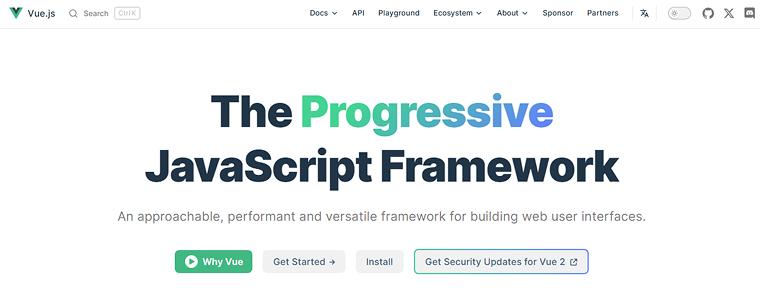
Vue or Vue.js is a lightweight, open-source, and progressive JavaScript framework mainly used to build web applications and for building user interfaces, especially SPAs and web interfaces. It primarily handles the View part of your web application based on the Model-View-ViewModel (MVVM) architectural pattern. With its data binding feature, Vue.js links the Model-View part (view instance) with the DOM (view part). Ultimately, the data observed in the View instance is simply the Model part.
Features
- Reactive System: Vue.js synchronizes the data changes with the user interface. Hence, whenever any changes in data occur, Vue updates only the necessary UI parts.
- Routing: Vue Router enables dynamically mapping routes to components, navigation guards to control access, programmatic route navigation, etc.
- Single File Components (SFCs): You can write templates, styles, and logic within one .vue file using SFCs, facilitating code organization into reusable components.
Pros
- Virtual DOM: Vue, like React, uses virtual DOM where changes are made to the replica of the actual DOM, i.e., JavaScript data structures, and then compared with the original data structure.
- Declarative rendering: You can create templates using JavaScript, HTML, or JSX and render web pages declaratively to the DOM.
- Reusability: Vue allows the grouping of components in a single file, which can be reused instead of writing the same code multiple times.
Cons
- Limited plugins: There is less number of plugins in Vue compared to frameworks like Angular and React. Even the available plugins are not supported, sometimes creating difficulty in building custom solutions.
- Less scalable: For developing large-scale projects like enterprise applications, there is a lack of support due to a narrow community.
- Extensive flexibility: Vue provides a huge scope of customization, which increases the chances of errors and irregularities in the code.
Use Cases
- Cross-platform mobile apps: Tools like Vue Native and NativeScript facilitate mobile app development for Android and iOS platforms.
- Real-time applications: Video streaming platforms and messaging apps can be created using WebSockets and Firebase.
- E-commerce platforms: Vue in combination with SSR frameworks like Nuxt.js can aid in developing high-performing and SEO-friendly e-commerce applications.
Ember.js
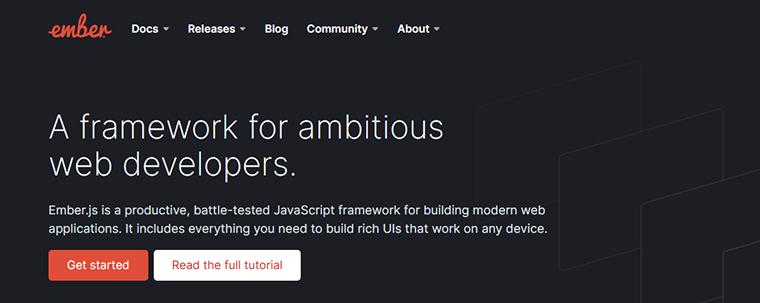
Ember.js, previously known as SproutCore MVC framework, is a JavaScript-based open-source front-end web framework. It is an opinionated framework following the Model-View-Controller(MVC) architectural pattern, and is particularly well-suited for building scalable web applications.
Features
- Automatic data-binding: The two-way data binding in Angular automatically reflects changes to the Model layer in the View layer and vice versa.
- Ember CLI: It simplifies development by offering commands to create components, services, and routes, and features like scaffolding and testing.
- Ember Inspector: This browser extension is used to check the application’s state, components, routes, and data, promoting effective debugging and testing.
Pros
- Stability Without Stagnation: Ember.js is renowned for its stability because it maintains backward compatibility without hindering long-term project development.
- Internationalization (i18n): You can build Ember applications for different regions across differing time zones and languages, as it can easily adapt to them.
- Built-in features: The built-in features, like the Ember Data library for data management, the Handlebars templating engine, built-in state management, etc., increase development productivity.
Cons
- Code configuration: The convention-over-configuration approach of Ember limits the customization scope of pre-generated URLs or backend APIs, even restricting the integration of customized external components
- Rendering: The startup time of an Ember application is comparatively slower than other frameworks, resulting in a delayed start.
- Steep learning curve: Ember is difficult to get hands-on, unlike Vue or React thus making it complex for developing small-scale applications.
Use Cases
- Real-time applications: There’s no need to refresh the page every time changes take place, making it suitable for live chat platforms.
- Data-intensive applications: Applications involving complex data models can benefit from the Ember Data library and two-way data binding.
- Complex user interfaces: The component-based architecture of Ember facilitates the development of applications with multiple layouts and multi-page interfaces.
Backbone.js
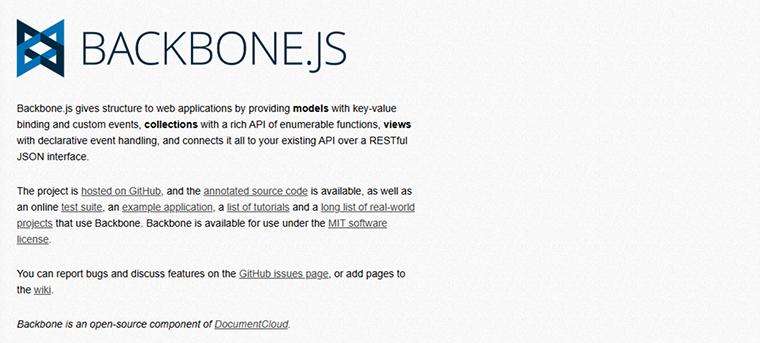
Backbone.js is a lightweight and minimalist JavaScript library for developing client-side web applications. It is based on the Model-View-Presenter (MVP) design pattern, which abstracts data into models and the DOM into views and binds these two using events.
Features
- RESTful API Integration: Backbone facilitates the communication between the client and server through RESTful API.
- Routing: The Backbone.Router class helps to create a custom router by defining the routes hash to map URL patterns with corresponding callback functions within the router.
- Cross-platform Support: Web applications designed using Backbone are compatible across different browsers and environments, adapting to multiple platforms.
Pros
- Extensibility: Backbone offers developers the flexibility to extend its functionalities through plugins or by creating custom extensions.
- Seamless Integration: Backbone easily integrates with libraries such as jQuery for DOM manipulation and Underscore.js for various utility functions, promoting the development of projects with multiple integration requirements.
- Easy maintenance: The separation of concerns principle implemented in Backbone.js allows easier debugging, maintenance, and scaling of applications.
Cons
- Lacks built-in functionalities: Backbone.js offers fewer built-in features and functionalities compared to popular frameworks like React and Vue.
- Difficult for beginners: As the framework’s architecture is more in the control of developers, beginners will take a lot of time to understand the framework’s intricacies.
Use Cases
- Single-Page Applications: Simple SPAs without many dependency requirements are best suited for Backbone.js.
Aurelia
Aurelia is a next-generation open-source front-end JavaScript framework developed by Rob Eisenberg. It is widely regarded as a modern alternative to Angular, offering developers a flexible and modular approach. The underlying architecture of Aurelia is the Model-View-ViewModel (MVVM) pattern.
Features
- Powerful Dependency Injection (DI): It supplies components with their needed resources automatically, reducing tight connections between parts of the code and improving maintainability, testability, and adaptability in applications.
- Extensible HTML: Aurelia lets developers create custom HTML elements and attributes for reusable, self-contained components. Its templating engine seamlessly links these elements to data and logic for dynamic, organized interfaces.
- TypeScript Support: TypeScript in Aurelia offers strong typing, better tooling, improved code quality, easier debugging, and enhanced maintainability.
Pros
- Aurelia plugins: Plugins like Aurelia Validation and Aurelia UX promote speedy development by providing ready-made solutions for common functionalities.
- Intuitive syntax: The syntax is easy to understand, thus proving less difficult even for beginners.
- Web standards compliance: The framework is strictly built according to web standards, hence it’s highly compatible and maintainable in the long term.
Cons
- Small community: In comparison to Angular and React, the Aurelia community is small, leading to fewer pre-built components and third-party support.
- Less Adopted: Aurelia lacks widespread industry adoption owing to limited ecosystem support and preference for other JavaScript frameworks.
Use Cases
- Modernization of Legacy Apps: Aurelia’s modular design allows it to be gradually integrated into existing projects, making it ideal for updating older applications.
- Cross-platform development: Aurelia’s loosely coupled architecture makes it suitable for developing applications for various environments.
- Creating RESTful JSON APIs: Aurelia, in conjunction with a suitable backend technology such as .NET, can be utilized to develop RESTful JSON APIs for data-driven applications.
Svelte

Svelte stands out amongst all the JavaScript frameworks as it comes with a distinctive approach to creating user interfaces. Unlike traditional frameworks that use virtual DOM, this open-source framework compiles declarative HTML, CSS, and JavaScript components into highly optimized vanilla JavaScript code at build time using a compiler.
Features
- Small Bundle Size: Due to the compilation strategy adopted by Svelte, the generated bundle size of applications is smaller, resulting in faster loading times.
- Scoped CSS: Svelte allows styling only to a specific component inside the <style> block; therefore, other components or elements remain unaffected
- Built-in state management: There’s no need to use external libraries to manage states as reactivity, Svelte stores, and Context API manage states at component and global levels.
Pros
- Simplicity: Svelte’s syntax resembles plain HTML, CSS, and JavaScript; therefore, it’s easy for developers to learn and understand the language.
- Built-in reactivity: Svelte is reactive by default; therefore, there’s no need to write any extra lines of code to make your code reactive.
- Supports partial hydration: With Svelte 5, only specific sections of a server-rendered application are hydrated on the client side, improving the application’s performance.
Cons
- Limited dev tools: The Svelte ecosystem is quite young and still growing, hence there’s a lack of open-source tools, libraries, and other support needed.
- Inefficient IDE Support: Svelte’s basic tooling ecosystem is good, but IDE support is immature compared to popular JavaScript frameworks.
- Manual Setup: There’s a lot of manual setup and configuration required when working with Svelte.
Use Cases
- Prototyping: Svelte is a good choice for developing quick functional prototypes for testing by stakeholders before initiating full-scale development.
- Data Visualization: The reactive data binding and smooth rendering by SvelteKit help in developing data visualization tools.
- Content-rich applications: Svelte can be used for building news portals and blogging platforms as it integrates easily with content management systems.
Knockout
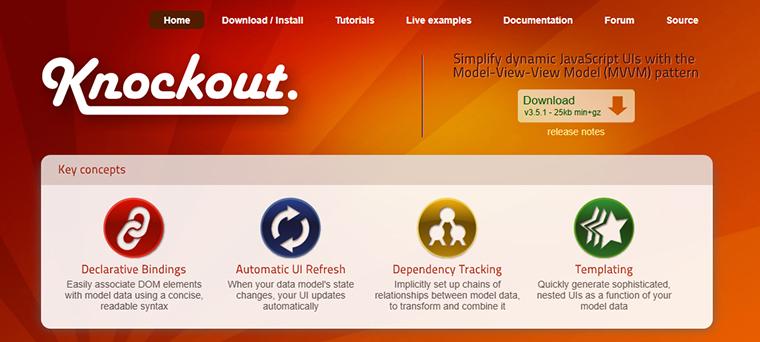
Knockout is a Model-View-ViewModel (MVVM) based JavaScript library to create dynamic user interfaces using JavaScript and HTML.
Features
- Declarative Bindings: The data-bind attribute binds HTML elements to the data model, separating UI and the underlying data effectively.
- Dependency Tracking: Knockout.js automatically tracks dependencies between data and the user interface whenever any changes in the data occur.
- Templating: The templating engine in Knockout lets you create reusable UI components according to the data model you’ve used.
Pros
- Cross-Browser Compatibility: A Knockout.js application can be accessed from multiple browsers.
- Flexible Integration: You can integrate Knockout.js with other libraries and frameworks to build a customized solution.
- Extensibility: Plugins, custom bindings, and computed observables allow extending Knockout’s functionalities according to the project requirements.
Cons
- Steep learning curve: It’s difficult to use Knockout.js to implement complex scenarios.
- Limited community support: The framework lacks extensive community support, unlike Angular and React.
- No Virtual DOM: KnockoutJS does not use a virtual DOM, unlike Vue. Therefore, frequent updates in the UI require re-rendering of DOM elements.
Use Cases
- Single-Page Applications: You can use Knockout to create dynamic components on a single page.
Preact
Preact is a lightweight alternative JavaScript library for React. It is also called “fast 3kb React alternative” owing to its smaller bundle size. It is compatible with React’s API, facilitating an easy transition from React.
Features
- Small Size: The size of 3-4kb is the prime attraction point of this framework, having a huge impact on the application’s performance.
- TypeScript support: The built-in TypeScript support allows developers to take advantage of autocompletion and type-checking features while using Preact.
- Server-side rendering: You can render components on the server to enhance initial load time and search engine visibility.
Pros
- Preact CLI: This CLI automates project setup, helping in faster project development without manually configuring Babel and Webpack tools.
- Faster build times: There’s no need for transpilation in Preact; therefore, build time is faster than in React.
- Less memory consumption: Preact applications use memory efficiently, resulting in less work for the garbage collector.
Cons
- Reduced Feature Set: As Preact is a lightweight framework, many of the advanced features are excluded, which can be a drawback for specific projects.
- Limited ecosystem: Preact has a smaller and growing community, thus fewer readily available solutions.
- Limited React compatibility: Though Preact is React’s alternative framework, it is not a complete replacement for React.
Use Cases
- Progressive Web Apps (PWAs): Features like lightweight, offline functionality, and push notifications make Preact a suitable candidate for developing PWAs.
- Micro frontends: Preact’s small size can become helpful in developing self-contained frontend modules.
- Static websites: For simple, content-focused pages, Preact offers a lightweight solution without the overhead of heavier frameworks.
Mithril
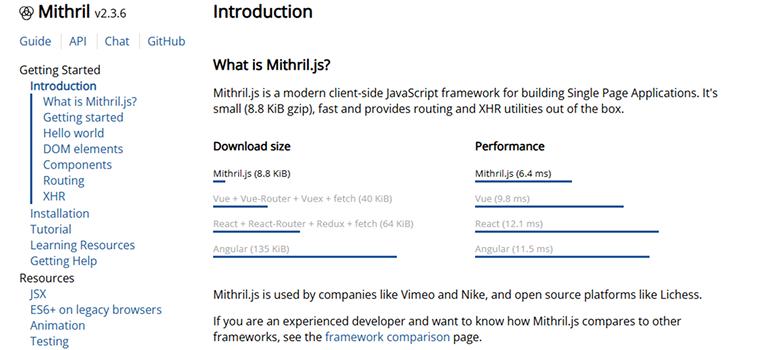
Mithril is a modern, open-source frontend JavaScript framework primarily used for the development of Single Page Applications (SPAs).
Features
- Small size: The size of the framework is <10kb, thus extremely lightweight, facilitating easier loading and deployment.
- XHR Utilities: Mithril provides tools for making HTTP requests (XHR) to interact with APIs and servers.
- Efficient Virtual DOM: Mithril uses a virtual DOM for updating dynamic applications, thus decreasing the number of required changes.
Pros
- Fast performance: Mithril has minimal overhead and quick rendering, improving the application’s overall performance.
- Built-in Features: Mithril supports by default routing and XHR utilities reducing additional dependency requirements.
- Easy to learn: Mithril.js has easy to learn intuitive API, making the learning process easier for even beginners in JavaScript frameworks.
Cons
- Limited Ecosystem: Mithril has a less mature ecosystem, thus fewer plugins, third-party libraries, and resources available, unlike popular JS frameworks.
- Lower Adoption Rate: It’s difficult to find skilled Mithril developers as the adoption rate is low.
Use Cases
- Performance-critical applications: Applications like real-time dashboards require fast loading and rendering, making them suitable for Maithril.
- Projects with Minimal Dependencies: Mithril provides only essential frontend development functionality, hence a less prescriptive framework for developers.
- Single Page Applications (SPAs): Maithril is excellent for SPAs due to its virtual DOM, small size, JSX support, etc.
Meteor
Meteor is an open-source full-stack JavaScript framework containing a large number of interdependent libraries for web and mobile application development. It is an isomorphic framework built using Node.js.
Features
- Live Reload: You aren’t required to refresh the page every time you make changes, as changes are reflected in the browser instantly.
- Data Synchronization: The Distributed Data Protocol (DDP) propagates data changes in real-time from server to client.
- Integrated Build System: The isobuild system simplifies application packaging for deployment across various platforms.
Pros
- Scalable: Meteor.js can manage concurrent users at a time without affecting the application’s performance in case of high traffic.
- Full-stack JavaScript: If you’re well-versed in JavaScript, you can develop the complete application using it.
- MongoDB Support: Meteor provides built-in support for MongoDB through an API, resulting in efficient data management.
Cons
- Database Dependency: Meteor strongly depends on MongoDB, thus less suitable for projects requiring other databases.
- Tight-Coupling: The core components in Meteor are tightly integrated, thus you might face customization challenges.
- Limited community support: The small community makes it harder to find solutions, tutorials, or updates compared to more popular frameworks.
Use Cases
- Real-Time Chat Applications: Meteor enables instant message updates across clients using WebSockets required for responsive, real-time chat platforms.
- Rapid Prototyping: Meteor’s full-stack integration enables you to rapidly develop and test MVPs with real-time features, requiring minimal setup and configuration.
- Single Page Applications (SPAs): It is commonly used to build SPAs to deliver seamless user experiences with real-time data updates and reactive interfaces.
Considerations While Selecting Angular’s Alternative Framework
Angular offers some of the best features, which explains its widespread adoption. Therefore, here are the essential parameters you must evaluate when comparing alternative frameworks.
Structure: Opinionated vs Unopinionated
Opinionated frameworks give priority to the convention over the configuration approach. Therefore, there is a rigidity in architecture, tools, patterns, etc., that developers need to follow. There is less scope for flexibility, and the standardized way must be adopted for development.
An unopinionated or less opinionated framework gives a flexible development approach, and there is no specific approach that needs to be tightly followed. There has to be a balance between built-in structure and customization scope.
When considering structure, also evaluate whether the framework supports scalable web applications, especially for large or complex projects.
Ease of Learning
We already know that it takes a significant amount of time to get hold of the key concepts in Angular. Therefore, the alternative framework must be less time-consuming to grasp. The framework-specific concepts must be fewer so that there is less time invested in learning them.
Performance
Responsive applications are the basic requirement of any application, as users are not patient enough to wait for more than 30 seconds on a single page. Therefore, the framework must support quick rendering and minimize re-renders in case of high traffic.
Code Reusability
Look for frameworks that promote code reusability, allowing developers to reuse components and code snippets across different parts of the application. This can speed up development and improve maintainability.
Integration and Extensibility
There must be built-in integrations with backend protocols and technologies. Evaluate properly how well the framework integrates with existing technologies, backend systems, build tools, and CI/CD pipelines. Also, consider compatibility with jquery’s features if your project relies on them.
Community and Support
Although a strong community helps with shared knowledge, enterprise-level projects often require direct vendor support. Services such as real-time chat, video consultations, and personalized help provide quicker issue resolution and access to expert guidance. For businesses running critical applications, vendor-backed support offers the reliability of guaranteed response times and customized solutions tailored to their specific needs. Additionally, extensive documentation is crucial for efficiently understanding, debugging, and maintaining your code.
Final Thoughts
Choosing the right framework depends on your project’s goals, team expertise, and desired features. While Angular is powerful and well-supported, alternatives like React, Vue, Svelte, and Ember each offer unique strengths in terms of flexibility, simplicity, or performance. Exploring these options allows developers to select tools that better align with modern development practices or specific application needs. By understanding Angular alternatives, teams can make informed decisions that lead to more efficient development cycles and better-performing applications.

Parind Shah is responsible for frontend innovations at TatvaSoft. He brings profound domain experience and a strategic mindset to deliver exceptional user experience. He is always looking to gain and expand his skill set.



Comments
Leave a message...