


Building Android mobile apps has evolved far beyond simply writing code for mobile devices. With Android powering billions of smartphones, tablets, wearables, and smart TVs across the globe, developers now face both tremendous opportunity and growing expectations from users. Whether you’re a seasoned engineer or part of a mobile app development company aiming to deliver high-quality mobile solutions, following best practices can significantly improve your app’s performance and scalability.
This blog highlights the most effective best practices in Android app development to help you build reliable, future-ready applications that stand out and deliver meaningful value to users.
Top Android App Development Best Practices
We’ll understand the widely followed Android app development best practices by categorizing them into four parts:
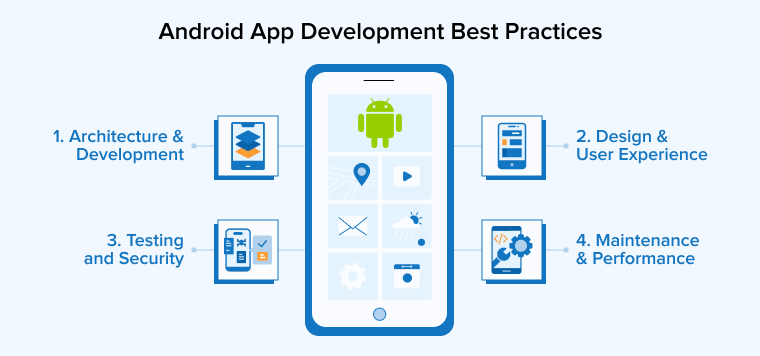
1. Architecture & Development Best Practices
The following are the four key best practices you must consider in terms of app architecture and development:
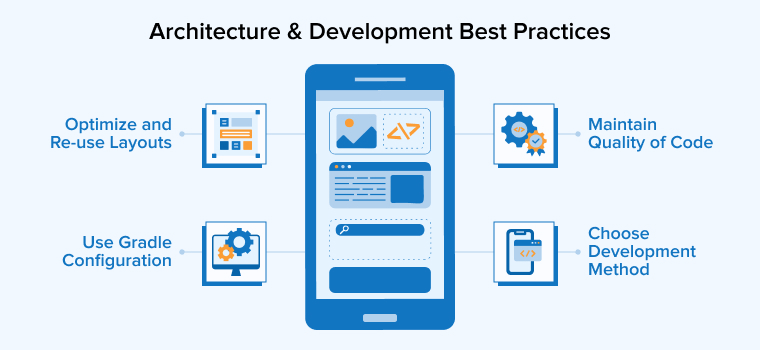
1. Choose a Suitable Development Method
Mobile app development method has a direct effect on performance, cost, maintenance, and user satisfaction. Each method, be it native, cross-platform, hybrid, PWA, or low-code, has its own benefits and limitations. Therefore, teams must evaluate their needs before selecting a specific approach that supports both short-term goals and future growth, ensuring a smoother and more efficient development process.
- Understanding the app’s required features, target audience, timeline, budget, integration needs, and long-term scalability helps choose the best one.
- If power and reliability are the priority, go for native app development. If the app needs high speed and flexibility, cross-platform or hybrid solutions can be the best choice. For increasing the audience reach at lower costs, PWAs are ideal.
- Do not ignore factors like user experience, offline support, and app store policies, as they determine the performance of the final product in the real world.
2. Maintain Quality of Code
Clean and well-structured code reduces confusion, lowers technical debt, and saves countless hours during debugging and updates.
- Clear naming conventions, concise functions, and thoughtful organization help every developer on the team quickly grasp the purpose of each component.
- Follow proven principles such as SOLID and stay consistent with coding standards to build a strong foundation for long-term maintainability.
- Review code written by experienced developers, conduct app testing, and document the reasons behind certain decisions to ensure higher quality.
- In the initial stages, writing clean code may take a little more effort, but it pays off by preventing errors, reducing rework, and making collaboration smoother. Therefore, popular Android development companies focus on writing quality code, which leads to faster Android development cycles and more reliable software products.
3. Optimize and Re-use Layouts
Layout optimization deals with simplifying the app’s screen design to enable fast rendering, reducing the memory consumption, and improving performance.
- The use of deeply nested view hierarchies slows down rendering and causes visible lag. By keeping layouts shallow and reducing unnecessary nesting, the UI becomes much faster to draw.
- Modern layouts like ConstraintLayout and FrameLayout are especially useful because they allow developers to design complex screens with far fewer nested elements. This streamlined structure reduces the workload on the rendering engine and results in smoother interactions.
- Reusability is another important aspect of good layout design. Instead of repeating the same XML code across multiple screens, reusable components can be extracted into separate layout files and added wherever needed using the <include/> tag. This not only cuts down duplication but also simplifies updates, since changes in the shared layout automatically reflect throughout the app.
- When designing any screen, whether simple or complex, it is important to analyze the performance impact of the chosen layout structure before finalizing it.
- Prioritizing flatter hierarchies and reusable building blocks leads to cleaner code, better organization, improved performance, and a UI that is easier to maintain over time.
4. Use Gradle Configuration
Gradle offers powerful configuration options that allow developers to automate builds, manage dependencies, and generate multiple app variants without unnecessary manual effort. By thoughtfully optimizing Gradle settings, teams can significantly reduce build times and create a smoother development workflow.
- Add the right options to the gradle.properties file to create a consistent environment for every build.
- Features like configuration-on-demand load only the modules you actually need, while the Gradle Daemon keeps background processes active so builds start faster.
- Enabling parallel execution allows independent modules to compile simultaneously, which is especially helpful in large Android projects.
- Building caching further speeds up development by reusing outputs from previous builds whenever possible.
- Adjusting JVM arguments ensures that Gradle has enough memory to handle complex tasks, preventing slowdowns caused by memory constraints.
- Developers can also enable incremental processing for data binding and KAPT to shorten incremental build cycles.
- Once you apply these configuration changes, profiling the project again helps confirm improvements and identify any remaining bottlenecks.
2. Design Best Practices
The following are the three key best practices you must consider before designing the Android application:
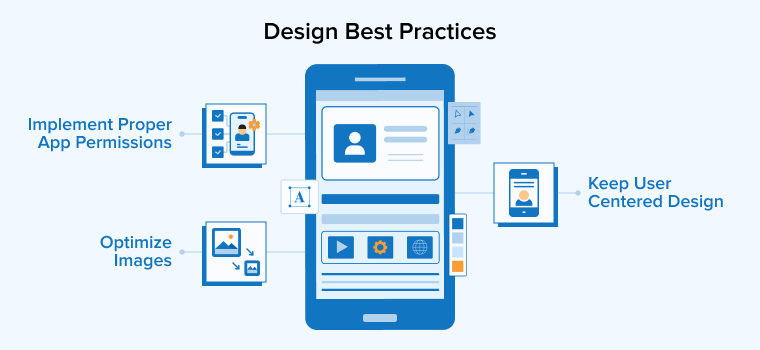
1. Implement Proper App Permissions
The app permission functionality helps maintain user trust, protect sensitive information, and ensure your app behaves responsibly.
- Every permission you request should directly support a specific feature, rather than providing blanket access to unnecessary data.
- Before adding a permission, evaluate whether you can complete the task without accessing restricted information. When you truly require permission, ask for it when the user initiates the related action. This approach helps the user understand why you are making the request.
- You must be equally transparent about what data your app needs, how you will use it, and what functionality you will limit if the user denies permission.
- Reviewing the permissions required by external libraries is also crucial, as these dependencies may introduce additional access points that users must approve.
- For sensitive operations like accessing the camera, microphone, or location, make sure your app provides clear indicators when these features are active.
- Keeping permission requests minimal, purposeful, and well-explained ensures user privacy and your app remains secure, predictable, and compliant with modern Android standards.
2. Optimize Images
Large or uncompressed images can slow down loading times, increase memory usage, and unnecessarily increase your app size. Therefore, image optimization becomes necessary to keep your app lightweight, reduce download size, and deliver a better experience for users on all types of devices.
- Developers should choose the appropriate image format for each use case such as JPEG for detailed photos, PNG for icons, and WebP for strong compression without quality loss.
- Scaling and resizing images to match different screen densities also helps maintain clarity while reducing resource consumption.
- Using image-loading libraries like Glide or Picasso further improves performance by managing caching, memory control, and smooth rendering.
3. Keep User Centred Design
The app design must reflect what users truly need and help them complete their tasks smoothly and without confusion. When users find an app intuitive, attractive, and reliable, they engage with it longer, return more often, and are more willing to explore premium features. Prioritizing user-centred design ultimately gives your app a stronger competitive edge and supports long-term success.
- Clear navigation, readable visuals, efficient resource usage, and thoughtful error handling all contribute to a positive experience.
- Strong UX and UI design work hand in hand. UX shapes the flow and usability, while UI adds visual appeal and emotional impact.
- Developers and designers must collaborate closely to ensure that code aligns with design expectations and the user interface feels consistent across the wide range of Android devices.
- Using tools like mood boards, early design mockups, and Android’s official guidelines helps keep teams aligned and reduce late-stage rework.
3. Testing & Security Best Practices
We’ll now understand the five best practices related to app testing and security to consider:
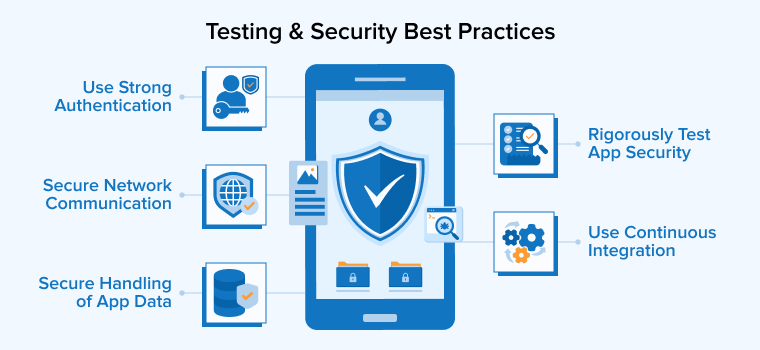
1. Utilize an Impenetrable Authentication Mechanism
Android devices often handle sensitive information; hence, developers must implement robust authentication mechanisms that verify user identity without compromising convenience.
- Using modern app standards such as OAuth 2.0, OpenID Connect, or JWT tokens helps create secure and reliable login flows.
- Adding multi-factor authentication requires an additional confirmation step, such as a one-time code or biometric check, making it much harder for attackers to log in.
- Passwordless options, like magic links or phone-based verification, can also improve both security and user experience.
- Android’s built-in tools, including the Keystore System and fingerprint or biometric APIs, provide safe environments for storing keys and processing authentication data.
- Encryption methods like AES should be used when handling sensitive transactions to prevent misuse, even if data is intercepted.
2. Secure Network Communication
It is essential to maintain the integrity and confidentiality of user data as it travels between the device and your server during every network interaction.
- Every Android app that exchanges information online should use HTTPS and modern TLS protocols to ensure that data remains encrypted and unreadable to attackers. Using outdated or unprotected channels can expose sensitive information, making the app vulnerable to interception.
- Implementing certificate pinning adds another layer of protection by verifying that the app only communicates with trusted servers, effectively blocking man-in-the-middle attempts.
- It is equally important to validate all SSL certificates by checking their issuer, expiration dates, and domain accuracy before establishing a connection.
- Developers should also avoid insecure protocols and outdated hashing methods that transmit information in plain text.
- API keys and other credentials should never be hardcoded; instead, they must be stored securely to prevent unauthorized access.
3. Rigorously Test Application Security
The arrival of the latest technologies also brings new security threats with it. Therefore, develop a proactive strategy that enables teams to identify and fix issues well before attackers can exploit them, resulting in a more stable and trustworthy application.
- Even well-written code can contain hidden weaknesses, so security testing must happen throughout the app development process rather than only at the final stage.
- Using a structured approach like the software testing life cycle helps teams plan their testing activities and prepare the appropriate tools in advance.
- Automated testing can also strengthen your security checks by running repeatable tests quickly and consistently.
- Developers should use dynamic analysis tools such as debuggers, decompilers, root-detection systems, and fuzz testers to uncover logic errors, unsafe data handling, or vulnerabilities that appear only during execution.
4. Secure Handling of App Data
Data stored at the user end and on backend systems is vulnerable to security breaches because attackers often target the information exchanged between a device and the server. Developers must ensure that sensitive data is always encrypted, whether it is stored locally or transmitted across the network.
- Using tools like SQLCipher, Jetpack Security, or EncryptedSharedPreferences helps protect stored data by applying strong AES-based encryption that reduces the risk of exposure if a device is lost or compromised.
- Developers should also minimize the amount of personal or confidential information kept on the device and rely on secure backend storage whenever possible.
- Avoid the inclusion of sensitive details in logs, especially during production, as logs can unintentionally reveal confidential information.
- Input validation also plays a major role in data protection; verifying, sanitizing, and safely handling all incoming data prevents injection attacks and unauthorized access.
- Combining these measures with techniques like certificate pinning and secure protocols ensures data remains confidential, intact, and inaccessible to attackers.
5. Use Continuous Integration
Continuous testing ensures that every change made to your Android app is checked for quality and reliability the moment it is pushed to version control.
- By integrating automated tests into a Continuous Integration (CI) pipeline, teams can quickly detect bugs, performance issues, or broken code before they reach production.
- Tools like Lint, Checkstyle, and FindBugs help maintain coding standards and catch errors early.
- CI platforms such as Jenkins or Travis CI automate builds, run test suites, and generate APKs. This constant user feedback loop helps developers fix issues faster, avoid regression problems, and deliver stable updates with greater confidence.
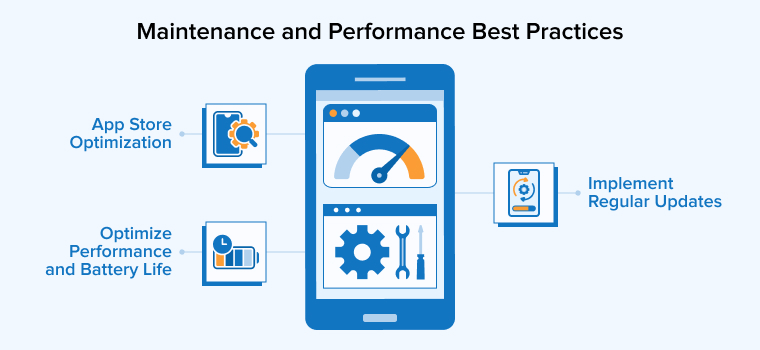
4. Maintenance and Performance Best Practices
The following are the three key best practices related to maintenance and performance requirements in the Android app development process:
1. Implement Regular Updates
As new Android versions, devices, and security patches are released, older apps can begin to show performance issues or unexpected crashes.
- Following a consistent update cycle helps developers resolve these problems early and maintain smooth functionality across a wide range of devices.
- Regular updates also play a crucial role in strengthening security by addressing newly discovered vulnerabilities and protecting users from emerging threats.
- Updates often introduce UI improvements, performance optimizations, and new features that keep users engaged and satisfied.
2. App Store Optimization
App Store Optimization directly influences how easily users can discover and trust your app on Google Play. With this, developers can build user trust, enhance visibility, and increase the likelihood that their app will be downloaded and retained.
- A strong ASO strategy begins with creating a clear and accurate store listing that genuinely reflects your app’s purpose and features.
- Developers should write concise descriptions that highlight the most valuable aspects of the app without unnecessary repetition, exaggerated claims, or misleading references.
- The app title must stay within character limits, avoid promotional terms, and be unique enough to stand out without imitating existing apps.
- High-quality icons, feature graphics, and screenshots play a major role in shaping first impressions. Therefore, it should be visually consistent, relevant to the app experience, and free from inappropriate or confusing imagery.
- It’s also important to follow Google Play’s content and metadata policies to avoid rejection or removal.
- Screenshots and visual assets should focus on real in-app experiences and use minimal text to maintain clarity across different screen sizes.
3. Optimize Performance and Battery Life
The time and effort spent on app development give expected results only if your app provides a pleasant user experience instead of frustrating them by taking too long to load and process inputs.
- Heavy operations on the main thread, such as database queries, API calls, or file processing, should be moved to background threads using tools like Kotlin Coroutines, WorkManager, or Retrofit.
- UI layouts should be optimized using ConstraintLayout to reduce view hierarchy complexity, improving rendering speed and reducing lag.
- Enabling R8 or ProGuard further enhances performance by shrinking, obfuscating, and optimizing code, while Android App Bundles help reduce app size, leading to faster downloads and smaller storage usage.
Battery life is equally important for user retention:
- Background tasks should be scheduled efficiently using JobScheduler or WorkManager, ensuring they run only under suitable conditions like charging or Wi-Fi availability.
- Location and sensor updates should be throttled or used passively whenever possible, avoiding continuous tracking that drains power.
- Respecting Doze Mode and App Standby ensures background operations do not interfere with system optimizations.
- Integrating Firebase performance monitoring provides real-world insights into app start times, network latency, slow screens, and power consumption, allowing developers to prioritize improvements.
By combining these practices, apps deliver smooth performance while conserving battery, resulting in happier and more loyal users.
Final Thoughts
In the ever-evolving Android ecosystem, following development best practices is essential for building apps that are reliable, secure, and enjoyable to use. By combining the right tools, adopting efficient methodologies, and prioritizing usability, developers can create applications that truly resonate with users. As the market continues to grow, developers who remain committed to quality, user-centric design, and continuous improvement will have the greatest impact. Ultimately, Android development is not only about writing code, but it is also about delivering meaningful digital experiences that support business goals and enhance users’ everyday lives.
FAQs
It is highly recommended to use Android Studio, code in Kotlin, and utilize the Jetpack Compose UI framework to build user interfaces.
The 7 stages of app development are planning, requirement analysis, UI/UX designing, writing code, testing, deployment, and maintenance.
The four main types of app development are native apps, hybrid apps, web apps, and Progressive Web Apps (PWAs).
Android Studio is considered the best IDE for Android app development as it offers a complete setup for coding, debugging, and testing.

Rajendra Padhiyar is a Project Manager at TatvaSoft, leading a skilled team of mobile app developers. With extensive experience in mobile application development and management, he ensures timely delivery and high-quality standards for diverse mobile projects



Comments
Leave a message...