

The rise of AI-powered and social media applications has affected our attention span to a great extent. As a result, it is challenging and competitive for businesses to design applications that instantly grab users’ attention and keep them engaged for a long period without making the engagement time feel prolonged. This can be achieved through dynamic, interactive animations.
JavaScript and its various frameworks and libraries power the maximum number of web applications developed today. Vue is one of the most widely used frameworks to deliver an excellent user experience. VueJS development companies utilize different Vue animation libraries to create compelling interfaces.
In this blog, we’ll discuss some of the prominent Vue animation libraries, along with demonstrations and advantages of using these libraries, to help you understand how to achieve the desired effects.
What is a Vue Animation Library?
A Vue.js animation library helps you add smooth and interactive visual effects to web applications without building every animation from scratch. These libraries include ready-to-use components and utilities that simplify the process of creating engaging user experiences. Whether you want elements to fade, slide, scale, or transition between different states, animation libraries make implementation faster and more consistent.
You can create animations in Vue using both CSS and JavaScript, providing the flexibility to choose a simple approach for basic effects or a more advanced method for complex interactions. By combining Vue.js with a suitable animation library, you can create interfaces that feel more responsive and visually appealing, reducing development time significantly.
Why Use the Vue Animation Library?
The following are the benefits of using Vue.js Animation libraries for your Vue-based web applications:
- Cross-Browser Compatibility: A good animation library should work smoothly on different browsers and devices without requiring extra effort. This helps users enjoy the same visual experience regardless of the platform they’re using. Vue animation libraries reduce problems caused by browser differences, provide a consistent user experience, and make animations more reliable and easier to maintain.
- Customization Flexibility: Every company has its unique brand aesthetics, and hence the animations must align with them. Using Vue animation libraries, you can easily customize animations and enhance their visual impact with custom CSS classes and styles.
- Performance Optimization: The Vue animation library is built to deliver smooth visual effects while using system resources efficiently. It helps keep animations responsive even during complex interactions, reducing slowdowns and improving the overall user experience.
- Active Community Support: The Vue.js community actively contributes impressive animations, learning resources, tutorials on using animations to increase your project aesthetics, and continuous support from developers whenever required.
- Comprehensive Animation Options: The Vue animation library gives you the flexibility to create everything from basic effects to advanced motion designs with ease. It supports interactive animations, smooth transitions, and engaging visual elements that make applications feel more dynamic while reducing the effort needed to build complex animation sequences.
- Intuitive API: An easy-to-use animation library helps you build and manage animations without unnecessary complexity. The clear structure, simple commands, and well-organized documentation of Vue Animation libraries make the learning process faster. This allows both beginners and experienced developers to create animations confidently and complete projects more efficiently.
What Are the Best Vue Animation Libraries?
There are multiple libraries, either specific to the Vue ecosystem or JavaScript libraries, that can be used in your Vue projects to achieve the best animation results. The following are the fourteen most popular animation libraries among Vue developers:
1. Vue Animate CSS
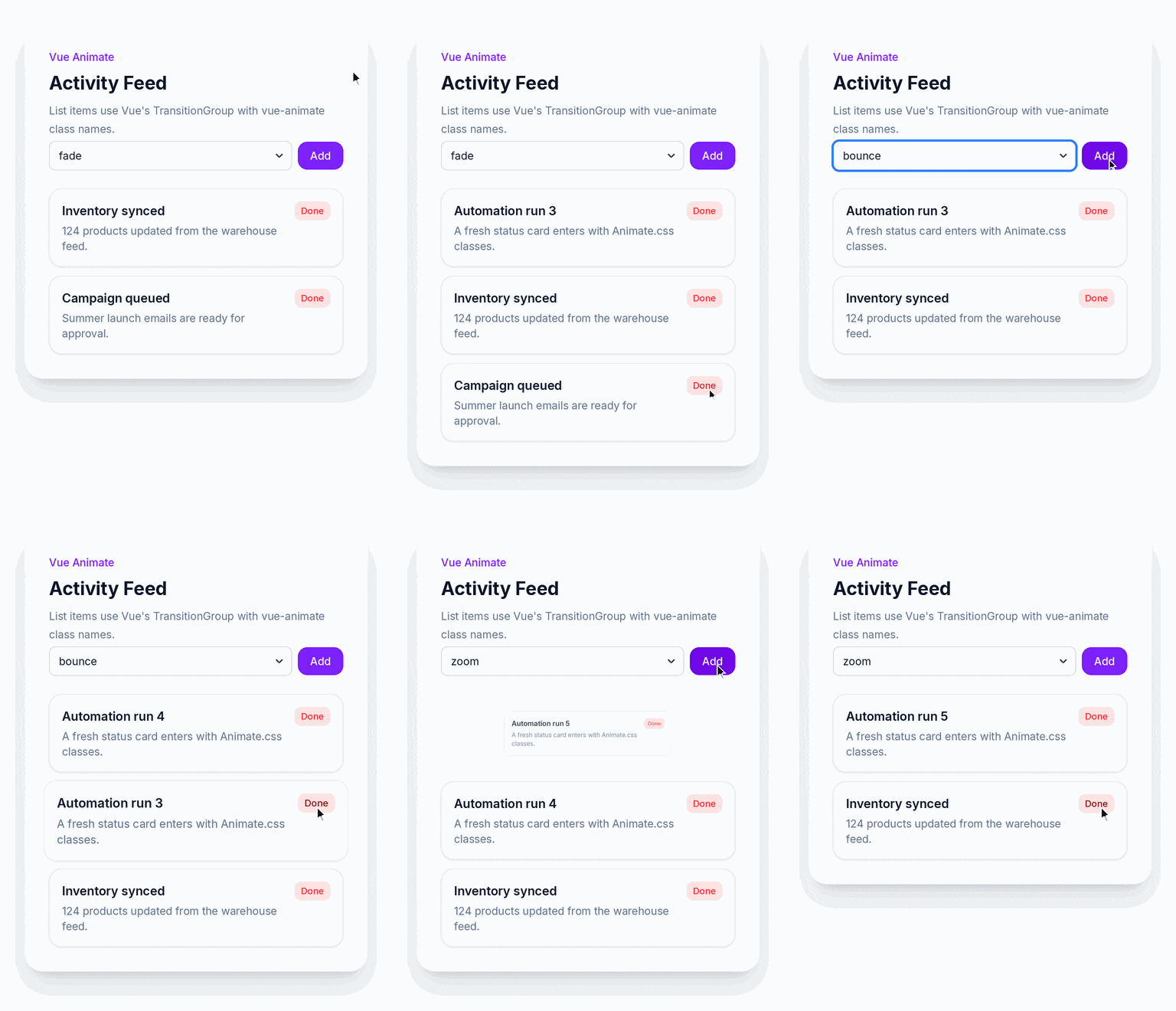
Vue Animate CSS is a useful library that helps you add attractive animations to Vue.js applications with minimal effort. Regular updates help keep the library reliable and compatible with current Vue.js development practices.
There are various compelling reasons to choose the Vue Animate CSS library for your project, such as:
- You have the flexibility to choose from many ready-made effects that are easy to apply to Vue components, eliminating the need to create every animation from scratch. This saves time and makes it possible to improve a website’s appearance without writing large amounts of animation code.
- The library supports different animation styles, including effects for elements entering, leaving, or changing on the screen.
- You can even adjust settings such as animation speed, delay, and timing to better match your application’s design.
- As this library works well with modern browsers, users can enjoy smooth and consistent animations on different devices.
- It is simple enough for beginners to learn quickly, along with providing enough flexibility for experienced developers building larger projects.
- It can be used for single components as well as groups of elements, hence making it suitable for many interface designs.
2. Vue-GSAP (GreenSock Animation Platform)
Vue-GSAP combines the animation features of the framework-agnostic JavaScript animation engine, GSAP (GreenSock Animation Platform), with the simplicity of Vue.js. It provides the tools needed to produce high-quality results, whether you need to create interactive interfaces, page transitions, or engaging visual elements.
Let us understand how Vue-GSAP makes it easier to build smooth and professional animations in web applications:
- You can use it to create everything from simple transitions to advanced motion effects without overly complicating the code.
- The library supports animation techniques such as tweens, timelines, and morphing, providing you with the flexibility to design interactive user experiences. It also includes a variety of easing options that help movements appear more natural and visually appealing.
- It is best for handling detailed animation sequences, which makes it a suitable choice for projects that require responsive and polished visual effects.
- Animations created with this library provide users with a consistent experience across desktops, tablets, and mobile devices as it adapts well to different screen sizes.
- Its integration with Vue components allows animations to be added cleanly and in an organized manner, increasing development efficiency.
3. Vue.js Transition & Transition-Group
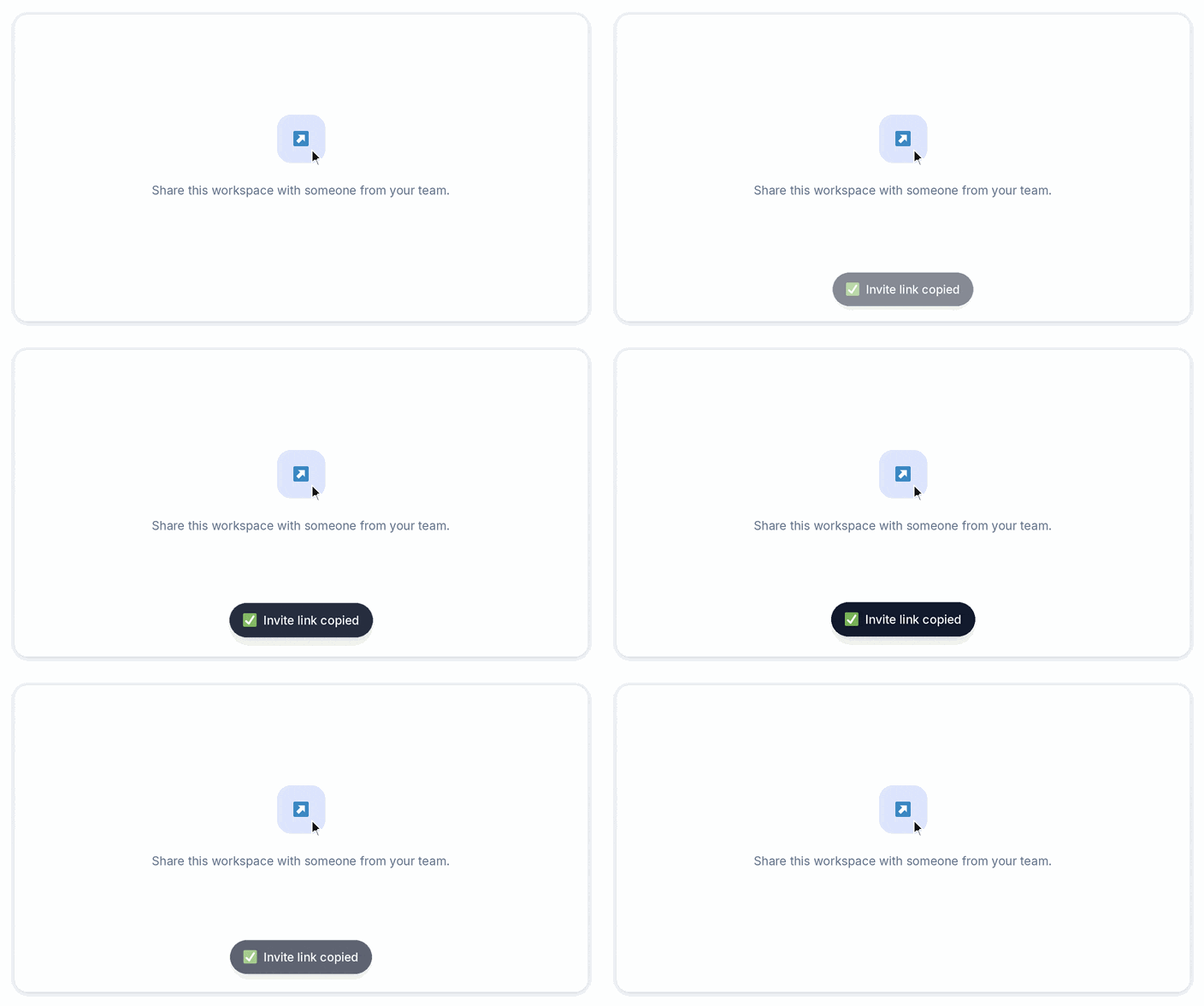
Vue’s built-in components, Transition and Transition-Group, make it easy to add animations without depending on third-party libraries. Their simple implementation allows both beginners and experienced developers to add engaging motion effects with minimal effort.
Some of the key benefits of Transition & Transition-Group are as follows:
- They help you create smooth visual effects when elements appear, disappear, or change within a page.
- The Transition component is primarily used to animate a single element or component, whereas the Transition Group is designed to animate multiple elements, such as lists that are added, removed, or reordered. These features improve the overall appearance of an application by making interactions more natural and responsive.
- Since these components are included with Vue.js, you can implement animations using a clean and organized approach without increasing project dependencies.
- They also simplify managing changes in the DOM, reducing the amount of manual work needed to create polished interface updates. This makes them suitable for building menus, notifications, image galleries, dynamic lists, and many other interactive components.
4. VueUse Motion

VueUse Motion, inspired by the React-Motion library, is a lightweight animation library that uses physics-inspired movement instead of depending only on traditional CSS effects to produce animations that feel more natural and responsive.
So, what makes VueUse Motion quite unique and a different library in the Vue ecosystem? Let’s see below:
- It allows you to create smooth and realistic animations in Vue.js applications using spring-based motion. This makes it a great choice for interactive features such as draggable elements, bouncing effects, animated layouts, and page transitions.
- You do not need to write complex animation logic to define animation behavior. The library follows a declarative approach, enabling you to achieve this using simple JavaScript configurations.
- VueUse Motion works well with Vue’s reactive system, so animations can automatically respond to changes in application data.
- It offers enough flexibility to handle both basic interactions and advanced animation sequences while remaining lightweight and efficient.
- It’s true that if you’re a beginner, you may need some time to understand how spring-based animations behave. However, the available documentation and examples make the learning process much easier.
- Additionally, you can fine-tune animation settings to achieve the exact motion you want, giving you greater creative control over the user experience.
5. TS Particles
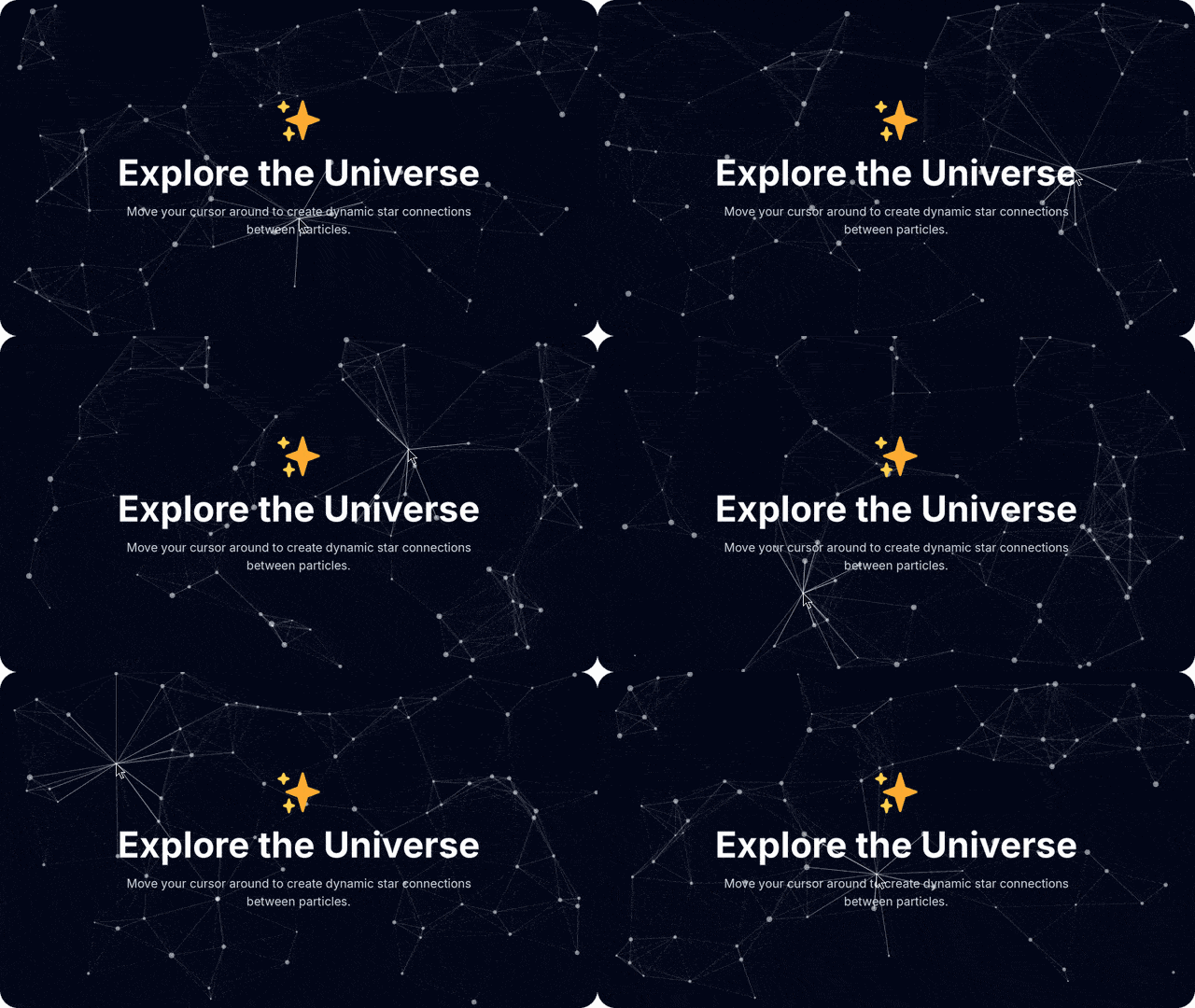
TSParticles is a modern, open-source JavaScript animation library written in TypeScript that creates attractive particle effects for web applications while maintaining strong performance.
The library offers ready-to-use integrations for multiple JavaScript frameworks, including Vue.js. It benefits your Vue-based applications in the following ways:
- You can build animated backgrounds using thousands of small particles that move, connect, react, or change based on different settings.
- The library includes many built-in effects, which makes it suitable for creating visuals such as floating particles, fireworks, confetti, star-filled skies, and other decorative animations.
- With TSParticles, you can customize nearly every aspect of the particles, including their shape, size, color, speed, direction, and interaction, to match the overall design of a website.
- It is optimized to deliver smooth animations without placing unnecessary strain on the browser, making it suitable for both desktop and mobile devices.
- The library also adapts well to different screen sizes, ensuring a consistent appearance across responsive layouts.
- You can create simple background effects or highly detailed visual experiences with minimal effort owing to its flexible configuration.
6. Vuenime
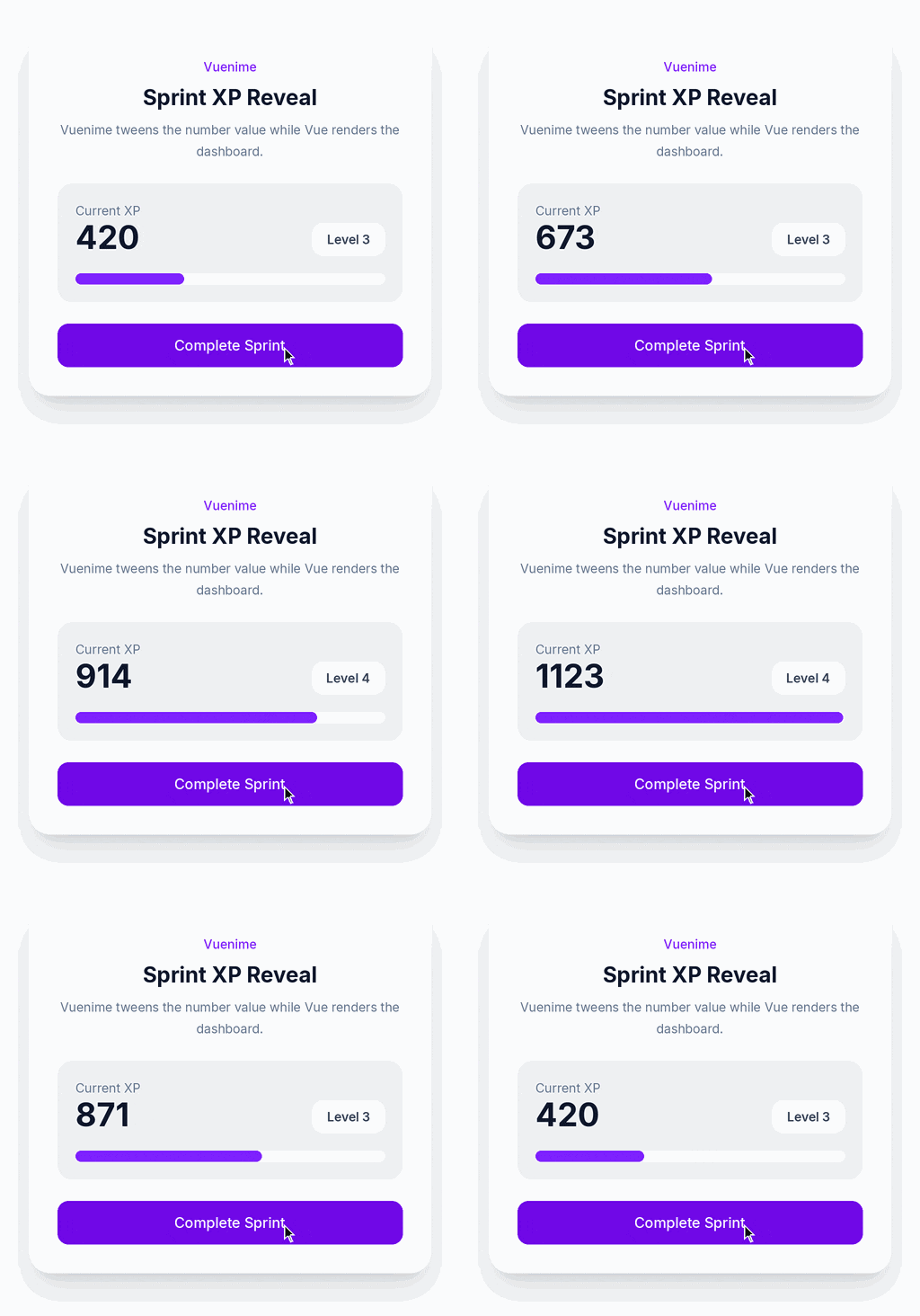
Vuenime is a flexible animation library for Vue.js that helps you add attractive motion effects to your applications easily.
Whether it’s about building a small website or a large web application, Vuenime offers enough flexibility to accommodate your needs because of:
- It includes a large collection of built-in animations that allow you to quickly apply common effects such as fading, sliding, flipping, and other transitions.
- You can even create your own custom animations to match the style and branding of your projects.
- The library integrates smoothly with Vue components, making it simple to animate individual elements, page changes, or interactive interface components.
- Despite supporting advanced animation effects, Vuenime remains lightweight, helping applications maintain good performance.
- It also provides callback functions and animation events for greater control over when animations begin, end, or trigger other actions. This makes it suitable for creating engaging onboarding screens, interactive menus, notifications, and other dynamic user interface elements.
- Because it works well alongside other libraries and Vue.js tools, it fits naturally into existing development workflows without requiring major code changes.
7. Vue Smooth Scroll
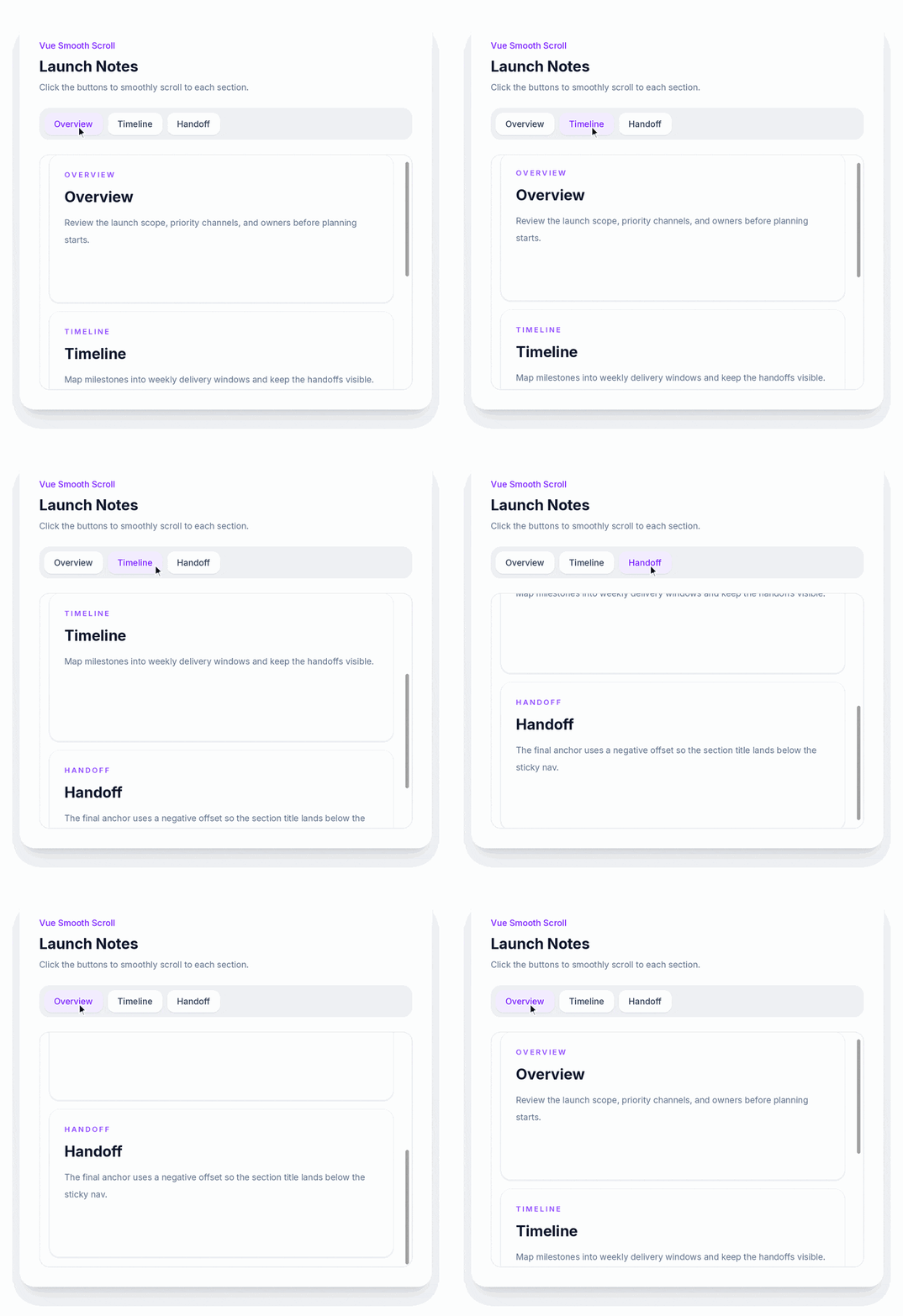
Vue Smooth Scroll is a lightweight library that improves navigation in Vue.js applications by adding smooth scrolling effects, both horizontal and vertical.
Let us understand how Vue Smooth Scroll is versatile for a variety of layouts and interface designs:
- Instead of instantly jumping to a section, it creates a gradual scrolling motion that makes moving around a page feel natural and visually appealing. This feature is especially useful for single-page applications where users frequently navigate between different sections.
- You can customize the scrolling behavior by adjusting settings such as animation duration, easing functions, and offset adjustments to match the look and feel of your applications.
- It integrates easily into Vue.js projects and requires minimal setup, making it accessible even to developers with limited experience.
- Despite its simple implementation, the library is optimized for performance and has little impact on page loading speed.
- It also works across modern browsers and supports accessible navigation methods, including keyboard interaction and screen readers.
- Vue Smooth Scroll helps create a more polished browsing experience for navigation menus, anchor links, or long pages with multiple sections.
8. Vue-Typed-Animation
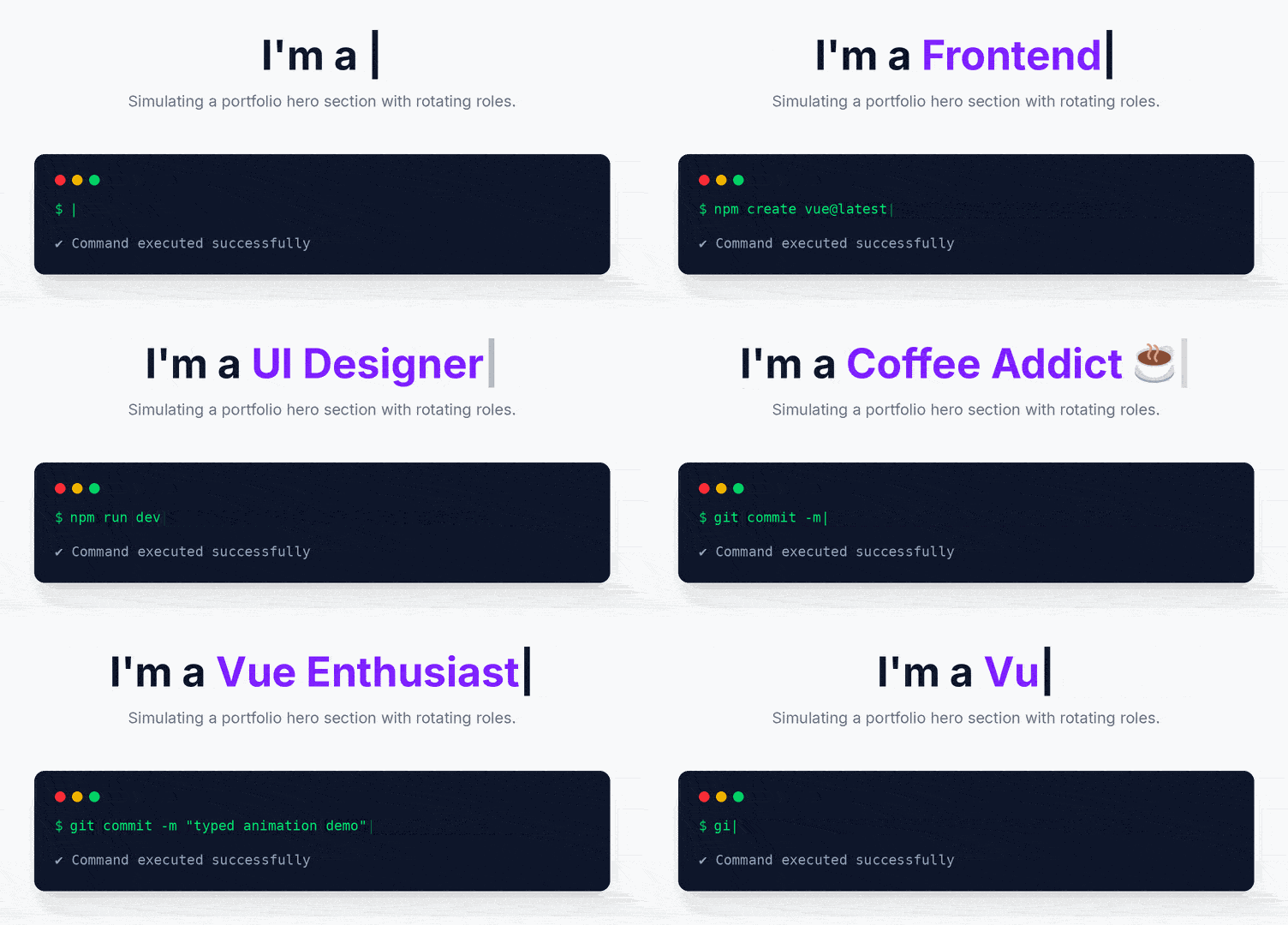
Vue-Typed-Animation is an easy-to-use Vue.js library that adds typing animation effects to landing pages, loading screens, promotional banners, and call-to-action sections in your Vue-based applications.
It is an effective way to capture attention and create a more engaging user experience owing to its following features:
- It lets you create text that appears on the screen as if it is being typed in real time. This effect can make websites feel more interactive and visually appealing, especially when highlighting important messages such as titles, taglines, or welcome text.
- The library provides several customization options, including typing speed, pause duration, cursor appearance, repeating animations, and deleting previously typed text before showing new content.
- As it works smoothly with Vue’s component system, animations can respond automatically to application data changes, making the interface more dynamic.
- You also have the option to style the animated text using standard CSS to match your project’s design.
- The library supports multiple lines and even HTML content, giving greater flexibility for different use cases.
- It delivers smooth performance without depending on complicated animation techniques owing to its lightweight nature. Its simple and declarative approach reduces development time while still offering a good amount of control over the final result.
9. Vue Flipbook
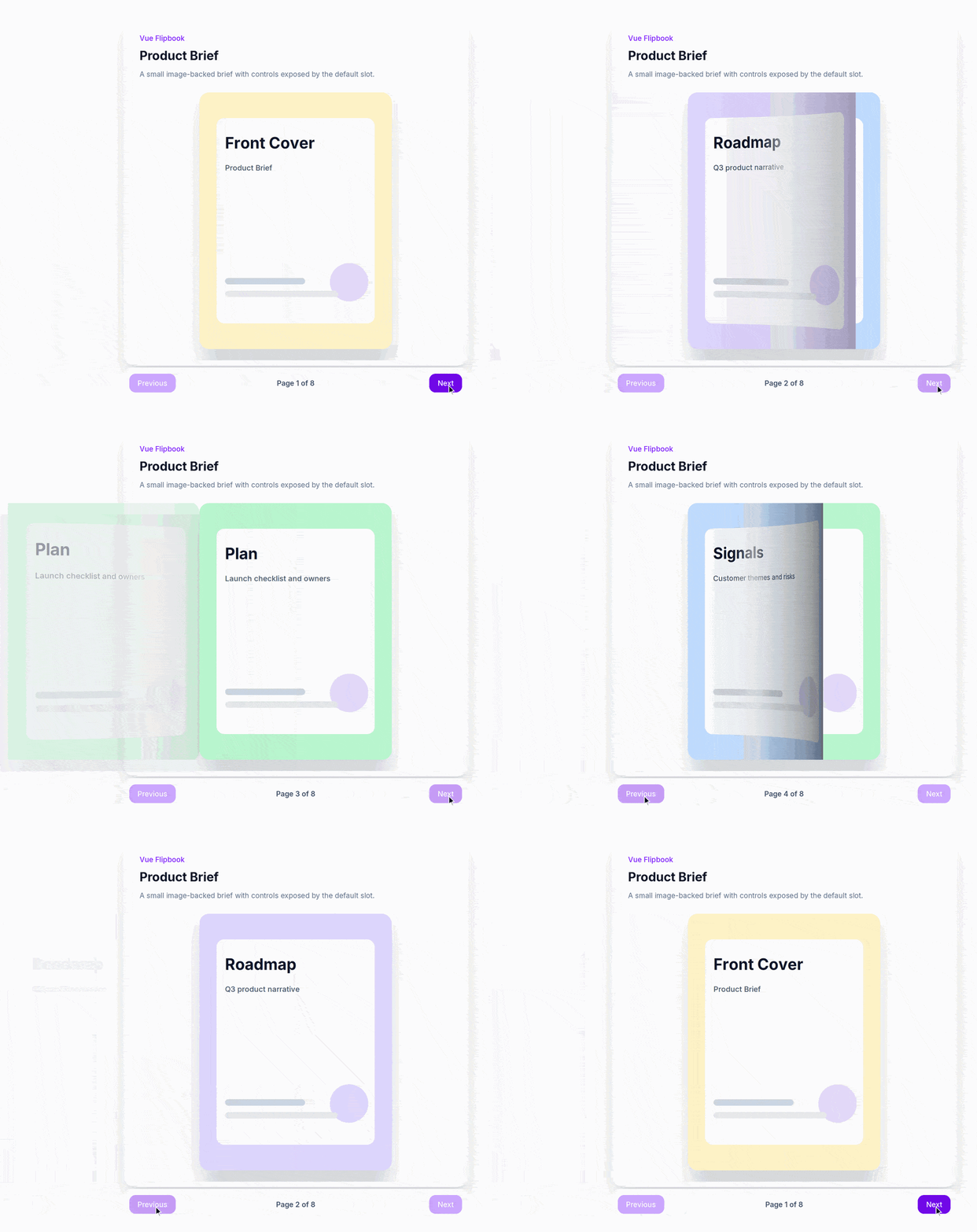
As the name suggests, Vue Flipbook is a Vue.js library that helps you display content in the form of a digital book with realistic page-turning effects.
The following benefits of Vue Flipbook make content more enjoyable to explore and encourage visitors to spend more time interacting with the website:
- Instead of presenting information in a standard layout, it allows users to move through pages in a way that feels similar to reading a printed book. This makes it a great option for projects such as online magazines, product catalogs, portfolios, brochures, or interactive presentations.
- You can customize each page by adding text, images, videos, or other HTML content to create rich and engaging experiences.
- The library also offers control over page navigation, automatic page flipping, animation speed, and looping, making it easy to match different design requirements.
- It works well on both desktop and mobile devices because it supports mouse and touch interactions, allowing users to flip pages naturally regardless of the device they use.
- You can further personalize the appearance with custom layouts, backgrounds, and Vue components to create unique designs. The responsive design ensures the flipbook looks good across different screen sizes without compromising performance.
10. Vue-Morphling
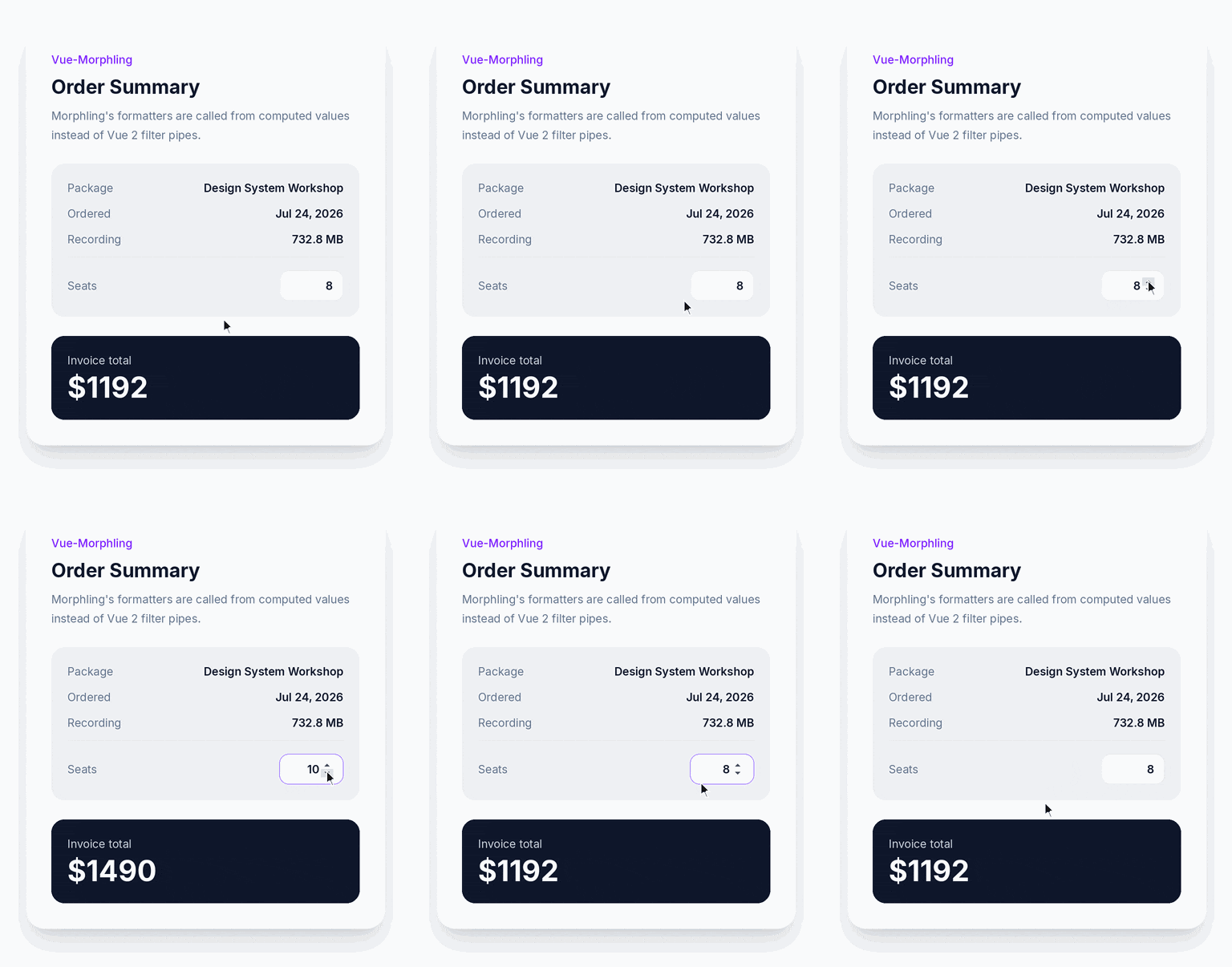
Vue-Morphling is a Vue.js library that combines flexibility with powerful animation capabilities, enabling Vue developers to create advanced, unique, and eye-catching animations in their web applications.
It enhances user engagement and creates a more enjoyable browsing experience without sacrificing the structure of a Vue application in the ways given below.
- It smoothly transforms one shape into another, producing fluid visual effects that make interfaces feel more modern and interactive.
- The library is especially useful for working with SVG graphics, as it can animate SVG paths and create seamless transitions between different designs.
- In addition to shape morphing, it supports various transformations and animation effects that help bring static elements to life. You can use these features to build engaging buttons, icons, illustrations, logos, and other interactive components that respond naturally to user actions.
- Vue-Morphing is suitable for creative websites, dashboards, portfolios, and applications that require rich visual experiences, as it offers many animation possibilities
- It also integrates well with Vue.js, allowing you to include animations within existing components without adding unnecessary complexity. The smooth transitions improve the overall appearance of the interface while making interactions feel more polished.
11. Vue-Lottie
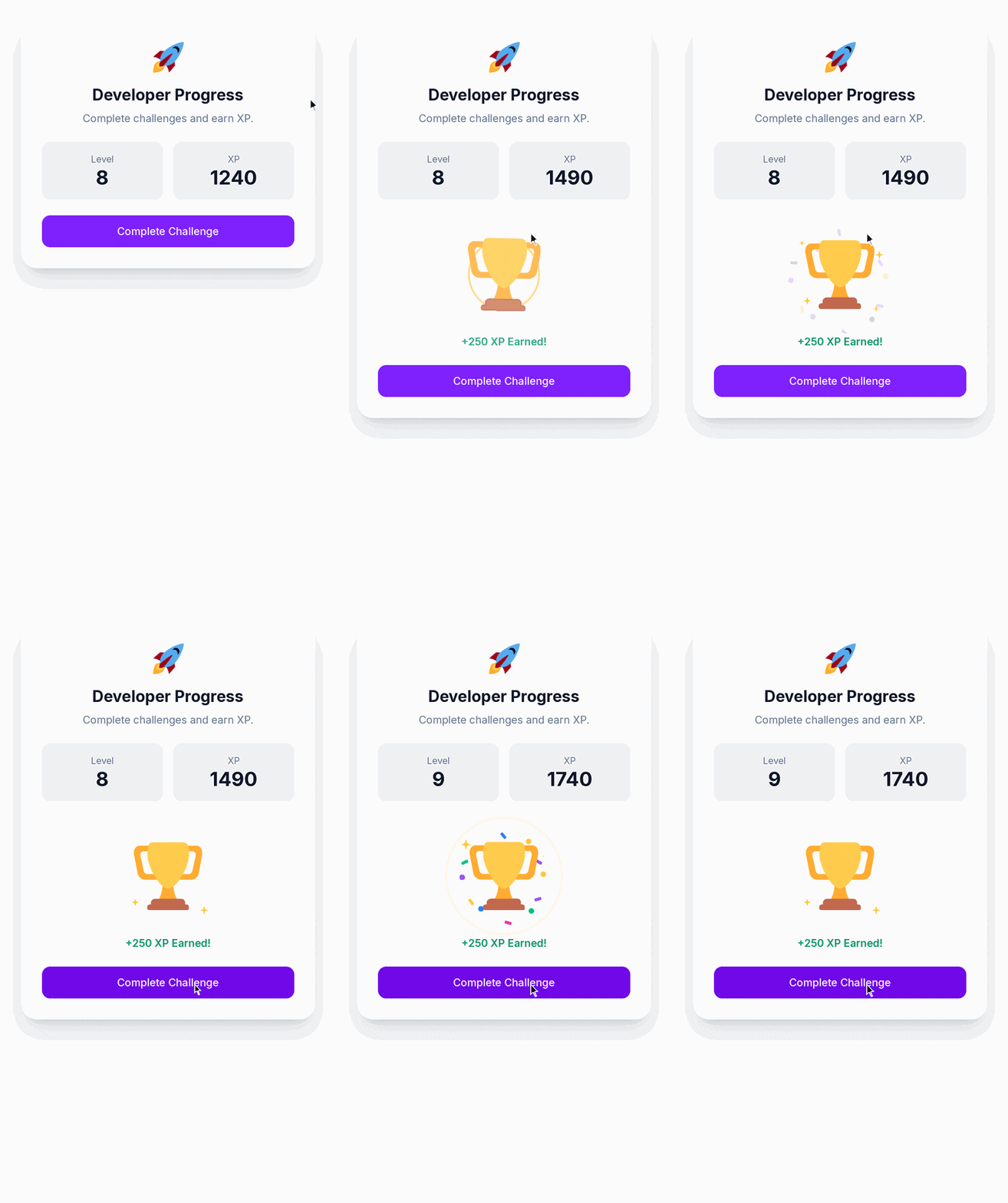
Vue-Lottie is a Vue.js library that makes it easy to add high-quality animations to web applications by using Lottie animation files. It helps you build modern applications that feel more engaging, responsive, and visually appealing.
The following features and advantages of the Vue-Lottie library make it commonly used for animated icons, loading indicators, onboarding screens, and decorative illustrations:
- These animations are usually designed in Adobe After Effects and exported as JSON files, allowing them to remain lightweight while delivering detailed visual effects.
- As the animations are vector-based, they stay sharp on different screen sizes and devices without losing quality. This feature makes them an excellent choice for responsive websites.
- You can quickly include these animations inside Vue components and control how they behave by adjusting playback speed, looping, direction, and other settings.
- The library also supports animation events, allowing applications to perform actions when an animation starts, finishes, or repeats. This makes it useful for creating interactive interfaces where animations respond to user actions such as button clicks or scrolling.
- Vue-Lottie stores the animation data in compact JSON files, which increases its performance compared to many traditional animation formats without increasing the loading time.
12. Vue Page Transition
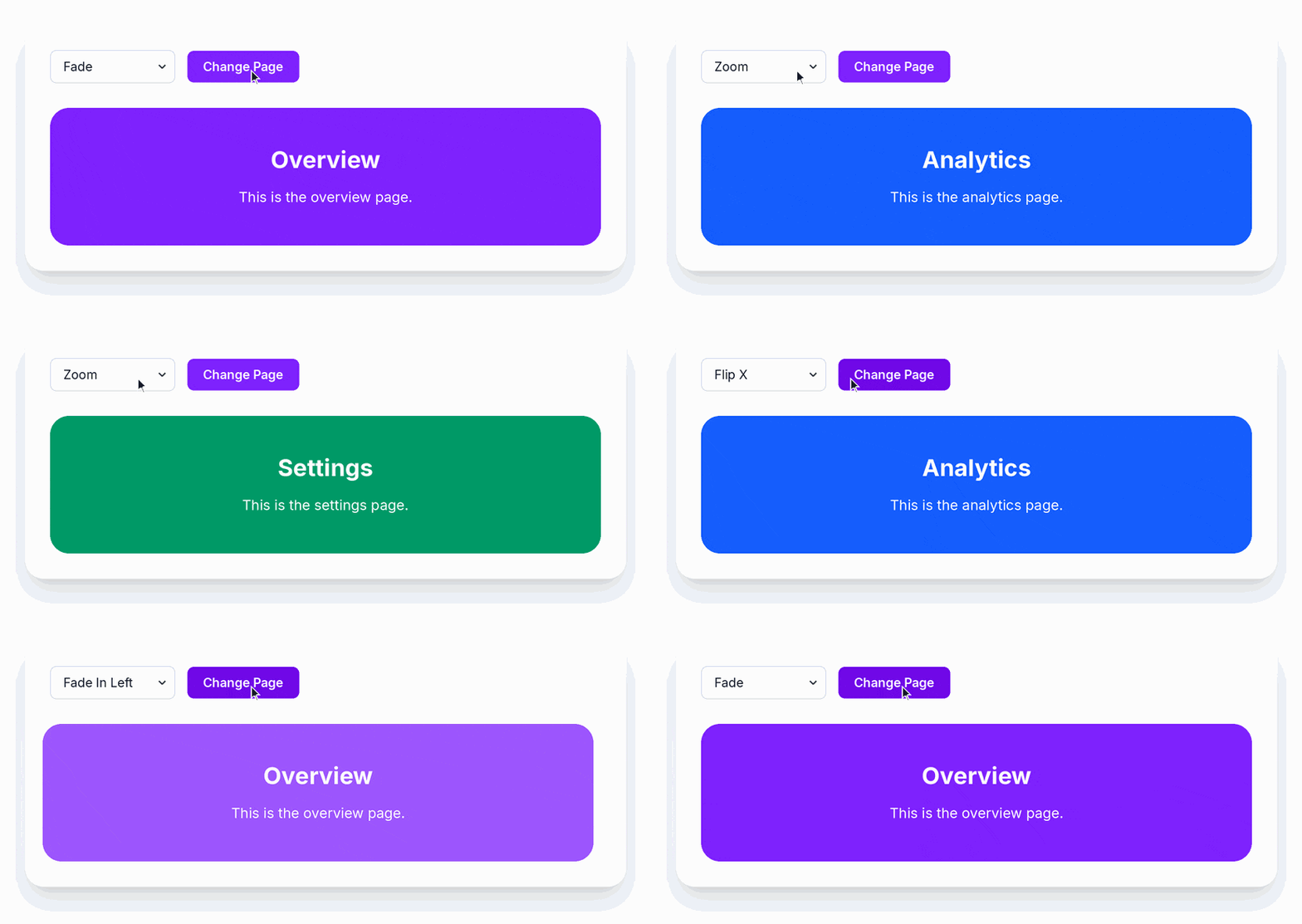
Vue Page Transition is a Vue.js animation library that helps you create smooth transitions when users move from one page or view to another in a web application. Instead of switching pages instantly, it adds attractive visual effects that make navigation feel more natural and polished.
Take a look at how the Vue Page Transition provides a modern and professional look to your application so that users get a fluid experience when page changes:
- The library allows you to choose from different animation effects such as fade, zoom, flip, and rotation that match your application’s design. It works especially well in single-page applications, where smoothly changing routes can improve the overall browsing experience.
- Its seamless integration with Vue’s routing and transition system helps you easily apply animations to all pages or customize them for specific routes. This flexibility makes it possible to create smooth navigation experiences without writing too much code.
- The library is also compatible across modern browsers, which helps you maintain consistent animations across different devices and platforms.
- The easy configuration and clear syntax allow you to quickly implement page transitions and even take control over their appearance and timing.
13. Vue-Tilt.js
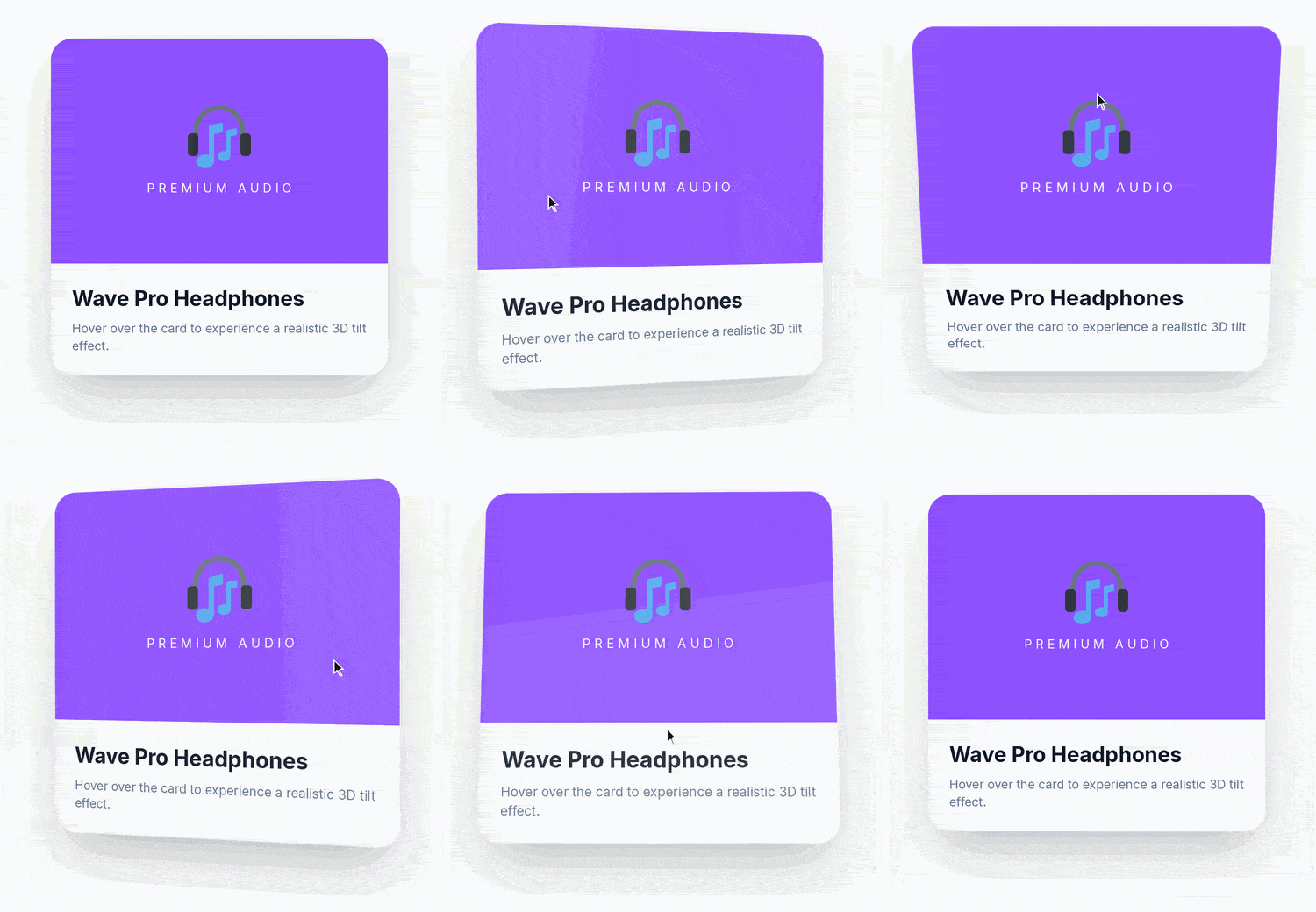
Vue-Tilt.js is a Vue.js animation library that adds a realistic 3D tilt effect to elements, increasing the interactivity of web pages and making them more engaging for users.
Discover how you can leverage the Vue-Tilt.js library to make your applications visually appealing:
- The tilt effect responds to the movement of a user’s mouse on desktop devices or the orientation of supported mobile devices. This feels as if the element is moving in three-dimensional space, making it useful for drawing attention to important content such as product cards, images, buttons, banners, or portfolio items.
- You can easily customize the animation by adjusting settings like the tilt angle, scaling effect, transition speed, and responsiveness to achieve the desired visual style.
- These rich interactive effects do not increase memory consumption or decrease performance, ultimately smoothing the animation
- It also benefits from hardware acceleration, which contributes to fluid motion and a better overall user experience.
- Vue-Tilt.js integrates easily into Vue components, allowing you to add attractive visual interactions with minimal code, thereby increasing the dynamism and responsiveness of your application.
14. AutoAnimate
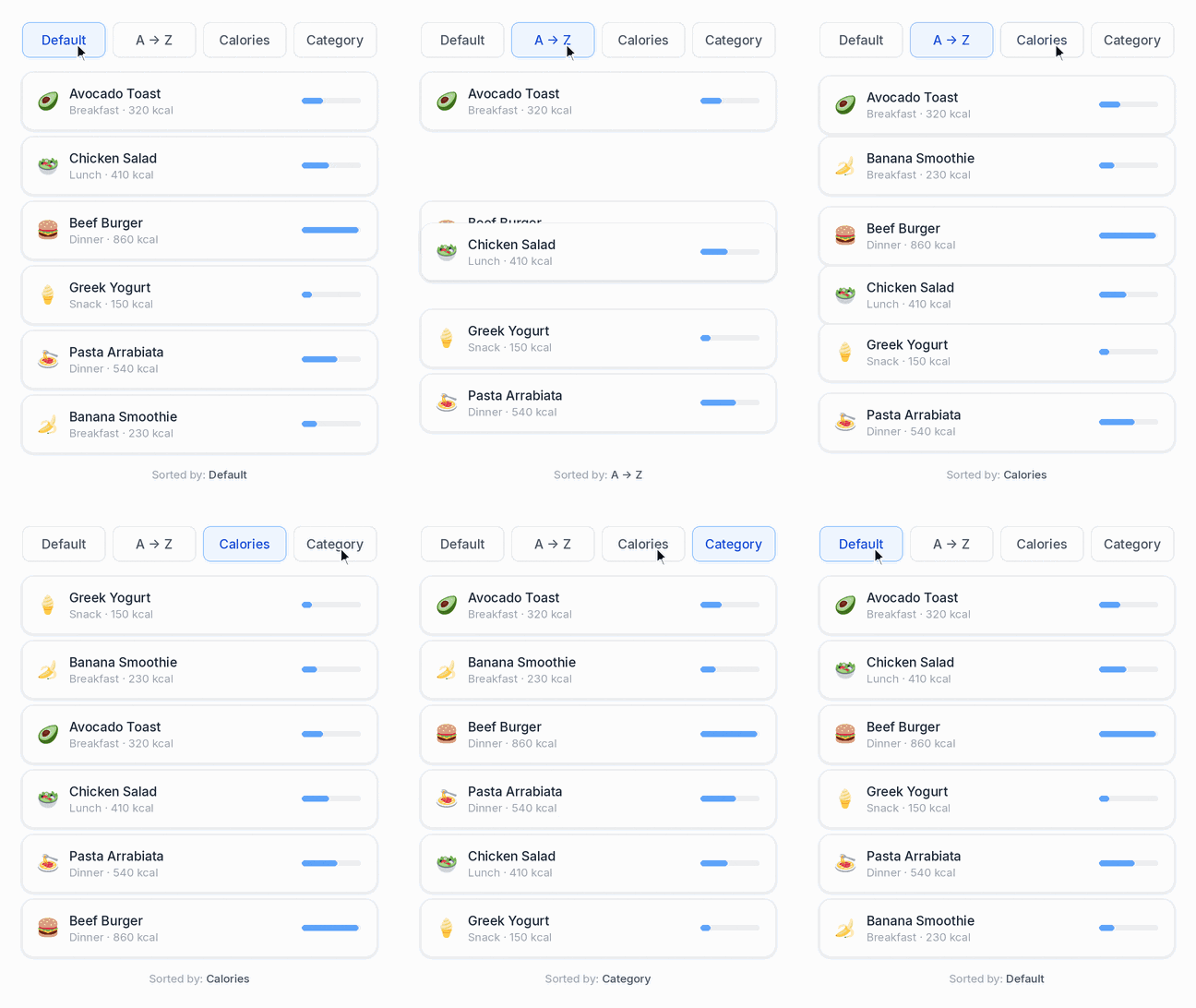
AutoAnimate is an open-source, lightweight animation library that helps you add smooth visual transitions in your web applications without performing any configuration.
The following features make AutoAnimate worth using to increase the look and feel of your applications:
- The library automatically detects changes such as the addition or removal of elements inside a selected DOM container. There is no need to write custom CSS, manage complex transition logic, or create animation keyframes.
- Its simple implementation enables you to activate animations with just a single line of code, making it an excellent choice for projects where speed and simplicity are important
- The library is framework-independent, so it works with many JavaScript frameworks besides Vue. Therefore, you can use it in projects involving other JS frameworks as well as Vue.
- AutoAnimate is especially useful for lists, forms, menus, notifications, and other interface elements that frequently change as users interact with an application.
Final Thoughts
With the increasing advancement of web application development, designing captivating and interactive applications has become crucial for enhancing user experience. By gaining expertise in different animation libraries, you can use the right kind of animation at the right place to give the best effects. Therefore, it’s important to build conceptual clarity about different libraries and properly understand client requirements to make their interfaces visually appealing.
FAQs
Yes, you’re allowed to use multiple animation libraries in a single project. If you apply different libraries to different elements, and each handles a different type of animation, there’s no chance of any conflict between libraries.
Animation libraries make interfaces responsive and easy to navigate, and they provide a natural feel. They help direct user focus towards important content, provide visual feedback, create spatial orientation, and make users feel a shorter loading time.
Install any Vue animation library by running an install command in your terminal using a package manager like npm, pnpm, or Yarn, and then register or import the library inside your Vue application.
Yes, you can create custom animations with a Vue animation library by defining your own keyframes, transition classes, or JavaScript hooks.
The selection of the right animation library for your project depends on your project’s performance requirements, complexity of the desired transitions, and whether you want built-in effects or customised control.
Yes, there are best practices such as integrating JavaScript hooks or libraries like GSAP, using native wrappers, hardware-accelerated CSS properties, etc.

Parind Shah is responsible for frontend innovations at TatvaSoft. He brings profound domain experience and a strategic mindset to deliver exceptional user experience. He is always looking to gain and expand his skill set.



Comments
Leave a message...