


Choosing the right JavaScript framework is one of the early decisions that shapes how a web application performs, scales, and grows. Vue.js and Next.js are two of the most widely used options for modern web development today, and engineering teams often compare them side by side before moving towards a new project or engaging with a Vue development company for implementation.
Both frameworks come with strong communities, mature ecosystems, and proven production track records. The difference comes from their intended purposes. Vue.js focuses on flexibility and progressive adoption, while Next.js focuses on full-stack delivery with built-in SEO and performance features. Understanding where each one fits well makes it easier to choose the right and best one for your application.
This blog covers what Vue.js and Next.js are, their key features, pros and cons, similarities, detailed differences, and the best use cases for each framework.
What is Vue.js?
Vue.js is an open-source progressive JavaScript framework used to build user interfaces and single-page applications (SPAs). It was created by Evan You in 2014 and has since grown into one of the most widely adopted frontend frameworks in the world. Vue offers an approachable and versatile framework that developers can use to build anything from small interactive widgets to large enterprise-scale applications.
The framework focuses on an application’s view layer and follows the principle of incremental adoption. A developer can include Vue in an existing project by adding a single CDN script tag. Use it as the base framework for developing a complete single-page application. The same core framework supports both scenarios without requiring any fixed project structure or many built-in tools. This is one of the reasons Vue continues to find a place in projects of every size.
What Are the Features of Vue.js?
The following are the key features of Vue.js that make it both approachable for beginners and capable enough for complex production applications.

- Computed Properties: These are special functions that allow developers to define values derived from other reactive data. Vue automatically recalculates them when dependencies change and caches the result, which increases performance in larger components.
- Component-Based Architecture: Developers build every part of the user interface as a self-contained component using single
.vuefiles. These Single-File Components (SFCs) combine the template, logic, and styles in one place, making large codebases easier to maintain. - Virtual DOM: Vue applies UI updates efficiently by comparing a virtual representation of the interface against the previous version. It only applying the minimum required changes to the real DOM, which keeps rendering fast.
- Two-Way Data Binding: The v-model directive syncs data between input fields and component state automatically. Making Vue especially well-suited for forms and applications with continuous user input.
Pros of Vue.js
Vue offers several practical advantages that make it a strong choice for both small projects and large production applications.
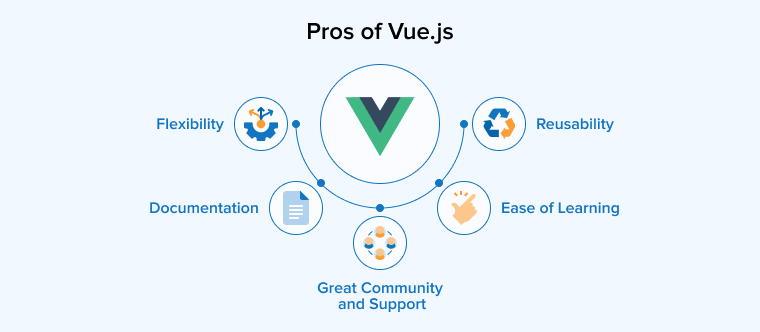
- Flexibility: Vue adapts to projects of every size, from a single interactive widget to a complete single-page application, and supports both the Options API for simpler use cases and the Composition API for more complex codebases.
- Documentation: The official Vue documentation stands out for its clarity. It introduces concepts in a logical order and provides working code examples that developers can test directly in the browser. This speeds up onboarding for new developers.
- Great Community and Support: Vue has over 210,000 GitHub stars, a regular release cycle, and a strong ecosystem. That includes Pinia for state management, Vue Router for navigation, Vite for build tooling, and UI libraries such as Vuetify, Element Plus, and Quasar.
- Reusability: Components accept inputs through props and communicate with their parent through emitted events. Allow custom content through slots. This makes them easy to reuse across different parts of an application or even across projects.
- Ease of Learning: A developer proficient in HTML, CSS, and JavaScript can start writing useful Vue code within a few hours, since the template syntax looks similar to HTML and there is no need to learn JSX or React Hooks.
Cons of Vue.js
Like every framework, Vue.js also has a few drawbacks that teams should consider before choosing it for a new project.
- Limited Resources and Smaller Ecosystem: Vue has fewer third-party libraries, plugins, and ready-made integrations compared to React or Angular. You may encounter this limitation when developing highly specialised projects. That depend on advanced charting tools, enterprise integrations, or niche developer utilities.
- Reactivity Complexity in Large Applications: Vue’s reactivity system can become harder to manage as applications grow. Especially when components become deeply nested or share large amounts of interconnected data, leading to unexpected updates and harder-to-debug behaviour.
- Language Barrier and Restricted Community Support: A developer from China originally created Vue, and the framework continues to have a strong following in non-English-speaking communities. As a result, some resources appear in Chinese or other languages, which can make them harder for English-speaking developers to use.
What is Next.js?
Next.js is becoming one of the most recommended full-stack frameworks for React web applications used by companies like Netflix and OpenAI. Vercel developed this open-source, React-based framework in 2016 to help developers build fast, scalable, and production-ready web applications.
Next.js uses React to create the user interface and runs on Node.js to handle server-side tasks. Such as rendering pages, processing requests, and working with databases. It can also use the Edge runtime to deliver faster responses for users in different locations. The framework adds a set of production-ready capabilities on top of React to help build a complete full-stack application from a single codebase without depending on a separate backend service or external libraries for core functionality.
What Are the Features of Next.js?
Next.js comes with a set of built-in features that turn React from a UI library into a complete framework for building production-ready web applications. Some of the prominent features include:
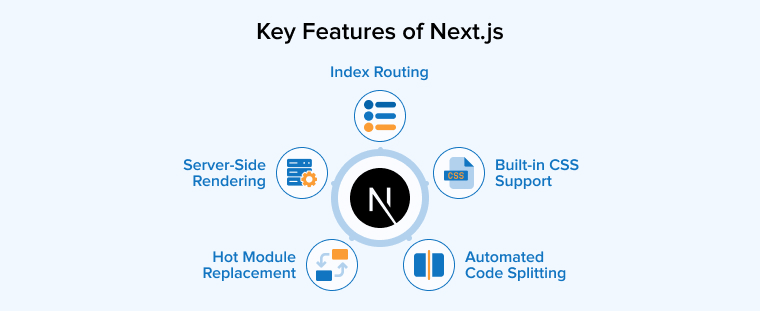
- Server-Side Rendering (SSR): The server renders pages as fully formed HTML and delivers them to users. This improves initial page loading and gives search engines content they can index without running JavaScript.
- Hot Module Replacement: Components reflect code changes instantly in the browser without losing the current application state. This makes iteration during development faster and smoother.
- Index Routing: The framework automatically turns every file inside the
pagesorappdirectory into a route, so the URL structure mirrors the file tree without requiring manual route configuration. - Automated Code Splitting: The JavaScript bundle is split by route, so each page loads only the code it needs. This keeps initial page loads small and improves Core Web Vitals scores.
- Built-in CSS Support: CSS Modules, Sass, Tailwind CSS, and CSS-in-JS libraries all work out of the box, so teams can start styling without setting up a separate build pipeline.
Pros of Next.js
The following are the major benefits of Next.js that have made it a leading choice for building modern web applications.
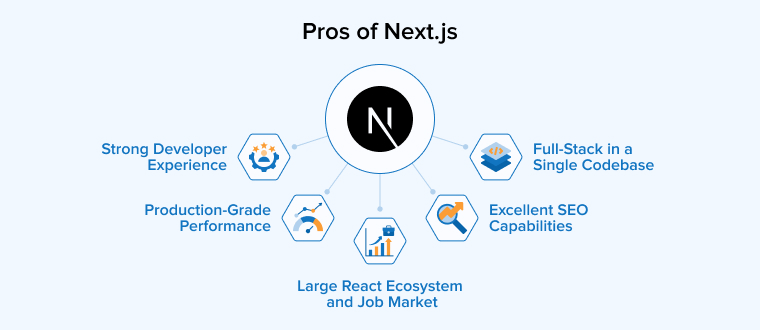
- Excellent SEO Capabilities: Built-in server-side rendering (SSR) and static site generation (SSG) deliver fully rendered HTML to search engines. This helps search engines to easily crawl and index pages. Thus, your pages can rank higher than client-side-only applications.
- Production-Grade Performance: Automatic code splitting, image optimization, route prefetching, and lazy loading deliver fast page loads and strong Core Web Vitals scores without additional engineering work.
- Full-Stack in a Single Codebase: API routes, Server Actions, and middleware let teams build backend functionality alongside the frontend, which reduces the need for a separate backend service in small and mid-sized applications.
- Strong Developer Experience: Hot module replacement, fast refresh, built-in TypeScript support, and clear conventions for routing and rendering reduce setup time and let developers spend more time on actual features.
- Large React Ecosystem and Job Market: Next.js builds on React, giving teams access to one of the largest library ecosystems and a deep global talent pool when hiring developers.
Cons of Next.js
Next.js also comes with a few limitations that teams should consider before adopting it.
- Steeper Learning Curve: Next.js builds on React, so developers need a solid understanding of React along with Next.js concepts such as routing, rendering strategies, and Server versus Client Components.
- Limited Built-in State Management: Unlike Vue’s built-in tools, Next.js does not include a state management solution by default, so complex applications often need external libraries such as Redux, Zustand, or Jotai.
- Vendor Lock-in with Vercel: Some Next.js features work best on Vercel’s infrastructure, so self-hosting on AWS, Azure, or other platforms may require extra configuration or increase operational costs.
Next.js vs Vue.js Similarities
Both Next.js and Vue.js frameworks share several core capabilities that make them strong choices for modern web development.
- JavaScript Foundation: Both Next.js and Vue.js are built on JavaScript and run on the Node.js runtime environment during development. As a result, teams with strong JavaScript skills can pick up either framework without learning a new language.
- Component-Based Architecture: Both frameworks use a component-based approach that lets developers build user interfaces with reusable, self-contained components, making large codebases easier to organise and maintain.
- Server-Side Rendering Support: Both options support server-side rendering (SSR) and static site generation (SSG). Next.js includes these capabilities by default, while Vue.js achieves the same through Nuxt.js as a meta-framework.
- Hot Module Replacement: Each framework supports hot module replacement during development, so code changes appear in the browser instantly without losing the current application state.
- Built-in TypeScript Support: TypeScript works out of the box in both Next.js and Vue 3, helping teams build large applications with strong type safety and better tooling support.
- Active Open-Source Communities: Both frameworks have large, active developer communities, regular release cycles, and detailed official documentation that gives teams reliable long-term support.
- First-Party Routing and Tooling: Each framework offers official tooling for routing and project setup. Next.js uses file-based routing, while Vue.js relies on Vue Router and supports Vite as its modern build tool.
Vue.js vs Next.js: Tabular Comparison
The table below provides a quick overview of Vue.js vs Next.js across the criteria that matter most when teams are choosing between these two frameworks.
| Criteria | Vue.js | Next.js |
|---|---|---|
| Released | Vue.js was first released in 2014 by Evan You. | Next.js was first released in 2016 by the team at Vercel. |
| Built On | Vue.js is a standalone progressive JavaScript framework with its own core engine. | Next.js is built on top of React and extends it with full-stack production features. |
| Type | Vue.js is primarily a frontend framework focused on the view layer of an application. | Next.js is a full-stack React framework that covers both frontend and backend needs. |
| Primary Focus | Vue.js focuses on building flexible user interfaces and single-page applications. | Next.js focuses on performance, SEO, and full-stack delivery from a single codebase. |
| Rendering | Vue.js renders on the client by default and adds server-side rendering through Nuxt.js. | Next.js includes server-side rendering, static generation, ISR, and client-side rendering out of the box. |
| Routing | Vue.js uses Vue Router, which allows developers to define routes programmatically. | Next.js uses file-based routing, where every file in the app directory becomes a route automatically. |
| State Management | Vue.js has official state management libraries such as Pinia and Vuex. | Next.js does not include a built-in state library and relies on external tools like Redux, Zustand, or Jotai. |
| Learning Curve | Vue.js has a gentle learning curve and is easy to pick up for developers familiar with HTML and JavaScript. | Next.js has a steeper learning curve because it requires solid React knowledge before getting started. |
| Core Bundle Size | Vue.js is a lightweight framework with a small core size of around 20 to 30 KB gzipped. | Next.js has a larger runtime size due to React and additional framework features. |
| TypeScript Support | Vue 3 was rebuilt with TypeScript in mind and offers excellent full type inference. | Next.js detects TypeScript automatically and requires no extra configuration to start using it. |
| Image Optimization | Vue.js handles image optimization manually or through community plugins such as Nuxt Image. | Next.js provides built-in image optimization through its next/image component. |
| API Routes | Vue.js applications usually depend on an external backend service for API functionality. | Next.js includes built-in API routes and Server Actions, removing the need for a separate backend in many cases. |
| Community Size | Vue.js has an active community that is smaller than React’s but highly engaged. | Next.js benefits from the much larger React community and ecosystem, giving teams broader support. |
| Job Market | Vue.js has a smaller global job market with a stronger presence in regions such as Europe and Asia. | Next.js has a large and growing global job market, supported by widespread React adoption. |
| Best Suited For | Vue.js is best suited for single-page applications, dashboards, MVPs, and internal tools. | Next.js is best suited for SEO-driven websites, e-commerce platforms, and full-stack applications. |
| Hosting Flexibility | Vue.js applications can be hosted on any static host, CDN, or container platform. | Next.js works best on Vercel but can also be self-hosted on AWS, Azure, and similar platforms. |
Vue.js vs Next.js: Detailed Comparison
It’s time to delve into the following six major differences between Vue.js and Next.js where the two frameworks differ most.
Performance
- Vue.js: Vue has a lightweight core size of around 20–30 KB gzipped, helping applications deliver a responsive runtime experience. Its reactivity system efficiently tracks state changes and updates the DOM with minimal overhead, making it well-suited for highly interactive interfaces such as dashboards and form-driven applications.
- Next.js: Next.js focuses on optimised initial page loads through server-side rendering and static generation, both of which deliver fully formed HTML to the browser before JavaScript executes. Combined with automatic code splitting and image optimization, Next.js loads content faster, making it a great choice for content-heavy and SEO-driven applications.
Ecosystem and Community
- Vue.js: Vue has a well-curated ecosystem with first-party libraries for routing (Vue Router), state management (Pinia), and build tooling (Vite). The community is smaller than React’s but highly active, with strong support across forums, Discord, and a global contributor base.
- Next.js: Next.js inherits the entire React ecosystem, the largest in the JavaScript world. Teams gain access to a wide library of third-party tools, integrations, and developer utilities for virtually every use case, from data visualization to AI applications.
Learning Curve
- Vue.js: Vue has a gentle learning curve and is widely considered one of the most approachable JavaScript frameworks. Developers familiar with HTML, CSS, and JavaScript can become productive within hours, since the template syntax closely resembles standard HTML.
- Next.js: Next.js has a steeper learning curve because it requires prior knowledge of React. Developers need to understand concepts such as JSX, hooks, and component lifecycle before picking up Next.js conventions like file-based routing, rendering strategies, and Server versus Client Components.
Flexibility and Scalability
- Vue.js: Vue supports incremental adoption, allowing developers to add it to an existing project as a single script or use it as the foundation for a complete single-page application. The same framework scales from a small widget to a large enterprise codebase without forcing teams into a fixed architecture.
- Next.js: In Next.js, there is a fixed structure, making it suitable for new projects but difficult to use with older codebases. Its file-based routing, layout conventions, and rendering strategies suit new builds where teams want strong defaults from the start.
Deployment and Production
- Vue.js: Vue applications can be deployed to any static host, CDN, or container platform without framework-specific tooling. Nuxt.js extends this further with deployment presets for popular providers, including Vercel, Netlify, Cloudflare, and AWS Lambda.
- Next.js: Next.js integrates closely with Vercel, which provides zero-config deployment, automatic preview environments, and built-in edge caching. Developers can also self-host Next.js on AWS, Azure, and container platforms, although features such as image optimization and ISR perform best on Vercel infrastructure.
Development Costs
- Vue.js: Vue’s simple learning curve leads to faster onboarding of developers new to modern JavaScript frameworks, ultimately resulting in lower development costs. However, project costs can rise when a separate backend service is required, because Vue focuses only on the frontend layer.
- Next.js: Next.js can reduce overall project costs for small teams because the framework provides full-stack capabilities in a single codebase through API routes and Server Actions. However, learning the framework takes quite a long time, and hiring experienced React developers is a bit expensive due to their high demand in the market.
When to Choose Vue.js?
Vue is a great selection when it comes to the following use cases:
- Single-Page Applications (SPAs): If you want to develop an SPA, for example, admin dashboards and interactive product tools.
- MVPs and Rapid Prototyping: If your team is building MVPs or wants to test product ideas quickly, Vue’s simple syntax and minimal setup will allow them to put together a working interface in days rather than weeks.
- Progressive Enhancement of Existing Apps: If you want to include modern reactivity features in your existing projects, you can adopt Vue incrementally as a single script tag without a full rewrite.
- Lightweight Web Applications: Go for Vue for developing content-driven sites and mobile-first web apps with a small bundle size and requiring quick loading.
When to Choose Next.js?
Below are the use cases where Next.js consistently delivers the most value.
- SEO-Driven Web Applications: Leverage the built-in server-side rendering and static site generation capabilities of Next.js to develop content platforms, publishing sites, and marketing pages where search rankings directly influence traffic and revenue.
- E-Commerce Platforms: If you want to build online stores and achieve good conversion rates.
- Full-Stack Applications: If you want to build the frontend, backend APIs, and database access using a single codebase.
- Content-Heavy Websites: If your project, such as blogs, documentation portals, and content-driven platforms, requires the speed of static sites and the flexibility of dynamic content.
Conclusion
Vue.js and Next.js are two of the most capable JavaScript frameworks available for modern web development, and each one serves a different set of priorities. Vue.js suits projects that prioritise flexibility, a smooth learning curve, and a clean developer experience, while Next.js fits projects that prioritise performance, search visibility, and built-in production features.
The right framework ultimately depends on the goals of the project, the experience of the team, and the technical requirements of the application. By understanding the strengths, limitations, and ideal use cases of both Vue.js and Next.js, businesses and development teams can make a well-informed decision that supports their product strategy and long-term growth.
FAQs
This cannot be answered, as both of them have their distinct advantages and use cases. It is only your project requirements, team expertise, and some other factors that can help you decide which framework will be better than the other.
Developers can use Vue.js to build large applications because its component-based architecture, Composition API, and TypeScript support, along with official libraries such as Pinia and Vue Router, provide predictable state management and routing.
Yes, you can use TypeScript with both Vue.js and Next.js. Next.js has built-in TypeScript support, whereas Vue 3 offers excellent TypeScript integration through the Composition API.
The answer to this depends on what kind of application you want to develop and whether you’re considering loading speed or interaction speed. Next.js is generally faster for content-heavy, SEO-focused applications, whereas Vue.js is equally fast for client-side applications.

Parind Shah is responsible for frontend innovations at TatvaSoft. He brings profound domain experience and a strategic mindset to deliver exceptional user experience. He is always looking to gain and expand his skill set.



Comments
Leave a message...