


Mistakes are bound to happen in any software project, like Angular development. So, you have to be more careful in every aspect of the process. Even simple programming or configuration mistakes can negatively impact your app’s maintainability and performance. These mere mistakes can be labeled as pitfalls because getting yourself out would be difficult, demanding significant time, money and effort.
Meanwhile, top Angular development companies deliver high-performance applications with production-level code. They achieve this by adhering to best practices, but more importantly, by avoiding common Angular pitfalls. This article sheds some light on these pitfalls and discusses ways to overcome them.
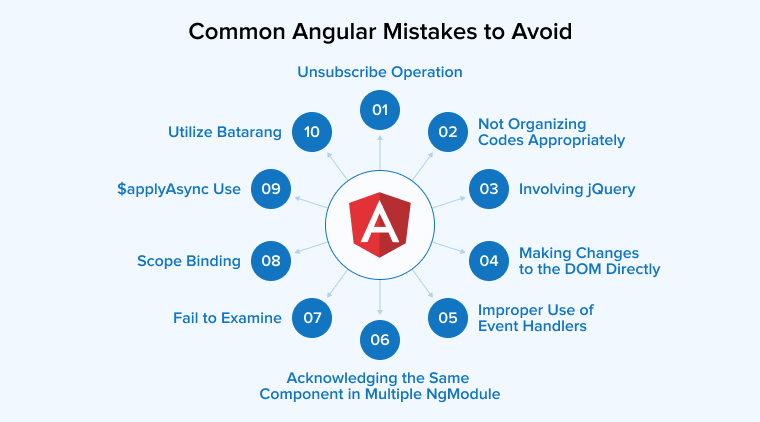
Common Angular Mistakes to Avoid
Let us explore the common Angular pitfalls that developers encounter while developing apps.
Unsubscribe Operation
Angular developers often make the mistake of failing to unsubscribe. There’s no excuse for this- It’s basic yet crucial for successful Angular development. Since developers work with many observables and event sources, they must unsubscribe when those subscriptions are no longer needed.
This is not merely carelessness: failing to unsubscribe can cause memory leaks due to lingering subscriptions. Now there are two scenarios:
- If you have subscribed to a component consisting of the OnDestroy Lifecycle hook, you need to trigger it.
- Once you initiate the hook and if it’s a service, then there is no hook available.
Whatever the case is, an Angular developer must be careful regarding this generic yet vital mistake. This will save you from memory leaks and hard-to-debug issues.
Not Organizing Codes Appropriately
When developers work with frontend JavaScript frameworks like Angular, they split code into smaller, focused components. Following Angular best practices makes development easier and more efficient.
Now, when you bifurcate these codes, errors can be tracked with less hassle. The problem here is that not all experts are skilled enough to do this.? Because, in Angular’s MVC architecture, the controller often contains a huge amount of code. This is another common mistake Angular developers must avoid. Instead of choosing alternatives that introduce complexity, create smaller, well-organized units of code.
Involving jQuery
Whether you are building a mobile or web application, many developers use jQuery. The jQuery library enables developers to manipulate the DOM whenever required. However, if you are using Angular, it is generally recommended not to use jQuery. It does not integrate well with Angular, and Angular itself is strong enough to solve issues without relying on third-party libraries.
Making Changes to the DOM Directly
A common mistake Angular developers make is changing the DOM directly. What is the DOM used for? Primarily, the DOM is an API for HTML and XML that enables programmatic access to and manipulation of document structure, style, and content. For example, you might update the page title when the application context changes, or manipulate SVG elements during rendering. The possibilities are broad, but you should prefer simple, framework-aligned approaches over direct DOM manipulation.
Improper Use of Event Handlers
If you want to add functionality, Angular is an excellent choice. However, adding such functionality to predicted data can conflict with Angular’s core principles.
Acknowledging the Same Component in Multiple NgModule
Many developers use the same component in multiple NgModules, which is one of the most common but often overlooked mistakes. Avoid this by declaring each component in a single NgModule — add it to that module’s @Ngmodule declarations array — so it is available to the module’s views.
If a component must be used in multiple NgModules, follow these steps:
- Declare the HeroComponent in the child module’s NgModule.declarations.
- Export the HeroComponent from the child module’s NGModule.exports
- Import the child module into the parent module via the parent module’s NgModule.imports.
Fail to Examine
Most of the time, we often overlook the need to examine an app before its launch. This is a common mistake that Angular developers often make. Bugs can be introduced by a variety of environmental factors, yet this risk is often underestimated.
Fortunately, a wide range of cross-browser testing tools is available, making it easier to thoroughly examine an app before release.
Scope Binding
The term “scope” in Angular refers to the built-in objects that hold application data. You should know that Angular provides many features and uses an MVC-like architecture. Here, the role of scope is to bind the view and the controller.
The main concern here is using simple data sources. To ensure smooth operation, it is advisable for a programmer to appropriately handle the objects involved.
$applyAsync Use
Do you think Angular has a polling mechanism that calls $digest()? Probably not! It is only executed because we use directives (for example, Ng-click and input), services ($timeout, $http), and methods ($watch) that evaluate our code and trigger a digest afterward.
$applyAsync() delays the resolution of expressions until the next $digest() cycle., That cycle is scheduled after a 0ms timeout, which typically runs after a small delay (often around 10ms, depending on the environment).
There are two ways to use $applyAsync() now. An automated way for $http requests, and manually for other cases.
To make all HTTP requests that return at roughly the same time resolve in one digest, do:
mymodule.config(function ($httpProvider) { $httpProvider.useApplyAsync(true); }); |
The manual way shows how it actually works. Consider a function that runs on the callback to a vanilla JS event listener or a jQuery .click(), or another external library. After it executes and changes models, if you didn’t already wrap it in an $apply(), you need to call $scope.$root.$digest() ($rootScope.$digest()), or at least $scope.$digest(). Otherwise, you will see no change.
Utilize Batarang
For those who don’t know, Batarang is a Google Chrome extension. Angular developers often use it to create and debug Angular apps. Batarang is especially helpful when developers need to examine scopes and discover restricted or unexpected values in arguments. However, many Angular developers fail to use this extension, which can be a significant oversight.
Conclusion
Making errors while coding is normal for any developer. Occasionally, coders write code and then review it days later, discovering numerous errors. However, the issue emerges when the developer is unable to identify their errors, causing end-users to encounter difficulties utilizing the program.
Angular is an excellent framework that continues to evolve in response to community feedback. Although Angular is still being improved, understanding the mistakes described above can help Angular developers be more careful when developing and debugging applications.

Itesh Sharma is core member of Sales Department at TatvaSoft. He has got more than 6 years of experience in handling the task related to Customer Management and Project Management. Apart from his profession he also has keen interest in sharing the insight on different methodologies of software development.



I found this blog while looking for angular development mistakes to avoid. This blog has helped me to clear some doubts and also with the help of this blog I successfully cleared an interview.