


In modern web development, speed, scalability, and SEO play a major role in determining an application’s success. Vue.js, known for its simplicity and flexibility, has become a favorite framework among developers for building dynamic user interfaces. However, when it comes to improving performance and search engine visibility, relying solely on client-side rendering can be limiting. This is where Server-Side Rendering (SSR) makes a real difference.
For developers or businesses partnering with a Vue.js development company, implementing SSR can significantly improve application performance, especially for content-heavy or SEO-driven websites. Frameworks like Nuxt.js simplify this process by offering built-in SSR support for Vue.js, making it easier to build universal applications that run seamlessly on both the client and the server.
In this guide, we’ll explore how SSR works with Vue.js, why it matters, and how you can leverage it to create high-performing, SEO-friendly web applications.
What is Server-Side Rendering (SSR)?
Server-Side Rendering (SSR) is a web development technique where a web page is generated on the server before being sent to the browser. Instead of sending only JavaScript files and raw data for the browser to build the page, the server creates a fully rendered HTML document and delivers it directly to the client. This allows users to see the page content faster, improving both loading time and user experience.
Once the HTML is loaded, the browser performs a process called hydration, where JavaScript takes over to make the page interactive. This process ensures that dynamic features work smoothly without reloading the entire page. In frameworks like Vue.js, SSR enables components to be rendered on both the server and the client, creating what is often called a universal or isomorphic application. This balanced approach helps developers build fast, responsive, and search-friendly web applications without compromising on interactivity or performance.
Key terms:
- Render to String / renderToString: Produce HTML from a Vue app on the server.
- Hydration: The client-side runtime attaches to the server-rendered DOM and makes it interactive.
- Prerendering / Static Generation (SSG): A related technique that builds HTML at build-time rather than on each request.
Why SSR for VueJS?
The following are some primary reasons that highlight the significance of server-side rendering in Vue.js:
Enhanced User Experience
Server-Side Rendering (SSR) improves user experience by displaying content faster and reducing waiting time. Since pages are pre-rendered on the server, users see meaningful content immediately instead of a blank screen. This approach ensures accessibility even if JavaScript is disabled, resulting in faster load times, better engagement, and smoother performance across different devices and browsers.
Faster Page Loads
Server-Side Rendering (SSR) helps web pages load faster by sending pre-rendered HTML directly from the server, reducing the browser’s workload. This allows users to view content instantly, even on slow connections. Faster loading times improve user engagement, decrease bounce rates, and create smoother navigation. SSR also ensures quicker First Contentful Paint (FCP), enhancing overall site performance and delivering a seamless browsing experience across different devices and network conditions.
SEO Optimization
Server-Side Rendering (SSR) enhances SEO by delivering fully rendered HTML pages to search engines. Crawlers can easily access and index content without relying on JavaScript execution. This improves visibility, increases ranking potential, and enables more efficient indexing, especially for websites with dynamic or content-heavy pages.
Ideal For Static Websites
Server-side rendering (SSR) is highly effective for static websites, improving loading speed and user experience by pre-rendering pages on the server. This approach ensures visitors see content immediately, reducing delays. SSR also enables the integration of dynamic elements into static sites, allowing interactive features without compromising performance. By combining fast initial rendering with the ability to handle dynamic content, SSR makes static websites more engaging, responsive, and optimized for both users and search engines, offering a seamless and efficient browsing experience.
Improved Performance
Server-side rendering (SSR) enhances website performance by generating HTML on the server before sending it to the browser. This reduces the processing required on the client side, allowing pages to load faster, improving initial render times, and providing a smoother, more responsive experience, especially for users on slower networks or less powerful devices.
Take a look at a Reddit discussion about server-side rendering in Vue.js.
Comment
byu/Wash-Fair from discussion
invuejs
Setting Up a Vue.js Project
Below are two common methods for adding SSR to a Vue.js project:
- Roll-your-own SSR using Vite + @vue/server-renderer: Ideal for situations where you need a lightweight setup and already have an existing Vue-based application.
- Use Nuxt (recommended for many projects): Nuxt offers built-in SSR, automatic routing with file-based pages, the Nitro server engine, and simple deployment options.
Scaffold a Vue 3 Base Using Create-Vue or Create-Vite
# using create-vue (recommended for Vue 3) npm init vue@latest my-ssr-app # or using Vite directly npm create vite@latest my-ssr-app -- --template vue cd my-ssr-app npm install |
Explanation:
- npm init vue@latest: Sets up a modern Vue 3 project, allowing you to select features such as TypeScript, Router, Pinia, and more.
- npm create vite@latest: Generates a fast, lightweight Vue project using Vite for faster build times.
- Once the project is set up, navigate to its directory and execute npm install to download and install all required dependencies.
Install SSR-Specific Dependencies
npm install express @vitejs/plugin-vue @vue/server-renderer # optionally add state management and routing npm install pinia vue-router@4 |
Explanation:
- express: A Node.js framework used to run and manage the SSR server.
- @vitejs/plugin-vue: Enables Vite to process .vue single-file components.
- @vue/server-renderer: Provides the renderToString API, which transforms Vue components into HTML strings for server-side rendering.
- pinia + vue-router: Optional but common for managing global state and navigation in SSR applications.
Folder Structure
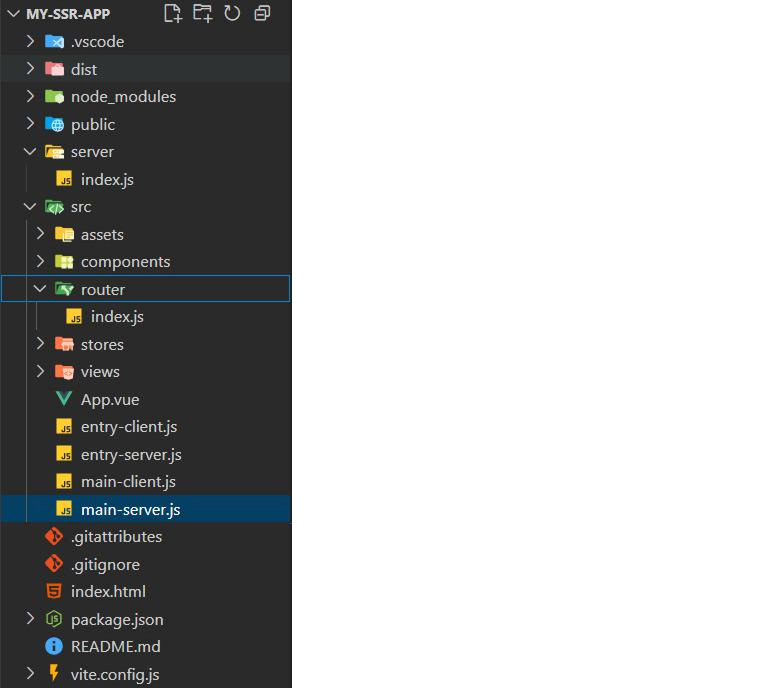
Explanation:
- server/: Contains Express server logic for managing both development and production environments.
- src/main-client.js: Client-side entry point that hydrates server-rendered HTML within the browser.
- src/main-server.js: Server entry point that initializes the Vue app for SSR.
- router/: Manages routing logic for client and server.
- dist/: Build output divided into separate client and server bundles after the build process.
Setting Up the Client Files
src/main-client.js
import { createApp } from 'vue' import { createRouter } from './router' import App from './App.vue' const app = createApp(App) const router = createRouter() app.use(router) // wait until router is ready then hydrate router.isReady().then(() => { app.mount('#app', true) // hydrate existing SSR markup }) |
Explanation:
- Generates a Vue application with a router.
- router.isReady() ensures that all routes are resolved before starting hydration.
In app.mount(‘#app’, true), the true instructs Vue to hydrate the server-rendered HTML rather than replace it, keeping the SSR-rendered content.
src/main-server.js
import { createSSRApp } from 'vue' import { createRouter } from './router' import App from './App.vue' export function createAppInstance(url) { const app = createSSRApp(App) const router = createRouter() app.use(router) // set the router to the requested url router.push(url) return { app, router } } |
Explanation:
- We use createSSRApp instead of createApp because rendering is performed on the server side.
- router.push(url) ensures that the server application aligns with the client’s requested route before rendering.
Provides { app, router }, enabling later rendering of the application using renderToString.
src/router/index.js
import { createMemoryHistory, createWebHistory, createRouter as _createRouter } from 'vue-router' import Home from '../pages/Home.vue' export function createRouter() { return _createRouter({ history: import.meta.env.SSR ? createMemoryHistory() : createWebHistory(), routes: [ { path: '/', component: Home }, // ...other routes ] }) } |
Explanation:
- Utilizes memory-based routing during SSR because the server lacks a DOM environment.
- Uses web history in the browser.
- Specifies routes compatible with both server and client environments.
Configuring the package.json File
{ "name": "my-ssr-app", "scripts": { "dev": "node server/index.js", "build:client": "vite build", "build:server": "vite build --ssr src/main-server.js", "build": "npm run build:client && npm run build:server", "start": "node server/index.js" }, "dependencies": { "express": "^4.x", "vue": "^3.x", "@vue/server-renderer": "^3.x", "vue-router": "^4.x" }, "devDependencies": { "vite": "^4.x", "@vitejs/plugin-vue": "^x.x" } } |
Explanation:
- dev: Runs the development server with Vite middleware.
- build:client: Creates the client-side bundle.
- build:server: Creates the SSR server bundle.
- build: Runs both client and server builds.
- start: Launches the server in production mode.
Setting Up the Server (server/index.js)
const path = require('path') const fs = require('fs') const express = require('express') async function createServer() { const app = express() if (process.env.NODE_ENV !== 'production') { // In dev: use Vite's middleware for on-the-fly transforms const { createServer: createViteServer } = require('vite') const vite = await createViteServer({ server: { middlewareMode: 'ssr' } }) app.use(vite.middlewares) app.use('*', async (req, res) => { try { const url = req.originalUrl const { render } = await vite.ssrLoadModule('/src/entry-server.js') const html = await render(url) res.status(200).set({ 'Content-Type': 'text/html' }).end(html) } catch (e) { vite.ssrFixStacktrace(e) res.status(500).end(e.message) } }) } else { // production: serve static client assets and use server bundle app.use(express.static(path.resolve(__dirname, '../dist/client'))) app.use('*', (req, res) => { const url = req.originalUrl const { render } = require('../dist/server/entry-server.js') render(url).then(html => res.end(html)).catch(err => res.status(500).end(err.message)) }) } return { app } } createServer().then(({ app }) => app.listen(3000, () => console.log('Server running at http://localhost:3000'))) |
Explanation:
- During development, it uses Vite middleware to enable rapid HMR and server-side rendering.
- In production, it delivers prebuilt client files from dist/client and performs server-side rendering using dist/server/entry-server.js.
- It invokes a render() function to dynamically generate HTML for each requested URL.
Configuring the Entry Files
src/entry-server.js
import { renderToString } from '@vue/server-renderer' import { createAppInstance } from './main-server' import fs from 'fs' import path from 'path' export async function render(url) { const { app, router } = createAppInstance(url) await router.isReady() const ctx = {} const html = await renderToString(app, ctx) const template = fs.readFileSync(path.resolve(__dirname, '../index.html'), 'utf-8') return template.replace('<!--app-html-->', html) } |
Explanation:
- renderToString(app): Converts the Vue application into HTML markup for rendering.
- Inserts the rendered HTML into the index.html template at the <!–app-html–> placeholder.
- Ensure the server generates complete HTML, ready for client-side hydration and seamless interactivity.
src/entry-client.js
// hydrates the app in the browser import { createApp } from 'vue' import App from './App.vue' import { createRouter } from './router' const app = createApp(App) const router = createRouter() app.use(router) router.isReady().then(() => { app.mount('#app', true) }) |
Explanation:
- Nearly the same as main-client.js with minimal differences.
- Activates Vue’s reactivity on the client by hydrating the server-sent pre-rendered HTML, making the page fully interactive.
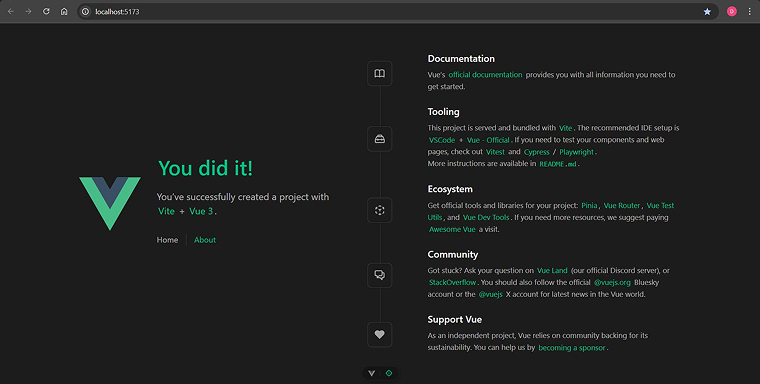
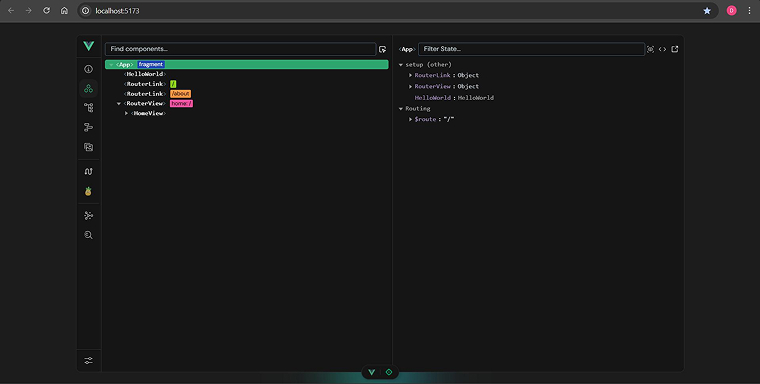
Output:
Setting Up the Server with Nuxt.js
For developers seeking built-in SSR support, Nuxt is the go-to framework for Vue applications. Nuxt 3 (3.x) runs on the Nitro server engine and offers:
- Automatic imports and routing are based on files.
- Server-side rendering is enabled by default, with configurable alternative modes available.
- Server-side API routes are located in the server/ directory for backend execution.
- Default SEO settings and built-in metadata management features.
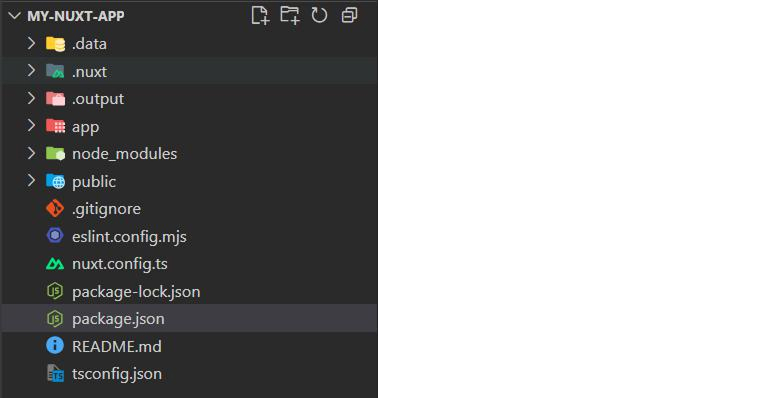
Quick Nuxt workflow:
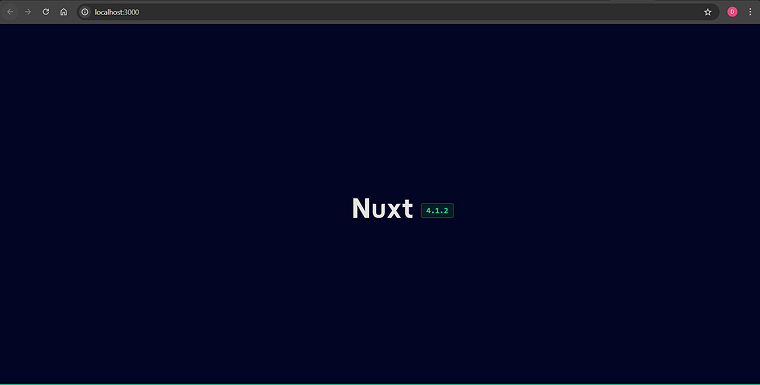
# scaffold a Nuxt app npx nuxi init my-nuxt-app cd my-nuxt-app npm install |
# run dev server (SSR enabled by default) npm run dev |
# build for production
npm run build |
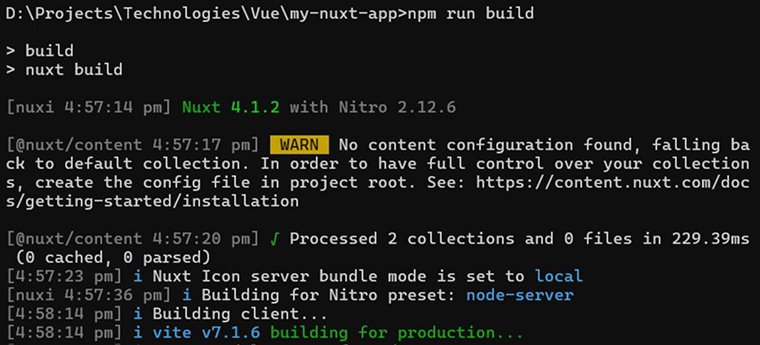



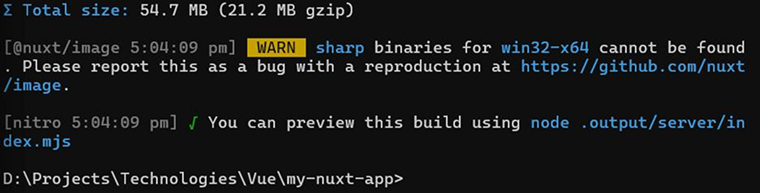
Nuxt manages the majority of SSR tasks, including rendering, hydration, route lifecycles, meta tags, and deployment through Nitro adapters. For teams building content sites, marketing pages, or applications that require SEO and fast initial loads, Nuxt offers a streamlined and efficient solution.
Final Thoughts
Server-side rendering (SSR) in Vue.js is a powerful technique that can significantly enhance the performance, SEO, and user experience of web applications. While it is possible to implement SSR manually in Vue 3, doing so requires additional setup, including creating server and client entry points and managing server-side rendering logic. This is where Nuxt.js becomes extremely helpful. Nuxt provides a streamlined approach by handling much of the SSR complexity for you, including routing, hydration, meta management, and deployment through Nitro adapters.

Parind Shah is responsible for frontend innovations at TatvaSoft. He brings profound domain experience and a strategic mindset to deliver exceptional user experience. He is always looking to gain and expand his skill set.



Comments
Leave a message...